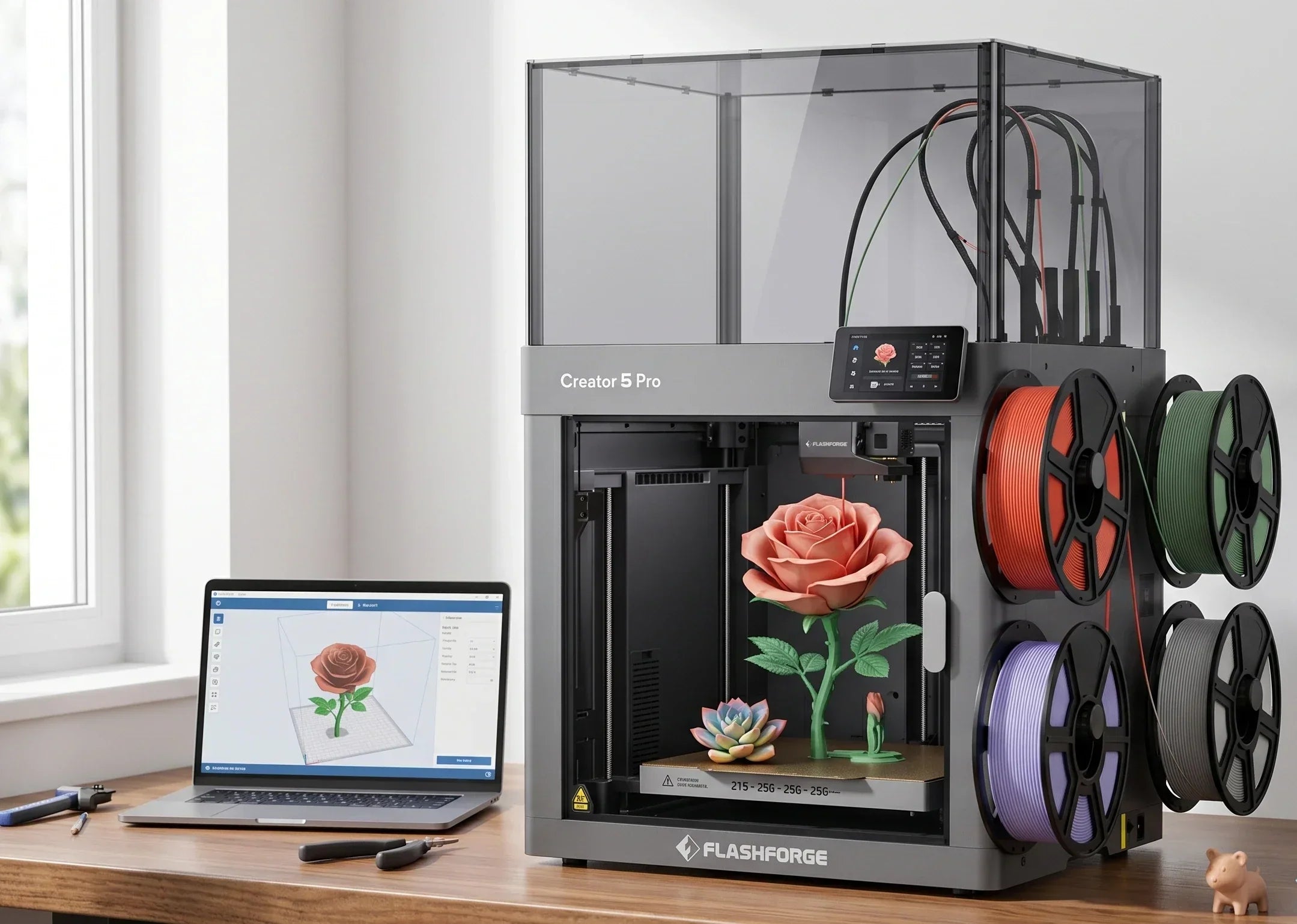
We have been asked this question many times: why bother with ABS in 2026 when PETG and ASA are so easy to use? The answer is simple. ABS is affordable, heat-resistant, sandable, and compatible with acetone polishing. It delivers balanced mechanical properties, making it the most practical choice in many engineering scenarios. PETG lacks sufficient heat resistance, ASA costs noticeably more, and nylon is difficult to manage. The overall cost-effectiveness of ABS has not been truly replaced to this day. The only issue centers on its strict environment requirements, meaning a basic FDM 3D printer cannot handle it easily. Today, we will discuss exactly what kind of FDM 3D printer you need to master it.
Why ABS Still Matters in Modern 3D Printing
ABS has survived the desktop 3D printing wave because it serves as a structural material widely used across industries. It combines hardness, toughness, and heat resistance, making it ideal for physical parts that face frequent handling, impacts, or high temperatures. The 3D Printing Materials Market report from Mordor Intelligence shows that the global 3D printing materials market size is expected to reach approximately 3.02 billion dollars in 2026. In 2025, plastic materials captured a 47.78% market share, and filament forms represented around 69.90%. As filament remains the dominant form factor, engineering filaments like ABS and ASA will continue to expand rapidly over the next few years.
PLA works well for users who only need display 3D prints. However, projects involving long-term load-bearing, snap-fit components, small-batch functional parts, or near-real-world prototyping require more. The high glass transition temperature of ABS at around 100°C, along with its machinability and chemical resistance, makes it a more reliable choice than PLA. This explains why an increasing number of small studios and engineering teams set up a dedicated engineering FDM 3D printer for materials like ABS, ASA, and PC-ABS, moving beyond standard PLA.
What Is an ABS 3D Printer?
Understanding what qualifies as an ABS 3D printer helps you quickly filter out sub-par options during your search. A true ABS 3D printer must run stably at higher temperatures while controlling the thermal environment and odor. A simple marketing label claiming ABS support is insufficient.
From a hardware perspective, a qualified ABS 3D printer typically requires a nozzle temperature capability of at least 230–250°C, a heated bed in the 90–110°C range, and a relatively or fully enclosed print chamber to reduce the risk of warping and cracking caused by thermal shock. Higher requirements for materials like PC-ABS, reinforced ABS, or carbon-fiber engineering filaments often push nozzle temperatures to 280–320°C. Maintaining a chamber temperature of 40–65°C benefits layer adhesion and dimensional accuracy. This explains why engineering-focused desktop 3D printers like the Flashforge Creator 5 Pro 3D Printer feature actively heated chambers and high-temperature nozzles.
Common Challenges When Printing ABS
Although the engineering properties of ABS are highly attractive, printing it successfully on desktop 3D printers remains challenging. Thermal shrinkage, layer adhesion, and ambient airflow serve as the three main variables affecting your success rate. User frustration usually stems directly from overlooking these technical details.
Warping and Layer Separation
ABS experiences significant volumetric shrinkage during the cooling process. If the cooling rate varies too much across different areas of a 3D print, the bottom or edges can easily lift from the build plate. Continuing the print then leads to warped edges or an overall offset. For tall, thin structures, the top sits far from the heated bed and cools faster. Once interlayer stress accumulates to a certain point, noticeable delamination or cracking occurs, making the physical part look broken at a specific height.
Cracking and Shrinkage Issues
When the nozzle temperature is low, the chamber is too cold, or a noticeable draft exists, the newly extruded ABS begins to shrink sharply before bonding fully with the lower layer. This causes white cracks or visible openings between layers, especially in large cross-section structures like boxes and enclosures. Forum experiences and testing articles widely recommend keeping the ABS nozzle temperature around 235–245°C, the heated bed at 90–110°C, and stabilizing the ambient chamber temperature around 40°C using an enclosure. This combination significantly reduces the probability of cracking.
Poor Bed Adhesion and First Layer Problems
First-layer adhesion represents another critical factor for ABS success. Because the bottom layer experiences the highest temperature and strongest shrinkage forces, a build plate without a proper coating or sheet will struggle against the temperature delta. This often causes the entire 3D print to warp upward after a few layers. Common practical solutions include using PEI sheets, glass with specialized glue, or textured steel plates with ABS-specific adhesives on a 90–110°C heated bed. Ensuring the first layer is evenly pressed down with slightly squished lines will significantly improve your success rate.
Managing ABS Fumes and Odor
ABS releases a noticeable odor when melted at high temperatures, accompanied by a certain amount of fine particles and volatile organic compounds. When printing in closed spaces for long periods, utilizing a filtration system and proper ventilation is much safer. For home and educational environments, a fully enclosed 3D printer with HEPA and activated carbon filtration balances safety and comfort easily. Therefore, when recommending FDM 3D printers to ABS users, we prioritize engineering-focused setups like the Flashforge Creator 5 Pro, which includes HEPA13 and activated carbon filtration alongside a stable chamber temperature.
Best ABS 3D Printers Ranked by User Type
Different users have very different priorities when it comes to ABS printing. Some seek maximum simplicity with minimal hassle. Others care more about high-temperature materials and long-term stability. Some need larger build volumes for engineering parts. The following sections outline selection ideas based on typical user types, using specific FDM 3D printers as reference points.
Best ABS 3D Printer for Beginners: AD5M Pro
For beginners trying ABS for the first time, a 3D printer that handles most technical details automatically matters more than raw specifications. The Flashforge Adventurer 5M Pro features a fully enclosed chassis and a CoreXY structure. It offers a nominal build volume of 220×220×220 mm and a maximum nozzle temperature of 280°C, balancing a compact size with sufficient capabilities for engineering filaments. This desktop 3D printer includes a built-in dual-circulation filtration system with HEPA and activated carbon, along with one-click automatic bed leveling. Combined with a PEI magnetic build plate and power outage recovery, it allows home users and small educational spaces wanting to try ABS and ASA to produce their first batch of functional parts with a relatively friendly learning curve.
Best Professional Desktop ABS Printer: Creator 5 Pro
When your needs upgrade to frequent production of fixtures, enclosures, small-batch functional parts, or multi-material engineering prototypes, a platform that leans toward being a desktop factory becomes critical. The Flashforge Creator 5 Pro utilizes a fully enclosed steel chassis and features 4 independent tool heads. It reaches a maximum nozzle temperature of 320°C and a bed temperature of 120°C, while supporting active chamber heating up to approximately 65°C. This FDM 3D printer is optimized specifically for ABS, ASA, PC, PA, PC-ABS, and carbon-fiber reinforced engineering filaments. Additionally, the Flashforge Creator 5 Pro includes built-in HEPA13 and activated carbon filtration, door locks, and open-door detection, alongside 600 mm/s class high-speed printing and automatic flow calibration. For studios and small factories that need to balance multi-3D printer fleet management with engineering material stability, it serves as a reliable ABS 3D printer that

ABS vs Other Popular 3D Printing Materials
Before buying a dedicated FDM 3D printer for ABS, many users wonder if ABS is still necessary given how mature PLA, PETG, and ASA have become. Understanding the differences in strength, heat resistance, and outdoor performance among these materials helps you define their usage boundaries clearly.
ABS vs PLA for Strength and Durability
Regarding tensile strength, tests show that PLA often has a slightly higher ultimate tensile strength than PETG and ABS. However, PLA is more brittle and lacks sufficient impact and heat resistance. Most PLA parts begin to soften and deform around 50–60°C. In contrast, ABS has a glass transition temperature of around 100°C, offering higher impact toughness and better machinability. Therefore, in scenarios requiring frequent assembly, load-bearing, or proximity to heat sources, such as snaps, handles, and brackets, ABS parts typically outlast PLA parts.
ABS vs PETG for Functional Parts
Many users view PETG as a middle ground between PLA and ABS. Its toughness and impact resistance generally surpass PLA, and its temperature resistance is higher. It is also easier to print than ABS and less prone to warping. However, PETG has some elasticity, meaning its rigidity and machinability fall below ABS. For parts that require high dimensional accuracy, subsequent tapping, or milling, ABS yields more controllable results. When parts need long-term exposure to certain chemical agents, the chemical resistance of PETG outperforms ABS. The two materials serve as options tailored for different working conditions.
ABS vs ASA for Outdoor Applications
You can view ASA as an upgraded version of ABS optimized for outdoor environments. It maintains similar toughness and heat resistance but offers significantly enhanced UV and weather resistance, making it ideal for components exposed to sunlight and rain. For enclosures, car mounts, or gardening accessories left outdoors long-term, ASA resists yellowing and brittleness better than ABS. This benefit requires 3D printing equipment with a high nozzle temperature and an enclosed chamber, making the printing difficulty equal to or slightly higher than ABS.
When ABS Is the Better Choice
Overall, ABS serves as a well-balanced option when your components are used primarily indoors, requiring a mix of rigidity, heat resistance, and machinability, while keeping material costs controlled. If you also need multi-material combinations, such as an ABS body paired with soluble supports or flexible material interfaces, multi-tool-head platforms like the Flashforge Creator 5 Pro support various engineering filaments like ABS, ASA, PA-CF, and PC-ABS. This support turns ABS into a foundational material within your entire engineering material matrix, establishing its role as a true structural plastic.
To compare the characteristics of these common materials directly, refer to the following table.
|
Material
|
Printing Difficulty
|
Heat & Environmental Resistance
|
Mechanical Properties & Typical Uses
|
|
PLA
|
• Easiest to print
• Needs high cooling
• Minimal warping
|
• Softens at 50–60°C
• Poor resistance to heat and direct sunlight
|
• Rigid but brittle
• Fits display 3D prints, school samples, and low-stress parts
|
|
PETG
|
• Moderate difficulty
• Insensitive to cooling
• Low warping risk
|
• Better heat resistance than PLA
• Offers good chemical resistance
|
• Tough and flexible
• Fits impact-resistant parts, clips, and outdoor accessories
|
|
ABS
|
• High difficulty
• Requires 90–110°C bed
• Needs enclosed chamber
|
• Glass transition at ~100°C
• Handles medium-to-high heat well
|
• Rigid, tough, and machinable
• Fits jigs, enclosures, and structural prototypes
|
|
ASA
|
• High difficulty
• Requires strict chamber control
• Sensitive to cooling ducts
|
• Outstanding UV and weather resistance
• Resists outdoor yellowing and aging
|
• Tough and durable
• Fits automotive exteriors and outdoor structural parts
|
Tips for Getting Better ABS Printing Results
If you want consistent success with ABS, spending time to understand thermal fields, build plates, and cooling fan settings helps more than frequently changing filaments. Adjusting the following practical tips often yields a noticeable increase in your success rate.
Using the Right Bed Surface and Adhesives
For ABS, the heated bed temperature and surface treatment establish the foundation for your 3D print. 3D printing community experiences widely recommend setting the heated bed temperature between 90–110°C. Pairing this with PEI steel sheets, glass with specialized glue, or ABS-specific adhesives ensures the first layer lines are slightly squished to form a continuous, flat base. For long or large flat 3D prints, increasing the brim width in your slicer helps distribute tensile stress and prevents edge warping. Some users even design localized helper discs in critical areas to increase adhesion without adding too much post-processing effort.
Optimizing Temperature and Cooling Settings
Successful ABS 3D printing depends heavily on sufficient heating and gentle cooling. Multiple tests indicate that controlling the nozzle around 235–245°C and pairing it with a 90–110°C heated bed delivers solid layer adhesion and good surface quality across most filaments. At the same time, you should turn off or drastically reduce the part cooling fan to 0–10%. This prevents cold air from blowing directly onto uncured layer interfaces, which causes sharp shrinkage and delamination. For very small cross-sections or slender pillars, you can provide the minimum curing time for a single layer by slightly increasing airflow or slowing down.
Preventing Warping with Enclosures
For ABS warping and cracking, an enclosed chamber functions as an excellent difficulty reduction tool. Even a simple cover improves the structural integrity of tall 3D prints and large flat 3D prints significantly, provided it maintains the printing space around 40°C and blocks sudden cold drafts.
Post-Processing ABS with Acetone Smoothing
Acetone vapor smoothing serves as a common post-processing method for ABS 3D prints that require both aesthetics and strength. Exposing the surface of the 3D print to a small amount of acetone vapor inside a sealed container for a short time dissolves the tiny outer layer steps. This process smooths out layer lines and increases surface density to some degree. In practice, you must control the time and concentration carefully to prevent sharp angles and details from melting excessively. Always operate in a well-ventilated environment to reduce health and safety risks.
Are ABS 3D Printers Worth It in 2026?
Materials and hardware are evolving quickly, leading many to ask if investing in a dedicated ABS 3D printer is necessary in 2026. The answer depends on the types of tasks you plan to solve with 3D printing over the coming years.
Who Should Invest in an ABS-Capable Printer
If your work involves product prototype validation, functional samples, small-batch fixtures, or parts placed near heat sources, you will use engineering materials like ABS, ASA, and PC-ABS frequently. Owning an FDM 3D printer that natively supports high temperatures, enclosed chambers, and filtration carries immense value.
When PLA or PETG May Be Enough
Conversely, if your printing tasks focus on character figures, decorations, educational demonstrations, or light-load structural parts, you will rarely encounter high temperatures, high loads, or long-term outdoor exposure. The combination of PLA and PETG usually suffices, delivering clean surfaces and high success rates with less parameter tuning. These users can easily start with an easy-to-use FDM 3D printer tailored for PLA and PETG. You can integrate a dedicated ABS 3D printing platform into your equipment roadmap later as your needs approach engineering scenarios, avoiding spending your entire budget on high-temperature, top-tier setups right away.
Long-Term Value for Functional Printing
From an investment return perspective, an engineering material platform proves its value by reducing failures and expanding the scope of your 3D printing tasks. Reports from Wohlers and Mordor Intelligence indicate that functional parts and industrial applications capture a growing share of 3D printing material consumption. The material segment expects an overall compound growth rate exceeding 22%, meaning more structural parts will transition to 3D printing solutions over the coming years. If your business handles numerous small-to-medium batches, non-standard parts, and frequently iterating structural components, integrating ABS and related engineering filaments into your standard workflow early makes sense. Equipping your workflow with a stable FDM 3D printer will often recover costs within two to three years by cutting outsourcing expenses and shortening development cycles.
Future Trends in Engineering Filament Printing
Looking ahead, desktop engineering material 3D printing will evolve toward higher temperatures, smarter features, and deeper integration. Material suppliers are developing low-warp, low-odor ABS variants to improve success rates on desktop FDM 3D printers. Concurrently, 3D printer brands are integrating active chamber heating, precise cooling duct controls, multi-material tool heads, and fleet management into mid-to-high-end desktop 3D printers. For regular users, the entry barrier for materials like ABS, ASA, and PC-ABS will continue to drop.
Conclusion
Let us review the core elements of choosing an ABS 3D printer. An enclosed chassis is a necessity because the probability of warping doubles without it. The heated bed must stabilize at 100–110°C minimum. An all-metal hotend is required to withstand ABS printing temperatures over long periods. Activated carbon filtration is ideal, but you must ensure proper ventilation without it. Once an FDM 3D printer meets these four criteria, you can select one from the recommendation list based on your budget. ABS does not care about brands, but it demands proper hardware configurations. When the configuration is right, it rewards you with strong and clean 3D prints.
FAQ About ABS 3D Printers
Basic questions about ABS often determine how you choose your first ABS 3D printer and how you use your first spool of filament. Below are brief answers to the most common questions, helping you quickly understand the boundaries of working with ABS.
Do you need an enclosure for ABS printing?
Strictly speaking, you can print small ABS parts in a completely open environment, but the success rate depends heavily on ambient temperature and airflow. For large or tall parts, it is a gamble. Extensive testing and user experiences show that providing a relatively enclosed, temperature-stable space for the printing area and maintaining a chamber temperature above 40°C significantly reduces warping and layer cracking. Therefore, for users planning to use ABS long-term, investing in an FDM 3D printer with an enclosed chamber or an actively heated chamber is highly worthwhile.
Is ABS stronger than PLA?
Looking at pure tensile strength numbers, PLA scores slightly higher than ABS in many tests, but PLA is more brittle, with lower impact and heat resistance than ABS. If you care about overall performance under repeated assembly, impacts, and a degree of flexing in higher-temperature environments, ABS proves more reliable than PLA. In scenarios prioritizing surface details, color variety, and easy printing, PLA remains the more hassle-free option.
What temperature is needed for ABS 3D printing?
Mainstream experience indicates an ABS nozzle temperature range of 230–250°C. Within this window, material flow and layer fusion are ideal. The heated bed is typically set to 90–110°C while minimizing the use of the part cooling fan. Combining this with an enclosed or semi-enclosed printing space balances bed adhesion and overall thermal stability. For specific high-temperature or custom ABS blends, the manufacturer guidelines should take priority.
Are ABS fumes dangerous?
The ABS melting process releases volatile organic compounds and fine particles. Short-term, low-level exposure in well-ventilated areas carries relatively low risk, but filtering and ventilation are recommended during long printing sessions in enclosed spaces. For home and school environments, using a fully enclosed FDM 3D printer with HEPA and activated carbon filtration that automatically ventilates or shuts down after printing improves comfort significantly. Enclosed FDM 3D printers like the Flashforge Adventurer 5M Pro and Flashforge Creator 5 Pro feature built-in filtration and enclosed chambers designed specifically as solutions for these scenarios.
Which 3D printer is best for ABS printing?
No single 3D printer fits everyone, but a clear guideline helps. Beginners, families, or educators wanting to try ABS safely within a limited budget and space will find that a compact, fully enclosed FDM 3D printer with dual filtration like the Flashforge Adventurer 5M Pro shortens the trial-and-error phase. If you plan to work long-term with ABS, ASA, PC-ABS, or carbon-fiber reinforced materials and want an FDM 3D printer that functions as a small engineering workstation, the Flashforge Creator 5 Pro is a more valuable long-term investment. Featuring a 320°C high-temperature nozzle, a 120°C heated bed, active chamber heating, and HEPA13 filtration, it provides ample capability to support your engineering filament projects for years to come.