Toys are essentially manipulable environments. Through repeated manipulation, imagination, and social interaction, children transform the abstract world into concrete objects that can be understood and controlled. Classic research has long found that children who frequently use building blocks, assemblies, and symbolic materials (such as character dolls) for construction and role-playing games score higher in analytical thinking, memory, and spatial perception. From a safety perspective, as long as the right equipment and materials are chosen and basic safety rules are understood, FDM desktop 3D printers, combined with child-friendly workflows, can absolutely become children's toy factories. The global 3D printing market is expanding rapidly at a CAGR of approximately 18–23%, with desktop and consumer applications being the fastest-growing segments—precisely the niche market where our printed toys operate.
In this article, we will systematically break down the safety of 3D printed toys, discuss which type of toy 3D printer we should choose, and explore actual printing and post-processing. We will then provide a comprehensive list suitable for parents and educational scenarios, using real-world models and case studies.
Are 3D-Printed Toys Safe for Children?
Whether 3D printed toys are truly safe for children is a top concern for all parents. Actually, as long as you choose the right materials and avoid printing defects, there's not much to worry about. Below, we'll explain the key safety points to help you confidently choose a 3D printer for building your child's toys.
Comparing FDM and Resin Printers for Toy Safety
Studies have shown that FDM printing releases significant amounts of ultrafine particles (UFP) and volatile organic compounds (VOCs), but the emissions vary greatly depending on the material: PLA's particle and VOC emissions are significantly lower than those of high-temperature materials such as ABS and nylon.
FDM printing uses filaments such as PLA, PETG, and ABS, which are heated and melted before being stacked layer by layer. Most toy 3D printers fall into this category. In contrast, Resin printing (SLA/DLP/LCD) uses photosensitive resins, which are cured under ultraviolet light. The resin itself is a mixture of small-molecule monomers, diluents, and photoinitiators, and before curing, it poses risks of skin sensitization, respiratory irritation, and even potential carcinogenicity. VOCs from resin printing commonly include acrylates, methacrylates, formaldehyde, and naphthalene. Studies show that their indoor concentrations are more likely to exceed health reference values, requiring stricter ventilation and protection. Therefore, provided there is adequate ventilation and PLA is used as the primary material, the air pollution risk of FDM printing is significantly lower than that of resin printing, making it suitable for home and school settings. The best solution for home use is: FDM + PLA/PETG + enclosed/localized filtration + good ventilation.
Choosing Non-Toxic & Food-Safe Filaments
PLA Filament: The Preferred Material for Children's Toys
PLA, derived from renewable resources such as corn starch and sugarcane, is generally considered non-toxic and biodegradable, making it the most commonly used material for 3D printed toys and educational models. Several filament brands have launched PLA products that have passed the EN71-3 toy safety test for migratable elements, such as Flashforge PLA, which are specifically labelled for educational and decorative purposes. For young children, even if they accidentally lick it or keep it in their mouths for a short time, it's generally not a problem. However, prolonged use as a teething toy should be avoided, as the textured surface can easily trap dirt and grime.

PETG filament: Ideal for Impact-Resistant & Outdoor Toys
PETG has higher strength and toughness than PLA, making it less brittle and suitable for many toys that are frequently folded and subjected to impacts. PETG filament itself meets FDA or EU food contact regulations and can be used for cups, cookie moulds, etc. However, it is still important to note: You must verify that the brand provides a clear food contact compliance statement, and check whether the nozzles and lubricants of the printing equipment itself are contaminated with lead, copper, or mineral oil.

ABS filament: Use Cautiously in Enclosed Cases & Good Ventilation
ABS itself is non-toxic; it's the main material used in Lego. However, the VOCs (volatile organic compounds) such as styrene released during printing can cause respiratory irritation and potential toxicity. Experiments have shown that it can cause toxic reactions in cells and animals. Therefore, we only recommend using it in a closed printer with HEPA and activated carbon filters in a well-ventilated, independent room, and children should not remain in the same space for extended periods during the printing process.
The Realistic Boundaries of Food Safety in Toys
Multiple technical guidelines point out that while pure PLA, PETG, and PP materials can theoretically meet FDA or EU food contact requirements, pigments and additives in commercially available filaments may undermine this. Texture and micropores are breeding grounds for bacteria, and prolonged, repeated contact with food or the mouth is not ideal. However, it is crucial to avoid using any FDM-printed toys for teething or prolonged mouthing, such as pacifiers or teethers. When occasional contact with food is unavoidable, use PLA/PETG products clearly labelled as food contact compliant, and thoroughly clean them with a mild detergent before and after use, replacing them regularly.
Key Features for Choosing the Best Toy 3D Printer
When choosing a good toy 3D printer, it's crucial to consider safety, ease of operation, and accurate printing. Prioritize child-friendly options and compliant materials. Simplicity of operation and reliable printed products are also important. The following key features can help parents and creators accurately select the right one that is both safe and practical.
Simple Interface: the Most Important Feature for a Toy 3D Printer
When choosing a 3D printer for toys, ease of use is far more important than peak performance. A child should feel confident starting a print with just a few clicks. An integrated, one-step user experience is paramount. It should be ready to use out of the box, with automatic leveling, an extremely low failure rate, and even be operable by young elementary school children with minimal supervision.
Of course, from a parent's perspective, there's another standard for simple, child-friendly printers: automatic leveling and automatic Z-axis calibration reduce failures and tedious manual steps; a clear and intuitive touchscreen interface supports a pre-built toy model library for direct selection by children; and intelligent functions such as power-off resume printing and consumable detection prevent children from panicking during malfunctions.
Enclosed 3D Printers: Essential for Families with Children
Multiple health and safety advisories clearly state that desktop FDM printers release nanoplastics and VOCs, which are particularly harmful to children's sensitive respiratory systems, and it is not recommended to place printers in children's bedrooms. Furthermore, nozzle temperatures during printing can reach 200–260°C, and the heated bed can exceed 60–100°C, enough to cause severe burns. For young children who are naturally curious, the moving parts of the printer can also pose a risk of pinching their fingers.
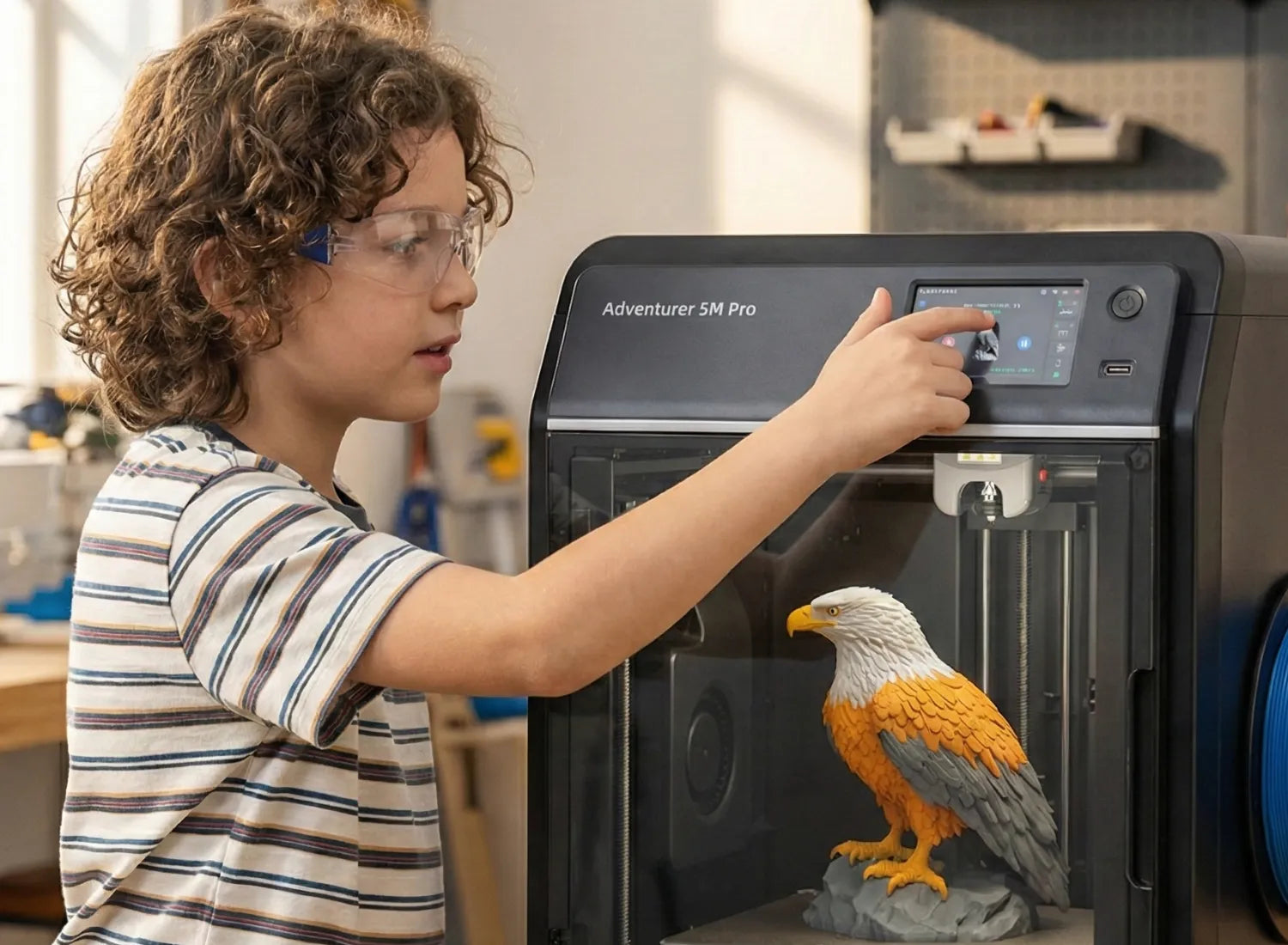
The purpose of a closed casing is to physically isolate the hot end, heated bed, and moving parts; allow the HEPA and activated carbon filter modules to more effectively capture particles and adsorb VOCs; and facilitate centralized exhaust to the outside through a fixed duct. For example, the Flashforge Adventurer 5M Pro has a built-in particle sensor and HEPA/activated carbon filter system that automatically activates the filter when it detects an increase in particle concentration inside the chamber, effectively reducing odor and VOC exposure when printing ABS. Families with children should prioritize purchasing a fully enclosed printer, combined with HEPA + activated carbon filtration, good ventilation, and adult supervision.
Strike a Balance Between Fast Printing Speed and a Quiet Home Environment
When choosing a 3D printer to print toys for children, a common dilemma for parents is that their children don't want to wait too long and want to see the printed toys immediately, but the 3D printer shouldn't be too noisy and disturb the whole family's rest. The Adventurer 5M Pro solves this problem. In actual testing, a 20cm tall model can be completed in an afternoon, while the previous generation model often took an entire night. Furthermore, its fan is of higher quality, and the noise is more controllable at the same speed. Placing the printer in a study, enclosed balcony, or a separate small room, with the door closed, significantly reduces the noise impact on the bedroom. It effectively solves the dilemma many parents face when choosing a 3D printer for printing toys.
How to Make Toys with a 3D Printer
Making your own toys with a 3D printer is not complicated at all. First, choose the right model and safe materials. The operation steps are also not difficult to follow. Below, we'll explain in detail how to easily create your own custom toys.
Step 1: The World of Models Beyond Thingiverse
While Thingiverse has a long history, its update frequency and quality have become inconsistent in recent years, leading many players to migrate to more active platforms. Here are some Thingiverse alternatives model platforms worth noting:
Printables: Operated by Prusa, it has strict review processes, a rich variety of educational models, toys, and fidget toys, and detailed printing instructions, making it suitable for beginners and classroom use.
Cults3D / MyMiniFactory / CGTrader/ Makerworld: Offers a large number of detailed character, board game, and functional toy models. Some are paid, but the quality and printability are generally high, suitable for advanced players seeking sophisticated toys.
Thangs / Yeggi: More like a 3D model search engine, allowing searching of publicly available models across multiple platforms, ideal for finding fidget toys and educational tools.
Creality Cloud, 3DPrintShelf, etc.: Based on the maker and manufacturer ecosystem, these aggregate a large collection of fidget spinner, mechanical toy, and educational tool models.
Tinkercad Gallery: With online modeling tools, children can first draw on Tinkercad and then browse other children's shared works. When downloading models, please note the following: Check the comments and printed photos to ensure the model structure is robust and suitable for FDM printing;
Of course, we need to pay attention to the licensing agreement (CC BY, CC BY-NC, etc.). If you plan to sell the finished product or use it in the classroom long-term, you must abide by the licensing terms. This also helps to cultivate children's awareness of copyright from an early age.
Step 2: Choosing Child-Safe Tools
Besides the filament itself, this includes: glue, paint, varnish, lubricant, etc.
-
Filament
Choose PLA/PETG filaments that have passed EN71-3 or ASTM F963 tests, such as the EN71-3 certified PLA series mentioned above. If you intend to commercially sell 3D printed toys, you must comply with the toy regulations of the target market, such as the latest version of ASTM F963-23, the 2024 updated version of the EN71 series, and obtain third-party laboratory testing and a Child Product Certificate (CPC).
-
Paint and Surface Coating
Professional toy manufacturers explicitly recommend using only water-based or safe solvent-based paints that have passed EN71-3 and ASTM F963, ensuring they are free of harmful substances such as lead, cadmium, and phthalates.
For areas that children frequently grasp, rub, or may put in their mouths, prioritize water-based acrylic paints and ensure sufficient drying and curing time.
-
Glues, Lubricants, and Screws
Choose low-odor, non-toxic PVA/white glue or hot melt adhesives. Avoid using industrial-grade, strong solvent instant adhesives, especially when handling children.
For lubrication, food-grade silicone oil or PTFE grease is recommended. Avoid contact of mineral oil with children's skin or mouth.
If using metal screws, springs, or other accessories, ensure they will not come loose during play. Secure them with threadlocker if necessary.
Step 3: Slicing Settings
Unlike printing ordinary decorative items, toys prioritize durability, safety, and tactile feel. Therefore, a layer height of 0.2 mm is a good compromise between overall quality and speed; small fingertip toys can use 0.12–0.16 mm for a smoother surface.
Regarding wall thickness and shell count, at least 2–3 shells are recommended, with a total wall thickness ≥1.2 mm; load-bearing components and connectors can be increased to 4 shells (1.6 mm). Ordinary toys require 15–25% infill; fingertip toys that are frequently subjected to force or impact can use 25–35% grid or cube infill. Other safety-related slicing techniques include turning off the extreme acceleration caused by rapid retraction, which reduces mechanical noise and vibration at medium printing speeds, lowering the risk of breakage due to interlayer cracks or warping. Additionally, appropriately increasing the shell linewidth and top layer count helps avoid surface porosity and fragile thin shells. Furthermore, using the lower limit of the recommended filament temperature range minimizes VOC emissions while ensuring sufficient interlayer adhesion. For ready-to-use jointed toys and finger toys, strictly follow the recommended layer height and cleaning methods provided by the model maker to avoid joints sticking together or becoming excessively loose. If designing your own, the FDM printing gap can generally be started at 0.2–0.3 mm and fine-tuned depending on the machine's precision.
Step 4: Post-Processing
When using pliers and scrapers for removing supports and sanding, this should be done under the supervision of an adult or older child, and safety goggles should be worn to prevent debris from entering the eyes. Lightly sand edges and sharp corners with 400-800 grit sandpaper, and if necessary, use 1000-1200 grit sandpaper for finer sanding, ensuring the child will not be scratched. Cleaning and sealing the surface if necessary:
For high hygiene requirements, food-grade epoxy or a specialized food-grade coating can be used to seal the surface, but ensure the coating itself meets relevant food contact standards.
Creating Cool Creations with Your Toy 3D Printer
Functional Fun 3D Toy Printing
DIY building blocks, puzzles, puzzle boxes, remote-controlled car shells, miniature furniture, and more not only provide fun but also cultivate logical and spatial thinking. Many platforms offer parts and accessories compatible with certain building block systems, making it easy for children to assemble their existing toy sets.
In a Flashforge user story, a parent shared that her daughter used AD5M Pro to print a complete model of the solar system for a science exhibition: the planets, detachable orbits, and instruction labels were all designed, sliced, and printed by the child in the software. The teacher was amazed by the project's completion and the hands-on experience. These types of functional toys often become a medium for children to understand astronomy, physics, and history, rather than just toys themselves.

Fingertip 3D Toy Printing
In recent years, numerous collections of dedicated fingertip toys 3D print ideas have emerged on various platforms, including fidget cubes, sliders, rotating rings, magnetic sliders, and deformable geometric shapes; as well as various mechanical toys such as print-in-place gear balls, infinite cubes, and foldable robots.

Fingertip toys are often small and complex, requiring high levels of interlayer adhesion and wear resistance; PETG or high-toughness PLA are good choices. It's crucial to control the height of the first layer and the support gaps to prevent joints from sticking together, while simultaneously ensuring the cooling fan runs at full capacity to guarantee the quality of small details. For children who are 3D printing fidget toys, it's important to note that many are small in size and contain detachable magnets, balls, etc., making them unsuitable for children under 3 years old. Even for older children, distraction during class should be avoided; instead, they should be recommended as a short-term stress-relieving tool at home or during breaks.
Educational Model 3D Toy Printing
Market analysis indicates that education, research, consumer goods, and home use are key areas for desktop 3D printing applications. Schools and maker spaces are increasingly equipping themselves with desktop printers for STEAM education and engineering training.
The following models serve as both playable toys and educational tools for teachers and parents to explain abstract concepts, perfectly aligning with the learning-through-play philosophy:
Mathematics: Platonic solids, fractional pizzas, function surfaces, geometric puzzles, etc.
Science: Solar system models, molecular structures, DNA double helix, wind turbine models.
History and Art: Artifact restoration models, architectural sculptures, musical instrument construction models, etc.

Conclusion: The Final List of 3D Printers for Toys
In reality, physical toy play is being squeezed by 6–9 hours of screen time per day. Building blocks, construction materials, board games, role-playing props, and loose materials offer better support for creativity, language, and executive function development than electronic toys that only produce sound by pressing buttons.
Focusing on playtime rather than simply piling on toys: Even simple dolls and building blocks, with patient parental guidance, can become highly effective tools for training narrative, emotional, and logical thinking. Considering safety, ease of use, and toy-making capabilities, here's a profile of 3D printers for families and children.
Prioritize FDM desktop printers like those from Flashforge, using PLA/PETG filaments to avoid children's contact with uncured resin and the cleaning process. If you want to cater to both children's and adults' daily creative needs, prioritize a sealed environment and filtration, while also valuing printing speed: choose the Flashforge Adventurer 5M Pro with a sealed chamber and HEPA/activated carbon filter. After initial parental setup, it provides children with a stable and reliable one-click toy factory.
Regardless of which 3D printer you choose to print toys, it's crucial to always keep the printing process away from children's prolonged presence. Place the printer in a well-ventilated, small room with a closed door. Adhere to the use of safe filament and paints that have passed toy/food contact tests, and respect established toy safety standards such as EN71 and ASTM F963. During the design and post-processing stages, prioritize safety measures such as preventing cuts, swallowing, and breakage before considering creativity and cool effects. Under these conditions, a 3D printer can become a gateway for children to explore the world of engineering, design, and science, and a true home toy factory.
FAQ
Are 3D printed toys safe for kids?
Provided the right materials, proper design, and good ventilation, toys made with FDM printers (PLA/PETG) can be considered basically safe for everyday use, but they should not be given to infants for ingestion. PLA/some types of PETG can be prioritized, and resin (SLA/LCD) printed parts should be avoided for direct play by children. Many resins retain residual toxicity even after curing and should especially not be ingested or exposed to the skin for extended periods. However, research has found that even children's 3D printing pens/toy printers release ultrafine particles and VOCs in enclosed environments. Therefore, it is recommended to use them in well-ventilated rooms, ideally in a sealed chamber with HEPA/activated carbon filtration.
How big a threat is 3D printing to the toy industry?
This is a question that many in the toy industry ponder and worry about. However, based on current data and industry analysis, 3D printing seems more like a supplementary tool and a niche market solution than a disruptor that will overturn mass-produced injection-molded toys in the short term. At the factory level, 3D printing is already widely used for toy prototyping, small-batch customization, IP-derived merchandise, and limited-edition exhibition items, significantly shortening the design-to-sample cycle and reducing mold-making risks. It's suitable for small-batch, highly customized, and niche product categories, but for mainstream injection-molded toys with production volumes starting at tens or hundreds of thousands, cost and speed still cannot completely replace it. While home users can print simple toys, replacement parts, and personalized models themselves, which will squeeze out a small portion of low-value-added toys, most parents will still purchase branded toys and IP-licensed products. Therefore, it's a structural supplement to traditional mass-produced plastic toys rather than a comprehensive threat; however, it presents a huge opportunity for creative, niche, personalized, and educational toys, as this article talked about.
How to 3D model for 3D printing toys?
Modeling is divided into three parts: choosing software, learning printable modeling concepts, and finally exporting STL/3MF files for slicing software.
For complete beginners or children, the following introductory software options are recommended:
Tinkercad (web-based, drag and drop shapes to build toys), suitable for simple cars, small animals, and building blocks.
For cute figurines and IP characters:
Blender (free), Nomad Sculpt (iPad), ZBrush, and other digital sculpting software suitable for soft, cute figurines and art toys.
For toys with a strong engineering feel (mechanisms, structures):
Fusion 360, FreeCAD, Onshape, and other parametric modeling software, better suited for precise tolerances, snap-fit mechanisms, gears, and movable structures.
In addition, our professional Flashforge ecosystem slicing software Orca Flashforge, with built-in AI capabilities, can turn your creative ideas into professional model files with a single click, perfect for unleashing the 3D printing imaginations of beginners and children.
Modelling toys for 3D printing requires avoiding overly fine or sharp areas, and rounding the outer edges as much as possible to balance strength and safety. The printing direction and support structure should be considered in advance. For complex figures that can be modeled in parts, the movement of joints and gaps must be considered: Print-in-place joints should have sufficient gaps, generally between 0.2–0.4 mm, but specific gaps will require repeated testing depending on the machine's precision. Load-bearing structures such as support rods and clips should be made as thick as possible to prevent easy breakage during rough play.
What is the best 3D Printer for Toys?
If you're specifically looking to make toys for children or families and only want to recommend one Flashforge FDM 3D printer, the Flashforge Adventurer 5M Pro is the top choice.
In terms of safety, the 5M Pro is fully enclosed with a filter, making it ideal for families with children. The Adventurer 5M Pro features a fully enclosed design; when the door is closed, children cannot access the nozzles or heated bed, significantly reducing the risk of burns and pinched fingers. The built-in dual-circulation filtration system, including an internal HEPA filter and an external activated carbon filter, reduces particulate matter and odours during printing, making it more suitable for home use when making toys and educational tools for children.
Furthermore, the child-friendly AD 5M Pro 3D printer boasts a maximum printing speed of 600mm/s and an acceleration of 20000mm/s², much faster than traditional entry-level printers. Printing a medium-sized toy takes only a few hours, so children don't have to wait too long. From unpacking to the first print, it only takes about ten minutes. With automatic levelling and touchscreen operation, it's user-friendly for beginners and teachers, making it suitable for parents and children to play together. With a build volume of 220×220×220mm, it's sufficient for most toys, building blocks, model car shells, and educational models; yet not so large as to be difficult to place in a study or classroom.

Flashforge also places great importance on the education market. The Adventurer 5M Pro is already in use in many schools. For every Flashforge 3D printer purchased, up to $20 is donated to an African fund that receives donated 3D printers, empowering education and skills training, and promoting the value of technology for good. Every purchase is both practical and philanthropic.