TPU is an incredibly fun material to work with, but not every 3D printer can handle it properly. Flexible filaments demand specific extrusion systems, clear feeding paths, and fine-tuned print speeds. Choosing the wrong 3d printer is a quick way to waste money and cause endless frustration. After extensive research and hands-on testing, we put together this guide to help you find the right setup. We cover everything from core specs to specific 3D printer recommendations, so you can make an informed decision today.
3Why TPU Is Different from Standard 3D Printing Filaments
The main difference between TPU and rigid filaments like PLA or PETG comes down to its softness and stickiness. TPU typically ranges from 85A to 98A on the Shore A hardness scale. It can stretch to multiple times its original length without breaking, whereas PLA usually fails at less than 10% elongation. Many TPU formulas feature a tensile strength of 30 to 50 MPa and an elongation at break between 400% and 600%. This unique combination of high stretchability and tear resistance makes it the ideal choice for phone cases, gaskets, and shock-absorbing pads.
This flexibility introduces unique challenges during the extrusion process, often highlighting mechanical flaws in a 3D printer.
-
High Viscosity: Molten TPU is sticky and prone to oozing during travel moves.
-
Compressibility: The filament compresses and deforms inside the extruder, which reduces retraction efficiency.
-
Mechanical Sensitivity: Any gaps, sharp bends, or friction points along the filament path will cause stringing, under-extrusion, or severe jams.
This is exactly why many FDM printers that handle PLA perfectly often struggle or fail entirely when you load them with TPU.
Types of TPU 3D Printing Filament
Understanding the different types of TPU helps you match your specific application needs with the right material and 3D printer capabilities. Ultra-soft TPU ranging from 60A to 75A works best for gaskets and wearable items. This range requires a direct-drive extrusion system and very slow print speeds. The more common 92A to 98A TPU is ideal for phone cases and protective bumpers. It offers higher rigidity, making the performance requirements for your FDM printer relatively forgiving. You need to reverse-engineer your buying decision based on your projects. Identify the specific hardness range your application requires, and then verify if the 3D printer can reliably handle that material window.
The table below breaks down typical applications and 3D printer requirements for different TPU hardness levels.
|
TPU Shore Hardness
|
Typical Applications
|
Recommended Extrusion System
|
Recommended Print Speed (Typical)
|
|
60A–75A
|
Gaskets, soft grips, wearable prototypes
|
Direct Drive (Strict requirement)
|
15–25 mm/s
|
|
82A–87A
|
Watch bands, shock absorbers, flexible hinges
|
Direct Drive (Highly recommended)
|
20–35 mm/s
|
|
92A–98A
|
Phone cases, belts, pulleys, protective corners
|
Direct Drive or high-quality Bowden setups
|
30–50 mm/s
|
|
55D–75D
|
Industrial rollers, gears, wear-resistant sleeves
|
Direct Drive or Bowden setups
|
40–60 mm/s
|
What Makes a Good TPU 3D Printer?
Once you understand the unique traits of TPU, the next logical question is what specific features make a 3D printer truly capable of handling it. Industry material reports and actual user feedback point to a few core requirements: a short and rigid extrusion system, a highly constrained and straight filament path, a stable motion system, and controllable ambient temperatures.
When an FDM printer meets these prerequisites, your success rate with TPU increases significantly. Tuning your print settings shifts from a frustrating guessing game into a repeatable engineering process.
Why Direct Drive Extruders Matter
Pushing flexible filament through a long Bowden tube is like trying to push a wet noodle through a pipe. The longer the path, the easier it is for the material to bunch up or knot. Multiple hands-on tests show that TPU softer than 90A compresses and bends easily inside a Bowden system. This leads to inconsistent feeding or complete jams. A direct-drive extruder positions the drive gears incredibly close to the nozzle, which greatly reduces this risk.
The Importance of Stable Filament Feeding
Even with a direct-drive setup, sharp bends or high friction between the spool and the extruder will cause the TPU to snag along the way. One Adventurer 5M Pro user shared a custom TPU guide modification in the community here. By bypassing the stock Bowden tube, feeding filament directly from the top of the enclosure, and optimizing the guide pulley placement, they significantly reduced under-extrusion and jams. This real-world example demonstrates a clear point. Ensuring a straight, low-friction path is more effective than simply increasing motor torque.
When evaluating whether a 3D printer is right for TPU, look beyond the direct-drive specification. Pay close attention to these critical details that directly impact your long-term user experience:
-
Spool Placement: Look for positions that offer a natural, unhindered drop to the intake.
-
Intake Height: Ensure the distance between the filament entry point and the toolhead minimizes strain.
-
Guide Holes and Tubes: Check for a minimal number of transition points to prevent friction buildup.
Print Speed and Retraction Control for TPU
The real-world answer to whether flexible filaments can handle high-speed 3D printing is far more conservative than the numbers on a spec sheet. Testing shows that setting a nozzle temperature of 230°C, fine-tuning the retraction distance of a direct-drive setup from 0.8 mm to 1.2 mm, and keeping the speed at 30 mm/s can transform a print from a stringy mess into a clean surface. Pushing the print speed higher quickly causes surface defects to reappear. When working with TPU, it is best to accept a reliable speed of 20 to 40 mm/s. Prioritizing precise retraction settings and clean travel paths over raw print speeds of 200 to 300 mm/s yields far better quality. A high-quality FDM printer provides clear speed and retraction recommendations for TPU within its firmware and slicer profiles, instead of just advertising maximum marketing speeds.
Heated Beds and Enclosed Designs
TPU is less prone to warping than ABS, but large-volume or tall models still benefit significantly from a stable heated bed and consistent ambient temperatures. Industry material reports show that a controlled environment slightly above room temperature with minimal drafts ensures reliable interlayer bonding, which prevents tall flexible parts from splitting mid-print.
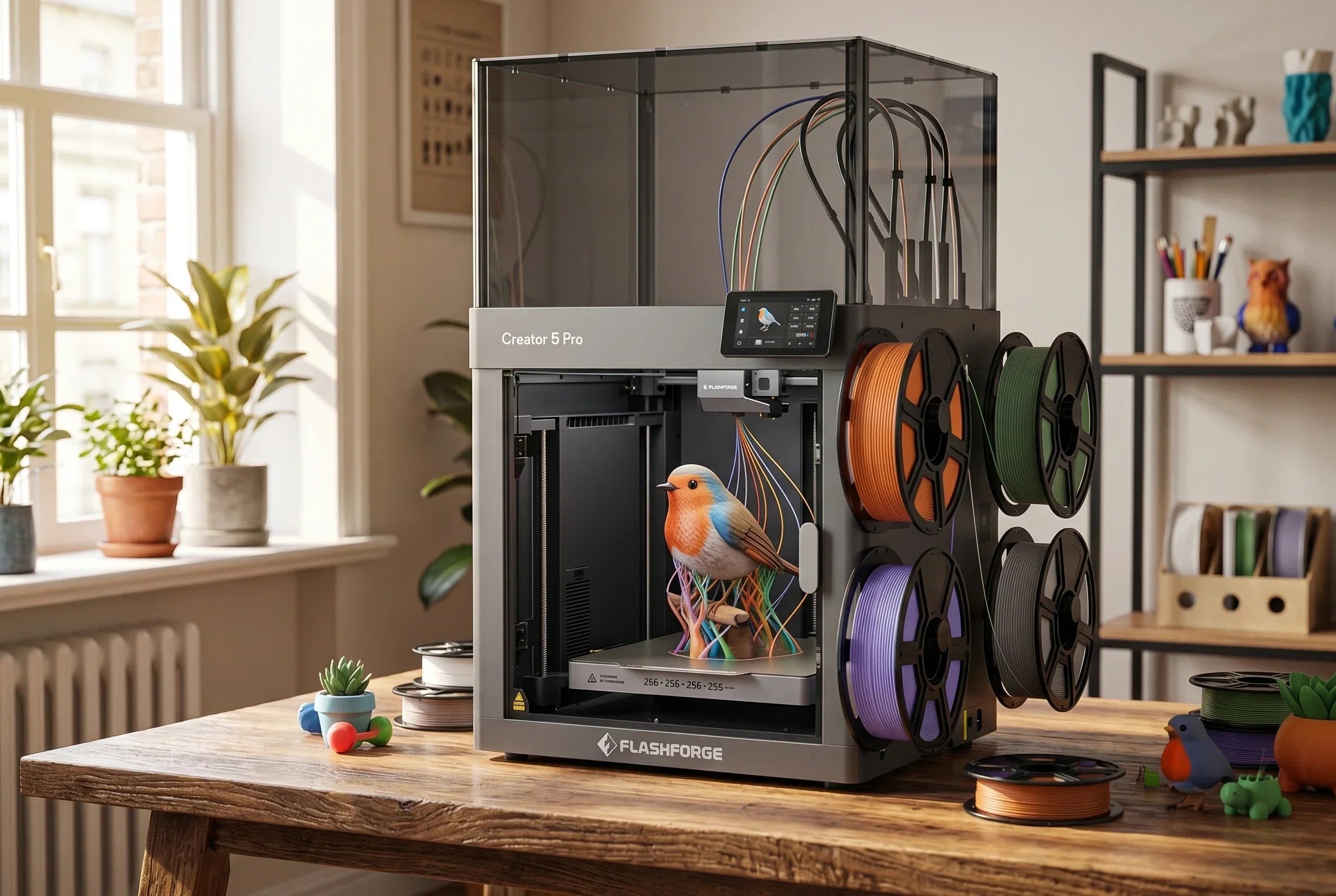
The best enclosed Flashforge Creator 5 Pro 3D printer features a fully enclosed rigid frame, a heated bed that reaches up to 120°C, and an active heated chamber that warms up to 65°C. This setup allows the 3D printer to operate in a heated configuration to handle ABS, PC, and nylon reliably. It can also switch to a cooled configuration that provides constant airflow to prevent TPU, PLA, and PETG from overheating. The system includes an H13 HEPA and activated carbon filtration setup to control ultra-fine particles and odors. For users who want to print TPU today but plan to expand into industrial materials later, this robust structural design offers better long-term value than a simple plastic cover.

Key Features to Look for in the Best TPU 3D Printers
Moving from theory to actual purchasing decisions, you can break down what makes a 3D printer good for TPU into visible features that you can cross-reference during your shopping. Aligning your hardware choices with these specific criteria ensures your flexible filament investment delivers great results.
Each section below focuses directly on features that impact your actual user experience, moving past basic marketing specifications.
Flexible Filament Compatibility
A capable TPU 3D printer features product specifications that explicitly state compatible Shore hardness ratings or list recommended material windows like TPU 90A–95A, instead of just using broad marketing phrases like handles flexible filaments.
Extruder Design and Filament Path
The rigidity of the extruder housing, the precision of the drive gears, and how well the space between the entry guide and the nozzle is sealed dictate your success. A poorly constrained path allows TPU to buckle and bunch up inside the housing under high backpressure. The easiest way to verify this capability is to check for a direct-drive configuration with a fully constrained, short filament path that eliminates unnecessary fittings or tubing along the route.
Motion System Stability and Precision
The quality of a TPU print shows up clearly in small surface textures and fine edge lines. Any slight vibration, resonance, or loose belt in your motion system will show up as visible ghosting or ringing on flexible part surfaces. High-quality metal frames, smart acceleration configurations, and advanced vibration compensation algorithms fix this issue at higher speeds.
For example, the Creator 5 utilizes an all-metal rigid frame paired with an advanced multi-tool-changing architecture. It supports print speeds up to 600 mm/s and acceleration rates up to 30,000 mm/s² while offering input shaping calibration. This integrated motion system controls acceleration and independent toolhead paths precisely, ensuring that flexible materials like TPU maintain smooth contours during mid-to-high-speed prints and preventing machine resonance from degrading quality. The Creator 5 Pro builds on this foundation by combining its FlashSwap tool-changing mechanism with an actively heated chamber and automated multi-toolhead offset calibration, making it highly effective for users who require exceptional surface finish and tight dimensional tolerances across complex multi-material prints.
Automatic Calibration and Smart Monitoring
TPU 3D printing presents a practical challenge. Users are rarely willing to spend significant daily time repeating bed leveling or cleaning up failed 3D prints. Automatic leveling, automatic extrusion calibration, filament runout detection, power loss recovery, and onboard cameras all serve to reduce required supervision time.
Common TPU Printing Problems and How to Avoid Them
Even with the correct 3D printer choice, TPU does not always cooperate immediately. Common issues with flexible filaments center around stringing, oozing, jams, layer separation, and brittle parts caused by wet filament. Most of these problems are predictable and fixable once you understand the underlying physics.
The following data-driven failure analysis and real test case deconstruct the most typical pitfalls.
Stringing and Oozing Issues
While keeping the nozzle temperature at 230°C and the printing speed at 30 mm/s constant, increasing the direct-drive retraction distance from 0.8 mm to 1.2 mm improves severe bridging stringing into a clean surface that is nearly invisible to the naked eye. This demonstrates that TPU is highly sensitive to stringing.
In general, three main factors cause stringing:
-
Moisture absorption: Wet filament creates steam pockets.
-
Insufficient retraction efficiency: The flexible material stretches instead of pulling back.
-
Excessive nozzle temperature: Low viscosity causes unexpected leaks.
Testing suggests drying TPU at 60–80°C for 5–8 hours. Fine-tune your settings using a temperature window of 210–250°C, small retraction increments, and travel speeds of 150–250 mm/s. Most 3D printers can successfully control stringing within an acceptable range using this method.
Filament Jamming and Feeding Problems
TPU jamming inside the extruder or guide tube typically happens because the flexible filament compresses too much during extrusion and buckles inside the path. This scenario occurs frequently in Bowden systems, where the long tube provides more space for the filament to knot.
Short-term solutions involve reducing print speeds and retraction adjustments, alongside checking the guide tube for scratches or sharp bends. For a long-term fix, selecting a 3D printer with a direct-drive extruder and a fully enclosed, short travel path turns TPU feeding from a guessing game into a repeatable operation. User feedback on the Adventurer 5M Pro after optimizing its filament path proves this point well.
Poor Layer Adhesion and Surface Quality
Layer adhesion in TPU is highly sensitive to temperature and humidity. Material research shows that wet TPU generates steam bubbles in the nozzle, creating internal voids and rough surfaces. This process significantly reduces the tensile and tear strength of the component. The 3D print might look acceptable on the outside, but the internal structure remains compromised.
The solution is direct but requires discipline. Always dry the filament before 3D printing and maintain a stable environment during the process. FDM printers equipped with actively heated chambers, such as the Creator 5 Pro, can maintain a stable environment at around 65°C for long periods. Feeding filament directly from a dry box helps achieve the maximum mechanical strength listed on the material data sheet.
Why Dry TPU Filament Prints Better
Multiple studies indicate that TPU is far more hygroscopic than PLA or PETG. Leaving it in ambient room conditions for just a few hours allows it to absorb enough moisture to significantly degrade 3D print quality. When this moisture hits the high-temperature zone of the nozzle, it rapidly vaporizes. This process causes popping sounds, surface bubbling, severe stringing, and poor layer adhesion.
The first principle of 3D printing TPU is simple: every optimization must build upon thoroughly dry filament. For heavy TPU users, keeping a dedicated dry box running at 45–55°C near the FDM printer is a much wiser investment than upgrading nozzles or switching build plates.
Final Tips Before Buying a TPU 3D Printer
When you combine all these factors, your buying logic shifts from comparing raw speeds or low prices to finding a 3D printer that delivers long-term, hassle-free TPU results. The final decision depends on how well the features align with your specific application scenarios rather than the length of the specification sheet.
The following three points serve as a final checklist before making a purchase.
Focus on Extruder Quality Over Marketing Specs
For TPU 3D printing, the quality of the extrusion system is far more critical than advertised top speeds or accelerations. Direct drive, short travel paths, precise gear engagement, and hotend temperature stability directly determine whether flexible materials can feed reliably over time.
The Creator 5 Pro uses four independent extrusion toolheads and a 320°C high-temperature hotend, alongside automatic flow calibration and multi-toolhead offset compensation. This combination maintains surface quality and dimensional stability during multi-color and multi-material 3D printing, including TPU 90A–95A, even at higher speeds. This integrated design bridging hardware and algorithms represents a performance gap that high-speed marketing specifications cannot easily replicate. If you plan to use TPU and other engineering filaments long-term, this option serves as a solid all-in-one investment.
Match the Printer to Your TPU Applications
The most practical question to ask is what you intend to make with TPU. Are you printing occasional non-slip pads, or do you frequently produce phone cases, shock-absorbing structures, or industrial parts?
For home, education, and maker scenarios, the Adventurer 5M Pro offers a moderate footprint, a fully enclosed structure, HEPA and activated carbon filtration, automatic leveling, and camera monitoring. This setup easily handles most TPU projects using 0.6mm or 0.8mm nozzles while remaining compatible with ABS and ASA.
If your daily routine involves multi-color end-use parts, engineering-grade functional components, or continuous long-term 3D printing, the Creator 5 Pro provides multiple toolheads, an actively heated chamber, and a larger build volume to solve future production challenges in a single investment.
Why Reliable Material Handling Matters Most
Over the long term, poor TPU experiences stem from losing patience over wet filament, jamming, and calibration issues rather than occasional stringing. Having hardware support for drying, storage, and feeding changes the success rate and output efficiency of an entire spool of TPU.
Beyond the extrusion system and motion mechanics, you should evaluate hidden benefits specific to TPU users:
-
Easy connection to a dry box
-
Fully enclosed filament paths
-
Filament runout detection and 3D print recovery
These design details determine how often you will actually enjoy using the equipment.
Conclusion
As flexible material formulas mature and 3D printer hardware barriers lower, TPU 3D printing is expanding from an expert hobby into an accessible workflow for everyone. The timing to start is ideal. Reliable equipment options have increased significantly compared to two years ago, and filament prices continue to drop. Choosing a suitable FDM printer and starting with simple flexible designs will help you unlock the true potential of TPU.
FAQ About TPU 3D Printers
Can all 3D printers print TPU?
In theory, most FDM printers can extrude TPU if the hotend reaches 210–250°C and the filament path is sufficiently enclosed. However, pushing material out is very different from stable, high-quality 3D printing. For flexible filaments, direct drive extruders, short travel paths, and good thermal management represent the minimum baseline. Lacking any of these features increases failure rates significantly.
Is TPU difficult to print?
TPU has a smaller margin for error than PLA, but the difficulty stems from its sensitivity to moisture, speed, and retraction rather than unpredictable variables. With the right 3D printer, users can transition from failed 3D prints to predictable, stable output within a few attempts by thoroughly drying the filament, lowering speeds, reducing retraction, and tuning parameters with small test pieces.
Do you need a direct drive extruder for TPU?
For soft TPU below 90A, a direct drive extruder is practically mandatory. For harder TPU between 92A–98A, a high-quality Bowden extruder can work, though tuning settings will be much more sensitive. If you plan to 3D print TPU frequently over the long term, we highly recommend choosing a direct drive configuration to minimize variables.
What print speed is best for TPU?
Most data and testing point to a conservative range. Soft TPU performs best at 15–30 mm/s, while harder TPU can scale up to 30–50 mm/s. Going faster makes quality difficult to guarantee. The true goal is stable, repeatable performance rather than forcing a single clean sample at higher speeds.
Which TPU 3D printer is best for beginners?
For beginners, a fully enclosed direct-drive FDM printer equipped with automatic leveling, basic filtration, and monitoring capabilities will minimize the learning curve for TPU 3D printing.