Choosing an FDM 3D printer for beginners can be difficult because product pages often emphasize speed and advanced features. For a first printer, reliable setup, simple maintenance, clear software, and support for common filaments usually matter more.
This guide explains the essential beginner features and compares suitable models by use case, helping you choose a printer that fits your projects, workspace, and budget.
Why Choose an FDM 3D Printer for Beginners?
FDM printing uses thermoplastic filament to build parts layer by layer. It is a practical starting point for home, classroom, hobby, and basic prototyping projects.
Simple Workflow With Minimal Post-Processing
Many FDM prints can be removed from the build plate and used with limited finishing. Supports may need removal, and some surfaces may require sanding, but the workflow is generally more direct than resin printing.
This allows beginners to focus on model orientation, slicer settings, bed adhesion, and material choice. Flashforge’s guide to the best 3D printer for beginners also highlights reliable first layers, simple software, and accessible maintenance.
Affordable and Easy-to-Find Filament
PLA is usually the easiest beginner material because it prints at moderate temperatures and works well for toys, organizers, educational models, and decorative parts. PETG is a useful next step for tougher household objects and light functional parts.
3D printer filament is widely available and easy to replace. However, PETG, TPU, nylon, PVA, and other moisture-sensitive materials should be stored in sealed containers and may require drying.
FDM vs. Resin 3D Printing for Beginners
FDM is better suited to household objects, brackets, prototypes, classroom models, and larger functional parts. Resin printing is usually preferred for miniatures, jewelry prototypes, and very fine surface details.
FDM is often easier for beginners because it avoids liquid resin washing and UV curing. However, sensible ventilation is still important, especially when printing ABS, ASA, or other higher-temperature materials.
Suitable for Everyday Projects
A beginner FDM printer can produce toys, phone stands, tool holders, plant labels, replacement knobs, small brackets, storage accessories, and simple prototypes.
The printer should match the size and material requirements of these projects. Compact printers suit smaller objects, while medium-sized functional parts benefit from a build volume around 220 mm in each direction.
Key Features of a Beginner FDM 3D Printer
The best beginner 3d printer should reduce setup work while still allowing users to learn the basics gradually.

Automatic Bed Leveling
Automatic bed leveling measures the build surface and compensates for small height differences. It reduces manual first-layer adjustment, although users still need a clean build plate and suitable slicer settings.
Guided Setup and Calibration
Pre-assembled hardware, touchscreen guidance, and automatic calibration help beginners avoid adjusting Z offset, belts, and extrusion settings before their first print.
Easy Filament Loading and Detection
Guided filament loading simplifies material changes. A runout sensor can pause the printer when filament runs out, reducing the risk of losing a long print.
Easy Nozzle Replacement
Quick-release or easily accessible nozzles make clogs and routine maintenance less intimidating. Flexible build plates and readily available replacement parts are also valuable for first-time users.
User-Friendly Slicer Software
Slicer software controls layer height, supports, temperature, speed, cooling, and infill. Reliable preset profiles help beginners start printing without tuning every setting manually.
The Orca and Orca-Flashforge guide explains how slicer profiles affect print preparation. Orca-Flashforge has since been renamed Flash Studio Desktop, but the guide remains useful for understanding the workflow.
Monitoring and Print Recovery
A built-in or optional camera helps users check longer jobs remotely. Power-loss recovery may allow a print to continue after an outage, although success still depends on bed adhesion and how long the printer remained without power.
Best Beginner FDM 3D Printers by Use Case
The right model depends on whether you need a simple single-color printer, an enclosure, multicolor printing, a compact design, or a lower entry price.
Best Overall FDM 3D Printer for Beginners
The Flashforge Adventurer 5M is a balanced option for PLA and PETG toys, organizers, classroom models, and simple functional parts.
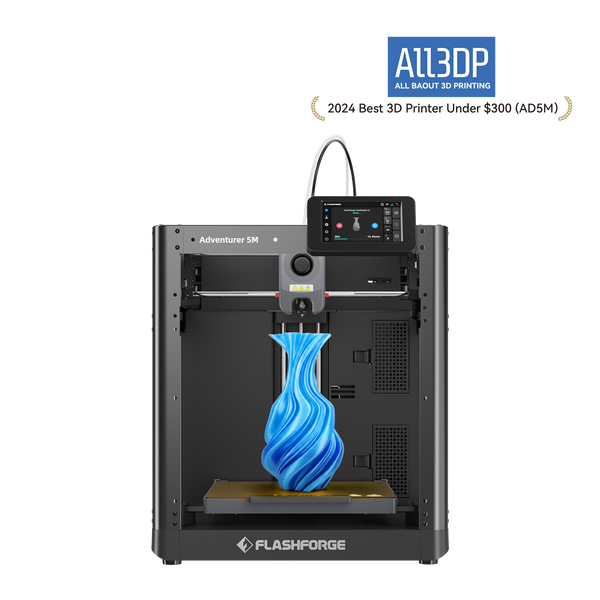
Its 220 × 220 × 220 mm build volume covers most desktop projects. Automatic leveling reduces setup work, while the flexible PEI plate and quick-detach nozzle simplify part removal and maintenance.
Because it has an open frame, it is better suited to PLA and PETG than materials that require stable chamber temperatures.
Best Enclosed FDM 3D Printer for Home and Classroom Use
The Flashforge Adventurer 5M Pro is a stronger option for homes, classrooms, offices, and shared workspaces.
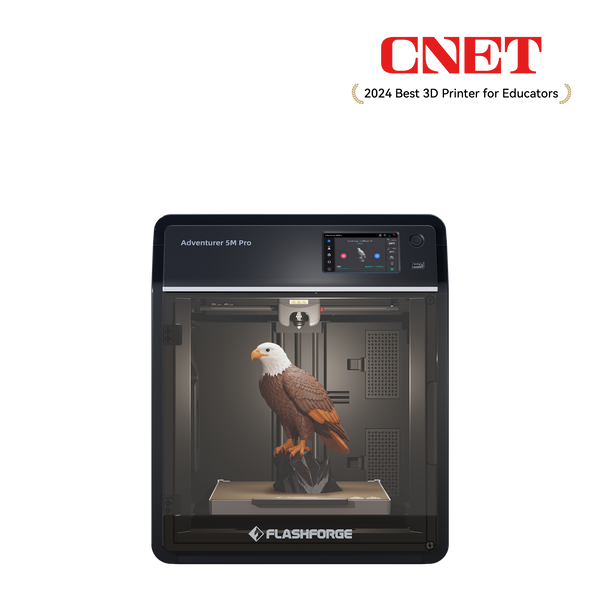
Flashforge Adventurer 5M Pro 3D Printer, Enclosed CoXY Metal Structure, Safe for Home Use
It has the same 220 × 220 × 220 mm build volume as the Adventurer 5M but adds an enclosure, built-in camera, air circulation, HEPA and activated carbon filtration, filament detection, and power-loss recovery.
The enclosed design also makes ABS and ASA more practical with suitable settings and ventilation. Composite filaments may require an appropriate hardened nozzle.
Best Multicolor FDM 3D Printer for Creative Beginners
The Flashforge AD5X is suitable for beginners who want accessible four-color printing.
Its integrated Intelligent Filament System automatically loads and switches up to four filaments through one shared nozzle. This makes it useful for colorful toys, labels, classroom projects, and personalized models.
The AD5X offers a 220 × 220 × 220 mm build volume, automatic leveling, and a flexible PEI platform. Multicolor printing takes longer and creates some purge waste, but the workflow is easier to learn than a professional multi-toolhead system.
Best Compact FDM 3D Printer for Beginners
The Bambu Lab A1 Mini is suitable for small workspaces and users who mainly print miniatures, toys, and compact organizers.
It provides a 180 × 180 × 180 mm build volume, automatic calibration, and optional four-color printing with AMS Lite. Its main limitation is the smaller build area, which may require larger parts to be divided before printing.
Best Budget FDM 3D Printer for Beginners
The Creality Ender-3 V3 SE is a lower-cost option for basic single-color printing.
It offers a 220 × 220 × 250 mm build volume, automatic leveling, automatic Z-offset adjustment, and a direct-drive extruder. It is suitable for PLA, PETG, TPU, and general learning projects.
Its standard configuration does not include an enclosure, built-in camera, or multicolor system. These limitations should be considered before choosing it based only on the initial price.
When comparing a 3D printer for sale, check setup difficulty, software profiles, replacement parts, material support, and upgrade needs rather than focusing only on discounts.
Comparison of the Best Beginner FDM 3D Printers
| Model | Best For | Printer Design | Key Features |
| Flashforge Adventurer 5M | Best Overall | Open-frame CoreXY | Automatic leveling, quick-detach nozzle, PEI plate |
| Flashforge Adventurer 5M Pro | Best Enclosed Option | Enclosed CoreXY | Camera, filtration, broader material support |
| Flashforge AD5X | Best Multicolor Option | Open-frame CoreXY with IFS | Four-color printing, automatic filament handling |
| Bambu Lab A1 Mini | Best Compact Option | Open-frame bed-slinger | Compact size, automatic calibration, optional AMS Lite |
| Creality Ender-3 V3 SE | Best Budget Option | Open-frame bed-slinger | Automatic leveling, direct-drive extruder |
How to Match Build Volume, Enclosure, and Filament Support
Choosing a beginner printer becomes easier when the hardware is matched to actual projects.
What Build Volume Do Beginners Need?
A build volume around 180 mm is enough for miniatures, toys, and small decorative objects.
A 220 × 220 × 220 mm build volume provides more flexibility for organizers, brackets, classroom models, and medium-sized prototypes. It is a practical middle ground for most beginners.
Open vs. Enclosed FDM 3D Printers
Open printers are usually more affordable and work well with PLA and PETG in stable indoor environments.
Enclosed printers reduce drafts and create more consistent conditions for ABS, ASA, and other materials that may warp during cooling. An enclosure also limits direct access to hot and moving parts, although room ventilation is still necessary.
Which Filaments Should a Beginner Printer Support?
A beginner printer should handle PLA reliably, with PETG support for tougher functional parts. TPU is useful for flexible objects such as grips and protective covers.
ABS, ASA, nylon, polycarbonate, and fiber-reinforced materials require more careful hardware selection. Check nozzle temperature, bed temperature, nozzle material, enclosure design, and available slicer profiles instead of relying only on a long compatibility list.
Nozzle and Build Plate Requirements
A 0.4 mm nozzle offers a practical balance between detail, speed, and reliability.
Smaller nozzles improve fine detail but increase print time. Larger nozzles increase material flow and reduce print time but produce less detail. Abrasive filaments may also require hardened nozzles.
Flexible PEI build plates are helpful because they support adhesion and simplify part removal.
How to Balance Print Speed and Print Quality
Advertised maximum speed does not show how quickly every model can be printed at good quality.
FlashForge printer balancing speed and quality
Maximum Speed vs. Real Print Speed
Actual print time depends on acceleration, model geometry, layer height, nozzle size, filament flow, cooling, infill, and supports.Reliable slicer profiles are generally more useful to beginners than the highest advertised speed.
Motion Stability and Print Quality
Frame rigidity, belt tension, vibration compensation, extrusion consistency, and slicer tuning affect ringing, layer consistency, and corner quality.
CoreXY can support faster movement, but the motion system alone does not guarantee better results.
Extrusion Flow and Cooling
The hotend must melt filament quickly enough for the selected speed. When the required flow is too high, prints may show gaps, weak walls, or inconsistent surfaces.
Cooling must also solidify each layer correctly. Insufficient cooling can reduce overhang, bridge, and small-detail quality.
When to Prioritize Speed
Beginners should prioritize consistency when learning or printing parts that need accurate dimensions.Faster settings are more useful for draft models, repeated classroom projects, and simple prototypes. Start with a standard-quality profile before testing higher speeds.
Conclusion
The best FDM 3D printer for beginners is the one that makes setup, slicing, material handling, and maintenance easier.
The Adventurer 5M is a balanced single-color starting option. The Adventurer 5M Pro adds an enclosure, camera, and filtration, while the AD5X is better for beginners who specifically want four-color printing. Compact and budget printers can also work well, but they involve trade-offs in build size and included features.
FAQ
Do You Need 3D Modeling Skills to Use an FDM 3D Printer?
No. Beginners can download ready-made STL or 3MF files and prepare them in slicer software. Modeling becomes useful later for custom or replacement parts.
What File Formats Do FDM 3D Printers Use?
Common model formats include STL, 3MF, and OBJ. The slicer converts them into G-code or another printer-compatible instruction format.
What Accessories Should Beginners Buy?
Useful accessories include PLA filament, side cutters, a deburring tool, spare nozzles, build-plate cleaner, desiccant, and sealed filament storage.
Does a Beginner Need a Filament Dryer?
Not always. A dryer becomes more useful for PETG, TPU, nylon, PVA, BVOH, or humid environments. Popping sounds, bubbles, stringing, and rough extrusion may indicate moisture.
How Much Electricity Does an FDM Printer Use?
Electricity use depends on printer power, nozzle and bed temperatures, and print duration. A simple estimate is:
Power in kilowatts × print hours × local electricity rate
How Often Does an FDM Printer Need Maintenance?
Regular tasks include cleaning the build plate, checking the nozzle, removing filament debris, inspecting belts, and keeping filament dry. Frequently used printers should be inspected more often.