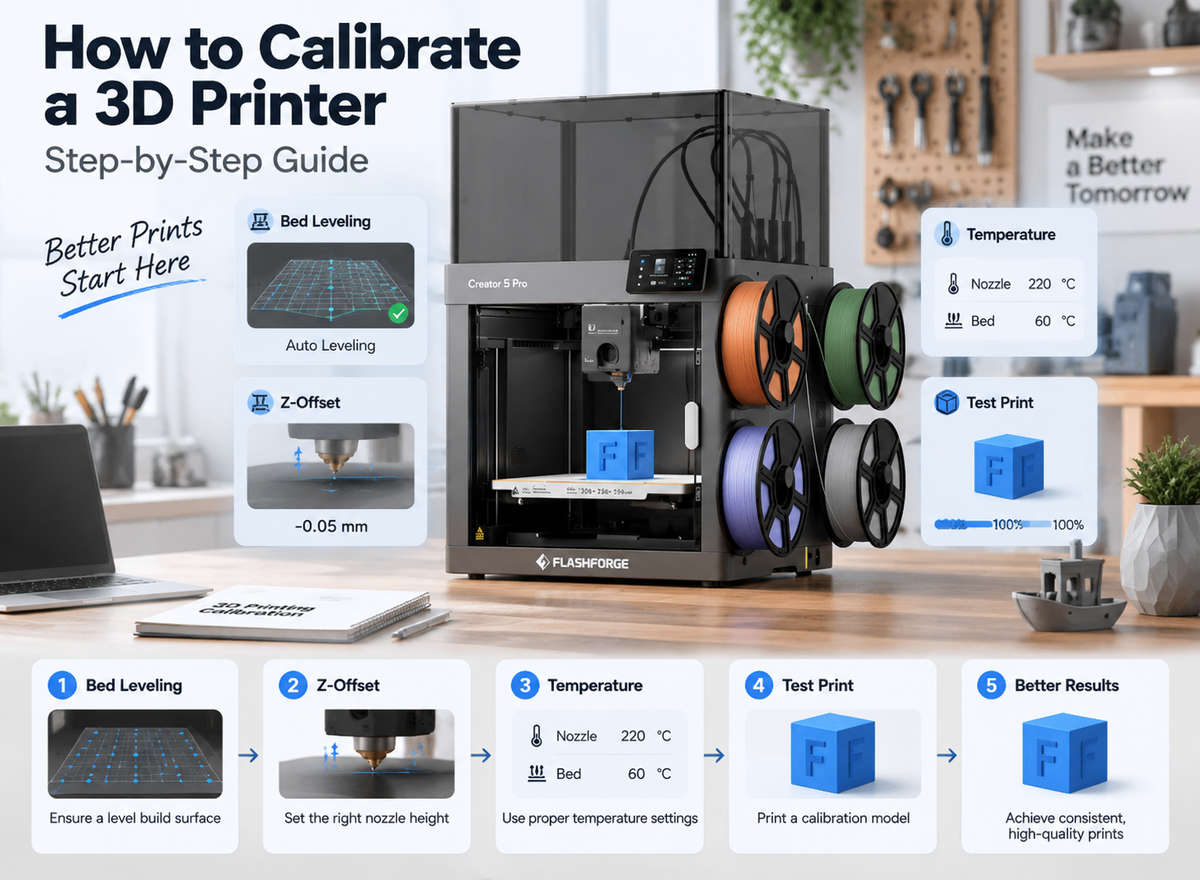
A budget-friendly 3D printer should help you make the projects you care about without demanding constant repairs or expensive upgrades. The lowest-priced machine is not always the cheapest to own: filament, replacement parts, failed prints, and your time all affect its long-term value.
Before comparing models, list a few things you want to print. Their size, material, and level of detail will tell you which features are useful—and which ones you can skip.
What Does “Budget-Friendly” Mean for a 3D Printer?
The best 3D printer for a limited budget combines an affordable purchase price with reliable everyday use. For most beginners, consistent first layers, straightforward software, and accessible replacement parts matter more than an unusually high advertised speed.
Entry-level does not have to mean poor print quality. A well-prepared build plate, suitable 3D printer filament, and an appropriate slicer profile can produce clean results on an affordable machine. Automatic bed leveling reduces setup work, although you still need to keep the plate clean and check the first layer.
Paying more makes sense when it solves a specific problem. An enclosure may be valuable for materials that benefit from a stable printing environment. Automatic filament switching is useful for multi color 3D printing when you regularly make models with several colors. If you mainly print single-color PLA objects, those additions may offer little return.
FDM or Resin: Which Is More Budget-Friendly?
For most first-time buyers, an FDM 3D printer is the more practical starting point. It melts filament and builds an object layer by layer. This process works well for organizers, toys, household parts, and prototypes, and finished objects usually need little more than support removal.
Resin printing is worth considering when fine detail is the main goal, particularly for small miniatures or display models. However, the printer price does not cover the entire workflow. Resin prints need washing and curing, and uncured resin requires careful handling. The US National Institute for Occupational Safety and Health (NIOSH) provides guidance on ventilation, gloves, and safe handling for desktop resin printing.
| Printer type | Best for | Initial cost | Ongoing cost | Additional supplies |
|---|---|---|---|---|
| FDM | Everyday objects and larger functional prints | Printer and filament | Filament and occasional wear parts | Basic cleaning tools; optional filament storage |
| Resin | Small models with fine surface detail | Printer plus washing and curing equipment | Resin and cleaning supplies | Gloves, suitable ventilation, washing and curing supplies |
Choose the process that fits your projects. Paying for resin-level detail makes little sense if your first goal is a drawer organizer.
Features to Look for in a Budget-Friendly 3D Printer
The most useful features make printing easier to start, repeat, and maintain.

Reliable Setup and Print Quality
Automatic bed leveling helps establish a consistent starting point, but it cannot compensate for a dirty plate or unsuitable settings. Look for clear setup instructions, supported slicer profiles, and a removable build plate. A flexible plate makes many finished prints easier to remove without damaging them.
In 3D printing, quality also depends on the material, nozzle, layer height, cooling, and model design. Compare results produced at normal settings rather than judging a printer solely by its finest advertised layer height.
Practical Speed and Build Volume
Maximum speed is not the speed used throughout every print. A model with small details, overhangs, or frequent direction changes will take longer, especially when you select settings that prioritize appearance.
Build volume is easier to assess: measure two or three projects you expect to make. A 220 × 220 × 220 mm printer can accommodate many household objects and hobby models. Buy a larger machine only when your planned projects require the space.
Material, Software, and Maintenance Support
PLA is an accessible material for learning the basics. PETG can be useful for many everyday functional parts, while other filaments may require a particular nozzle, an enclosed 3D printer, or a specialized printing setup. Check the exact model's material specifications before buying it for an advanced filament.
Also confirm that compatible nozzles and build plates are available and that the printer has a supported slicer for your computer. These details become important when you need to solve a failed print or replace a worn part.
Costs Beyond the Printer
Allow room in your budget for a starter spool and basic maintenance. You can add accessories once a real need appears.
| Cost category | Essential or optional? | One-time or recurring? | How to control it |
|---|---|---|---|
| Filament or resin | Essential | Recurring | Start with one material suited to your projects |
| Nozzles and build plates | Needed eventually | Occasional | Check availability before buying the printer |
| Cleaning tools | Essential | Mostly one-time | Buy what the printer instructions recommend |
| Failed prints | Part of learning | Recurring | Test settings on small models first |
| Drying or storage equipment | Depends on material and conditions | Usually one-time | Add it when moisture causes a practical problem |
| Paid models or software | Optional for many users | Varies | Check the included and free options first |
A material that is cheap per spool can become costly if it does not print well for your intended use. Flashforge's guide to 3D printer filament types explains where common materials fit and what to consider before moving beyond a starter filament.
Which Budget-Friendly Flashforge Printer Fits Your Needs?
These three printers serve different projects. The best choice depends on whether you need straightforward single-color printing, an enclosure, or multicolor output.
Adventurer 5M: For Beginners and Everyday Printing
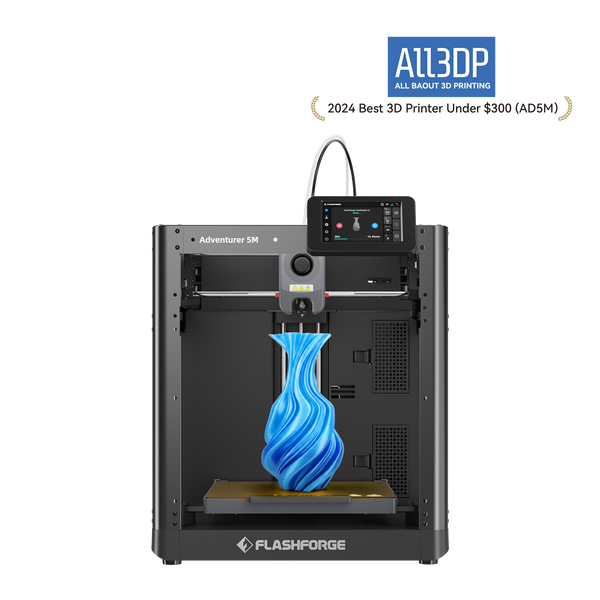
The Flashforge Adventurer 5M is a sensible starting point for organizers, toys, and basic prototypes. It has automatic leveling, a removable flexible PEI build plate, replaceable nozzle options, and a 220 × 220 × 220 mm build volume.
Its open design provides easy access while you learn. Flashforge lists PLA and PETG among its supported materials and explicitly states that ABS-series filament is incompatible with the Adventurer 5M. Choose it when your projects fit its material range and you do not need multicolor printing.
Adventurer 5M Pro: For Enclosed Home Printing
The Flashforge Adventurer 5M Pro has the same 220 × 220 × 220 mm build volume, with an enclosure, camera monitoring, and HEPA plus activated-carbon filtration. Flashforge also lists ABS and ASA among its supported materials. Check the stated nozzle requirements for any filament you intend to use.
The extra cost is easier to justify if you need its enclosure or broader material support. Plan suitable ventilation for the printing space; NIOSH recommends ventilation and other controls when setting up 3D printers, including in homes and shared spaces.
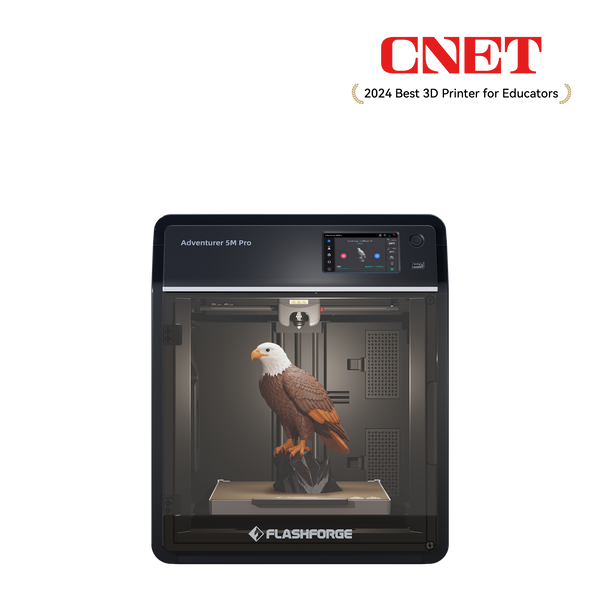
Flashforge Adventurer 5M Pro 3D Printer, Enclosed CoXY Metal Structure, Safe for Home Use
AD5X: For Affordable Multicolor Projects
The Flashforge AD5X is designed for projects such as signs, personalized gifts, toys, and decorative models that benefit from multiple colors in one print. Its Intelligent Filament System handles up to four filament colors, and its build volume is 220 × 220 × 220 mm.
The AD5X is an open printer. Before choosing it, consider the cost of several spools and the extra time and material that color changes can require. If most of your planned objects are single-color parts, start with the simpler machine.
| Model | Best for | Color capability | Enclosure | Suitable projects |
|---|---|---|---|---|
| Adventurer 5M | Beginners and everyday printing | Single color per print | Open | Organizers, toys, prototypes |
| Adventurer 5M Pro | Users who need an enclosure and broader stated material support | Single color per print | Enclosed | Home and classroom projects, functional parts |
| AD5X | Creative multicolor printing | Up to four colors | Open | Signs, decorations, personalized gifts |
In short, choose the 5M for straightforward FDM projects, the 5M Pro when its enclosure serves a material or workspace need, and the AD5X when multicolor printing is central to your plans.
Choose Based on What You Want to Print
Your first few projects provide a more useful buying guide than a long specification sheet.
| Project | Feature to prioritize | Material to consider |
|---|---|---|
| Detailed miniatures | Fine-detail capability | Resin for very fine detail; PLA for simpler models |
| Household organizers | Reliable first layers and suitable build volume | PLA or PETG |
| Toys and gifts | Easy setup and consistent printing | PLA |
| Multicolor signs | Automatic filament switching | PLA |
| Functional prototypes | Material compatibility and dimensional consistency | PETG; ABS or ASA with a suitable setup |
Consider the finished object’s conditions as well as its appearance. A decorative figure and a part intended for outdoor use may need different materials, even if both fit on the same build plate.

What Should You Check Before Buying?
Use this short checklist when comparing the exact models available in your region:
- Will your likely projects fit the build volume?
- Does the printer support the materials and nozzle setup you need?
- Are replacement nozzles and build plates readily available?
- Is supported slicing software available for your computer?
- Do you have suitable space and ventilation?
- What will starter material and necessary accessories cost?
- What warranty, returns, and customer support apply in your region?
- If the printer is used or refurbished, can you verify its condition with a test print?
Do not let an advertised maximum speed override these checks. A printer is more useful when it consistently completes your projects at an acceptable quality. If early prints have poor adhesion or uneven layers, Flashforge's step-by-step calibration guide explains what to check before a larger print.
Common Mistakes When Buying a Cheap 3D Printer
- Choosing by purchase price without allowing for filament and maintenance.
- Paying for multicolor printing or extra build volume you will rarely use.
- Assuming every printer can handle every filament.
- Ignoring the availability of software, parts, and support.
- Starting with a large project before testing material and settings.
Conclusion
The most budget-friendly 3D printer is the one that reliably makes your intended projects at a manageable total cost. For many beginners, that means a capable FDM printer, a suitable PLA spool, and time for a few small test prints. Spend more when you can identify the specific capability your projects require.
Frequently Asked Questions
How much should a beginner spend on a 3D printer?
Budget for the printer, starter material, and basic supplies together. The right amount depends on whether you need standard FDM printing, an enclosure, or multicolor capability.
What type of 3D printer is best for beginners?
FDM is a practical first choice for most household objects, gifts, and prototypes. Resin makes more sense when fine detail is essential and you can accommodate its handling and finishing requirements.
Can a budget 3D printer produce good-quality prints?
Yes. Suitable filament, a clean build plate, supported settings, and a well-prepared model all contribute to print quality.
What is the cheapest material for 3D printing?
For many beginner FDM projects, standard PLA is an economical place to start. Compare spool prices by weight and confirm the filament diameter and compatibility.
Is it cheaper to buy or build a 3D printer?
Building can appeal to experienced makers who already have parts and tools. For a beginner, assembly time and troubleshooting may outweigh savings on components.
Are budget multicolor printers worth it?
Yes, if you frequently make objects that need several colors in one print. Include the cost of extra spools, print time, and material used during color changes.
Should you buy a used 3D printer?
Consider it if you can inspect a completed test print, check wear parts, and confirm what is included. Compare its total cost and support terms with a current new or manufacturer-refurbished model.