What is the best 3D printer in 2026? I have been asked this question over a hundred times. To be honest, there is no standard answer. The word best means completely different things to a hobbyist printing action figures at home on weekends and an engineer delivering prototypes every day. Do not roll your eyes just yet. This article will not dismiss you with a simple phrase like it depends on your needs. Instead, it filters out the 3D printers truly worth your money in 2026, making it clear where each option excels and where it falls short.
How 3D Printing Has Changed in 2026
Desktop and engineering plastic printing remain the main drivers, pushing continuous iterations in consumer-grade and light commercial equipment.To simplify comparisons, we can use a table to roughly summarize several key evolutionary dimensions of desktop 3D printing from 2019 to 2024.
|
Dimension
|
Typical Standard in 2019
|
Typical Standard in 2024–2026
|
|
Rated Speed
|
60–100 mm/s
|
250–600 mm/s
|
|
Mainstream Chassis
|
Open-frame, manual leveling
|
Enclosed chamber, automatic leveling
|
|
Material Ecosystem
|
PLA, minimal PETG
|
PLA, PETG, ABS, TPU, and engineering composites
|
|
Smart Features
|
Simple networking, basic slicing
|
Cloud management, camera monitoring, error detection
|
Faster Print Speeds Are Becoming Standard
The days when users considered 100 mm/s a fast 3D printer are over. More reviews and buyer feedback now treat 250–300 mm/s as the new normal for desktop FDM printers. Users are no longer surprised by rated speeds of 500–600 mm/s. Many creators note that they do not actually prioritize peak speeds. They care whether the equipment maintains details and dimensional accuracy at practical speeds of 150–200 m/s. Achieving this depends on a more rigid motion system and better vibration compensation rather than just how fast the motor runs, especially when evaluating options in the
best 3d printer for beginners.
AI-Assisted Calibration and Error Detection
With the increase in speed, reducing failures has become a new core necessity. Many frontline users complain during discussions that time is wasted on repeated bed leveling and troubleshooting, which noticeably drives up expectations for automatic calibration and error detection. A new generation of
FDM printers uses sensors and algorithms to take over steps that previously required manual experience. The process moves toward an automated state of boot self-checks and pre-print self-calibration covering nozzle height, flow rate calibration, and resonance testing. Once the system detects a clogged nozzle, filament runout, or abnormal chamber temperatures, it pauses automatically or sends an alert, making long, unattended 3D printing jobs more manageable.
Multi-Color and Multi-Material Printing Are More Accessible
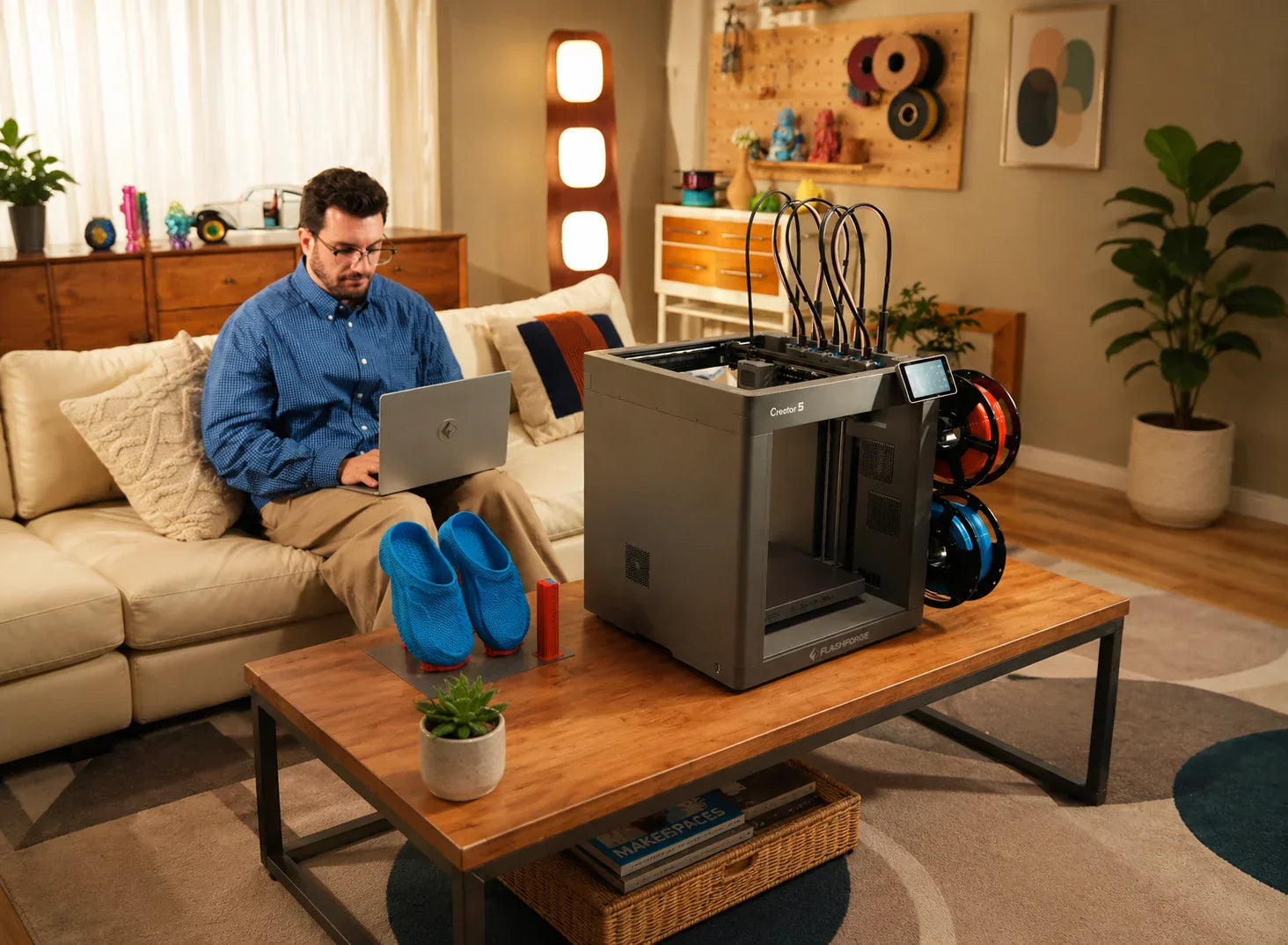
Multi-color systems no longer belong only to industrial equipment. Shared-nozzle systems make color printing more accessible, while independent-toolhead platforms reduce repeated filament loading and purging.
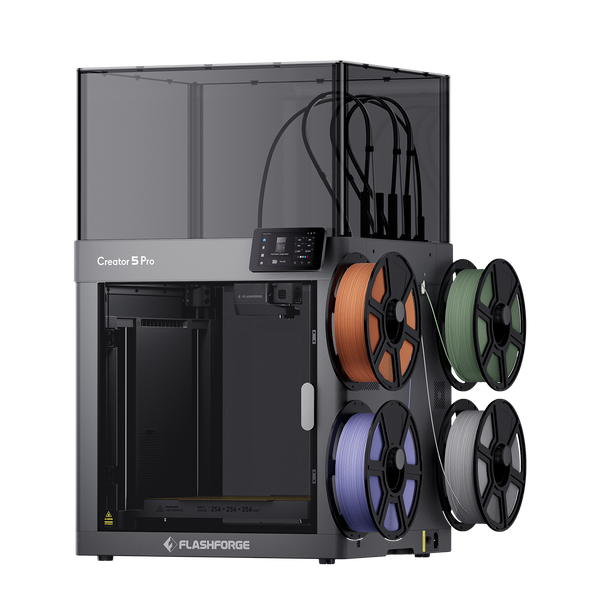
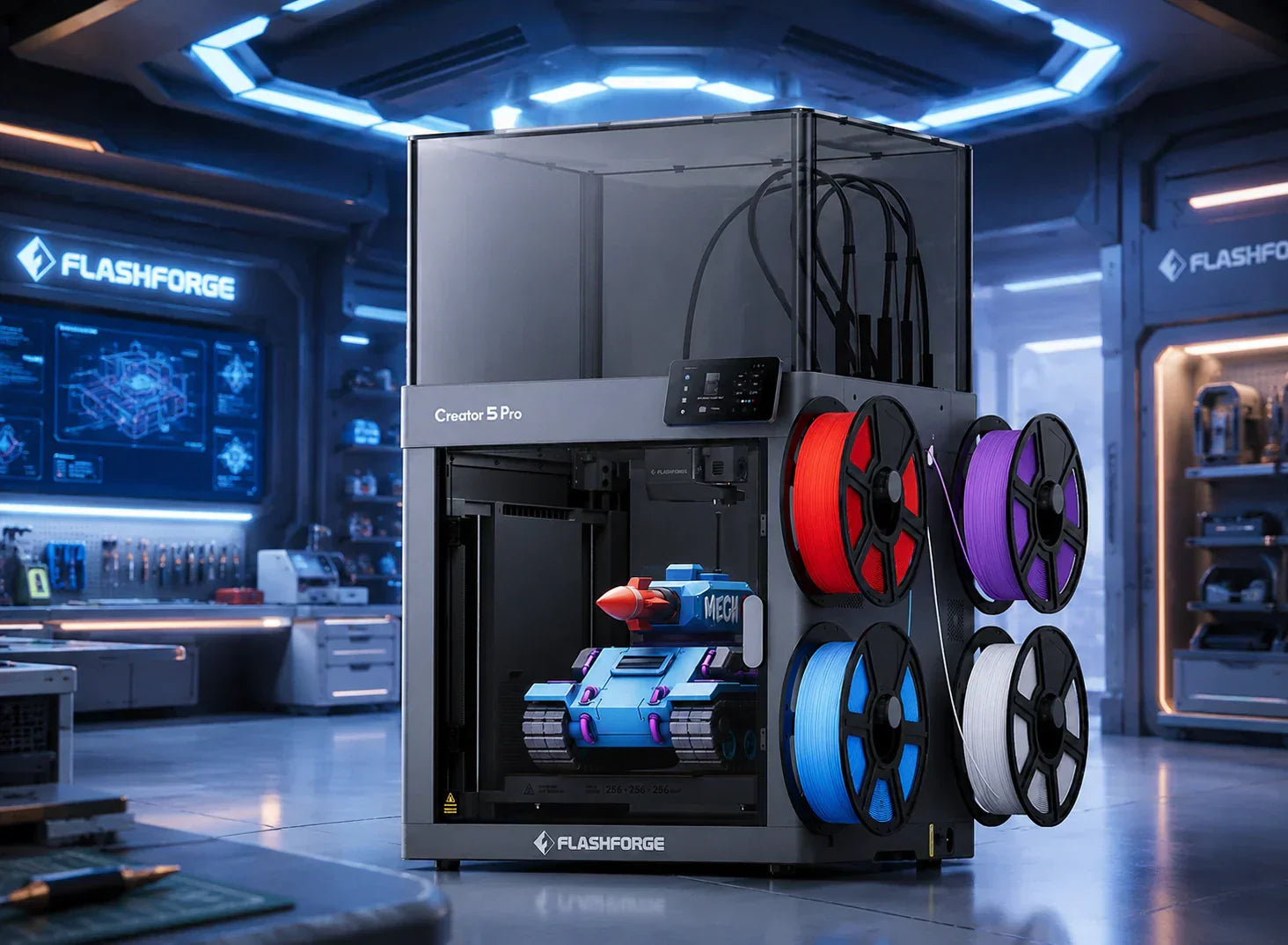
The Creator 5 uses four independent toolheads, allowing each color or material to stay assigned to its own nozzle. This reduces repeated purge cycles and limits color contamination compared with feeding several materials through one shared nozzle.
What Makes a 3D Printer the Best in 2026?
Under this technical baseline, a single metric no longer defines whether a 3D printer deserves the title of best. What users actually care about is whether the equipment reliably delivers good results within an acceptable speed range, how easy it is to maintain, if the material compatibility window is wide enough, and if it remains valuable to use three to five years down the road.
Print Quality vs. Print Speed: What Actually Matters
Large-scale comparison videos over the last two years generally reach a similar conclusion. Most people actually operate within a speed range of 80–200 mm/s. Extreme benchmarking numbers beyond this range serve mostly as marketing showpieces. At this practical speed range, the factors that impact the user experience most are vibration control, extrusion consistency, and cooling strategies. An experienced creator noted in a comparative test that instead of chasing a single spectacular print result, it is wiser to choose a 3D printer that fails less and holds tighter dimensions over the same timeframe. That consistency is true productivity. The 600 mm/s upper printing speed limit and 30000 mm/s² acceleration of the Creator 5 Pro are designed to maintain plenty of performance headroom at practical speeds. Meanwhile, its heated chamber and flow rate calibration ensure that high-detail prints are never compromised by speed.
Reliability and Maintenance Requirements
When upgrading equipment, many users who got into the hobby between 2019 and 2021 share one common wish: they want to remove fewer screws. Long-term reliability shows how easily you can swap a nozzle, how simple it is to maintain the heated bed, and how stable the power supply and mainboard remain. It also means being able to recover quickly from a clogged nozzle or filament runout instead of tearing down half the FDM printer every time. Enclosed rigid frames, standardized nozzle modules, and electrical protection designs all work to reduce the time spent servicing the equipment.
Ease of Use for Beginners and Home Users
For home users and beginners, the experience of the first successful print almost entirely dictates how often the equipment gets used in the future. Key features that reduce frustration include:
These tools prevent users from spending a week troubleshooting without a single successful print. User feedback shows that equipment allowing users to unbox, calibrate, and successfully print their first model within 30 minutes gets rated as beginner-friendly and earns more recommendations to friends. The Adventurer 5M Pro uses this philosophy as its design foundation. We integrate automatic leveling, preheating workflows, and camera monitoring inside an enclosed structure. This design allows inexperienced users to quickly produce quality PLA, PETG, and basic TPU parts, building a solid foundation for advanced projects later on.
Material Compatibility: PLA, PETG, ABS, TPU, and Carbon Fiber
A truly capable FDM printer must look beyond PLA and minimal PETG support. It needs to handle ABS, ASA, TPU, and certain carbon-fiber reinforced filaments under safe operating conditions. The Creator 5 Pro features a 320°C extrusion ceiling, a 120°C heated bed, and an actively heated chamber reaching up to 65°C. Combined with a HEPA13 and activated carbon filtration module, it builds an environment suited for both engineering materials and daily filaments. For users planning future engineering parts and functional prototypes, this capability reduces the risk of needing a forced equipment upgrade later due to material limitations.
Software Ecosystem and Smart Features
The software ecosystem determines daily user comfort. Mature slicing engines, consistent update frequencies, cloud management, and remote monitoring continuously multiply the value of a 3D printer over a long life cycle. More power users now expect to share slicing profiles and print queues across multiple FDM printers instead of configuring each unit independently.
Best 3D Printers in 2026 by User Type
After establishing clear evaluation criteria, we need to map these abstract standards to specific user groups. People with different budgets and usage frequencies have entirely different needs. In real-world discussions, a weekend hobbyist and a small-scale workshop operator often hold opposing views on the same 3D printer.
Best 3D Printer for Beginners
Beginners want a seamless first-time experience rather than complex expansion interfaces. Users frequently ask for a first
3D printer that features automatic bed leveling, controlled noise levels, low failure rates, and clear, accessible tutorials.
For this group, a 3D printer like the
Adventurer 5M prioritizes out-of-the-box readiness, automatic leveling, and stable 3D printing. It fits a budget-friendly range while lowering the barrier to entry. This 3D printer supports common materials such as PLA and PETG, allowing users to focus on modeling and printing logic instead of constant hardware maintenance, which builds a more effective learning path.+
Best 3D Printer for Small Businesses
Small businesses and studios require predictable delivery capabilities. Their primary concerns include how many orders a 3D printer can reliably handle in a week, how often the 3D printer fails, and how much manual oversight it requires.
The
Creator 5 Pro serves as a reliable production tool for these scenarios. Its 256 by 256 by 256 mm build volume covers most product prototypes and multi-part assemblies. The four-toolhead capability for multi-color and multi-material printing adds value to complex orders. Furthermore, the active heating chamber and filtration system ensure stability for engineering materials during long-duration prints, while the built-in camera and network management offer peace of mind for overnight tasks.
Flashforge Creator 5 Pro 4-Toolheads Enclosed Multi-Color 3D Printer | 500% Faster, Zero Purge Waste
$849.00
$949.00
Shop Now
Best Budget 3D Printer Under $500
When discussing 3D printers under 500 dollars, users prioritize safety, noise levels, footprint, and ease of use over extreme speed or precision.
At this price point, the focus should remain on enclosed chambers, automatic leveling, and basic material compatibility. This lets users master PLA and PETG before upgrading to more complex requirements. The
Adventurer 5M Pro provides stability close to advanced 3D printers by utilizing an enclosed structure, a filtration system, and a refined user experience. It offers a reliable, long-term 3D printing experience within a limited budget.
Comparison table
| Printer |
Best For |
Structure |
Toolheads |
Build Volume |
Max Print Speed |
| Adventurer 5M |
Best overall value |
Open CoreXY |
1 |
220 × 220 × 220 mm |
600 mm/s |
| Adventurer 5M Pro |
Enclosed beginner printing |
Enclosed CoreXY |
1 |
220 × 220 × 220 mm |
600 mm/s |
| Creator 5 |
Low-waste multi-color printing |
Open frame |
4 |
256 × 256 × 256 mm |
300 mm/s |
| Creator 5 Pro |
Engineering and production |
Enclosed, heated chamber |
4 |
256 × 256 × 256 mm |
300 mm/s |
Key Buying Mistakes to Avoid When Choosing a 3D Printer
Reviewing many real-world requests for help and buyer remorse posts reveals that most problems stem from repeating specific mistakes. Recognizing these issues early ensures your budget is spent on your actual needs.
Focusing Only on Maximum Print Speed
Focusing solely on speed while ignoring quality and stability is the most common source of regret. Many users purchase the fastest 3D printer available, only to find that their typical print speeds are not much faster than mid-range alternatives. They also deal with frequent failures in extreme settings. When choosing a 3D printer, ask yourself how many tasks truly require maximum speed within a year. If the answer is rarely, focus more on real-world test prints at medium to high speeds and make sure to
avoid these mistakes when picking the best 3d printer for starters.
Ignoring Noise Levels and Workspace Requirements
The second common mistake is ignoring noise and space constraints. Multiple users report that a 3D printer appears perfect on paper, but upon setting it up, they find the noise level exceeds 60 dB. This makes it impossible to work or sleep in the same room, forcing them to move the 3D printer to a balcony or garage. For users in apartments, homes, or offices, an enclosed chamber, silent mode, and a reasonable footprint often impact the daily experience more than slight speed advantages.
Choosing a Printer Without Upgrade or Support Options
Choosing a niche platform often leads to trouble finding replacement parts or receiving firmware updates in the second year. If a core component breaks, repair costs can approach the price of a new 3D printer. When choosing a 3D printer, confirm the cadence of firmware updates, availability of spare parts, and the existence of long-term maintenance plans. This prevents your 3D printer from being rendered obsolete by the software ecosystem before its physical life cycle ends.
Underestimating Material and Maintenance Costs
The Wohlers Report notes that revenue from materials and services grows significantly faster than hardware itself. For users, this often manifests as buying a 3D printer only to realize that consumables are expensive. The costs of nozzles, build plate sheets, filtration cartridges, and premium materials accumulate over several years. Choosing a 3D printer that is compatible with mainstream materials and easily sourced parts provides enough flexibility for long-term costs.
Buying an Overly Complex Machine as a Beginner
Another frequent lesson is that beginners often jump into extremely complex multi-head or semi-DIY 3D printer platforms in an attempt to buy the ultimate device. They end up spending six months troubleshooting instead of printing. If you have specific needs for multi-color or engineering materials, upgrade to a Creator 5 Pro later. This keeps the complexity and investment manageable at every stage.
Future Trends: What Will Define the Best 3D Printers After 2026?
Looking at future trends helps determine if your current purchase is forward-looking. Industry reports and annual reviews generally agree that the standards for a good 3D printer will shift from hardware performance to system capabilities and automation levels.
AI-Driven Print Optimization and Predictive Maintenance
AI in slicing and operations is moving from concept to reality. By analyzing historical print data, the system can automatically recommend optimal parameter combinations for different materials in varying environments. It can also issue maintenance warnings when detecting vibration, electrical, or temperature anomalies, rather than waiting for a print failure to trace the cause. For users, this means the era of manual, gut-feeling parameter adjustments will be replaced, as the 3D printer acts more like a self-learning assistant.
Smarter Multi-Material Systems
Multi-material systems are evolving beyond simple color variety into functional combinations, such as integrating soft and hard materials, conductive traces, transparent windows, and structural components in one print. This places higher demands on the 3D printer structure, requiring ample space for extrusion, pathing, and thermal control. A native 4-toolhead platform like the
Flashforge Creator 5 Pro 3D Printer is prepared for future material modules and intelligent path planning, allowing direct integration when new materials mature without requiring an entirely new platform.
More Sustainable and Recyclable Filament Ecosystems
As total print volume increases, the environmental impact of filament and waste becomes more prominent. Many material manufacturers are beginning to introduce recyclable or partially recycled consumables and are attempting to establish recycling loops. For 3D printer users, choosing a 3D printer that maintains flexibility in temperature and material windows makes it easier to adapt to these ecological changes, avoiding the need to replace older gear due to incompatibility with new materials.
Cloud-Based Print Farms and Remote Management
Multi-printer coordination, cloud scheduling, and remote monitoring will become standard capabilities for small manufacturing and design studios rather than features for hobbyists. The ability to schedule tasks for multiple 3D printers in a single interface, view camera feeds, and manage slicing configurations uniformly will significantly increase productivity per person. Platforms equipped with multi-printer management and network monitoring will hold a significant advantage in this trend.
The Growing Role of 3D Printing in Small Manufacturing and Education
The
Wohlers Report 2025 indicates that growth in the services and materials sectors stems largely from the continued adoption of 3D printing in small manufacturing and educational settings. From school maker labs to local custom workshops, reliance on 3D printing is increasing.
This means that a portion of the best 3D printers of the future will be determined by these users. For them, a 3D printer that runs safely in a classroom, handles continuous production in a small studio, and upgrades over the years alongside advancements in materials and software is a worthy long-term investment. Regardless of your current stage, if you find a 3D printer that can support your projects for three to five years, it is the best 3D printer for you in 2026.
Conclusion
Choosing a 3D printer can feel complicated, but it is actually straightforward. Identify what you intend to print, determine your budget, and decide how much maintenance you are willing to handle. Once you have these answers, the right choice becomes clear. Avoid the urge to find a single 3D printer that solves every possible issue, and stop obsessing over decimal points in technical specification sheets. The 2026 market is mature enough to offer excellent options at every price point. Pick a 3D printer that looks right to you, turn it on, and start your first 3D print. You will learn the rest as you go.
FAQ About the Best 3D Printers in 2026
What Is the Best 3D Printer for Beginners in 2026?
The Flashforge Adventurer 5M is a strong beginner option because it combines automatic leveling, quick setup, quick-detach nozzles, and a practical build volume without introducing multi-color complexity.
Is the Adventurer 5M Pro Worth the Extra Cost?
The Adventurer 5M Pro is worth considering when you need an enclosed structure, filtration, camera monitoring, or a printer for a shared home or classroom. For basic PLA printing in a dedicated workspace, the standard 5M usually offers better value.
Is the Creator 5 Suitable for Beginners?
Yes, particularly for beginners who already know they want multi-color or multi-material printing. Automatic leveling and toolhead-offset calibration reduce setup work, but the four-toolhead workflow remains more advanced than operating a single-nozzle printer.
Does the Creator 5 Produce No Filament Waste?
Its independent toolheads avoid the repeated purge cycles required by shared-nozzle color-changing systems. However, some projects may still use a prime structure or create normal setup and support waste, so it is safer to describe the system as producing far less purge waste.
What Is the Difference Between Creator 5 and Creator 5 Pro?
Creator 5 has an open frame and focuses on creative multi-color and multi-material printing. Creator 5 Pro adds a fully enclosed frame, active chamber heating up to 65°C, air filtration, and broader support for engineering materials.
Does a Higher Maximum Speed Mean Faster Prints?
Not always. Model size, acceleration, cooling, filament flow, layer height, and quality settings determine real printing time. Maximum speed should be compared alongside the entire motion and extrusion system.
Which Slicer Should I Use with a Flashforge Printer?
Flash Studio Desktop is the recommended starting point for supported current Flashforge printers. It is the updated version of Orca-Flashforge and combines optimized profiles with slicing, transfer, monitoring, and device-management tools.