


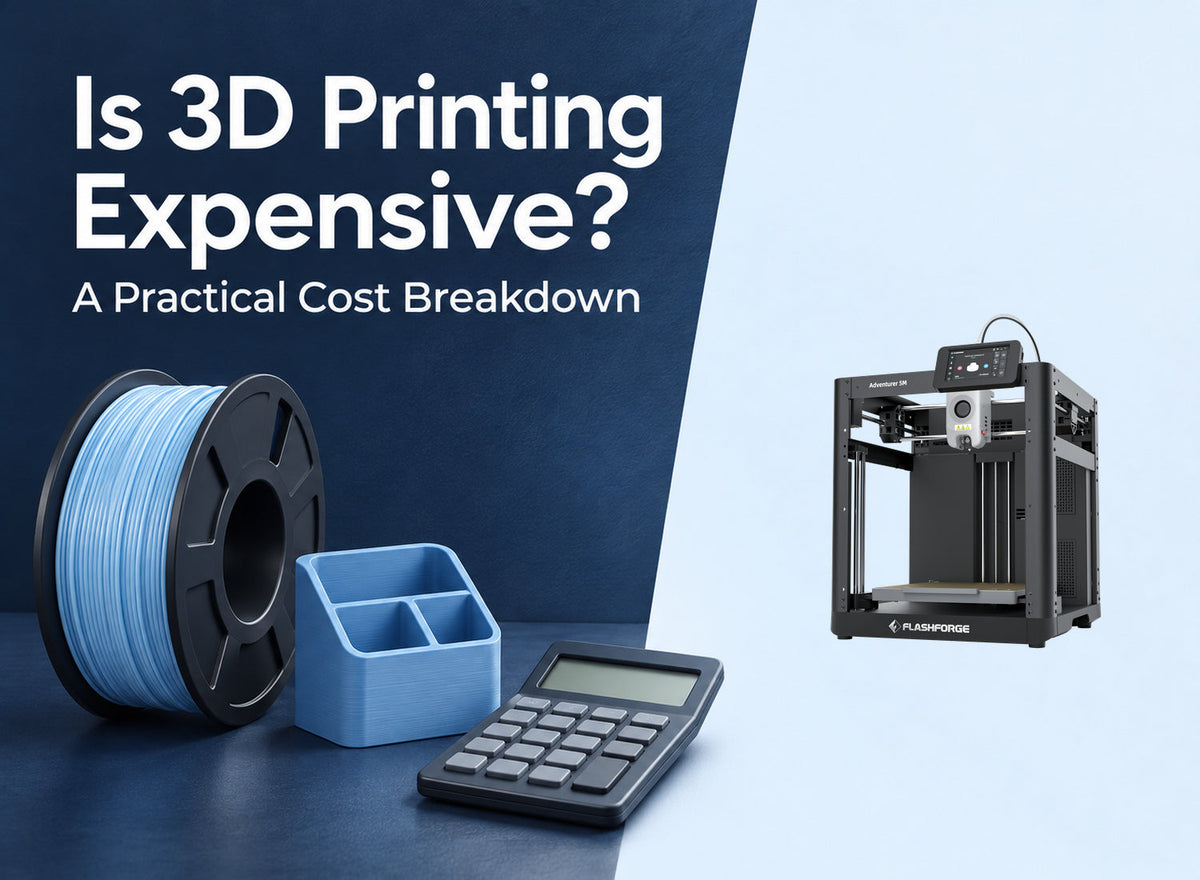
Is 3D printing expensive? It can be an affordable hobby when you make small, useful objects in standard filament, but the printer is only the first expense. Materials, failed attempts, replacement parts, and your time determine what you actually spend. A cheap print and an inexpensive hobby are different things.
The most useful approach is to separate the upfront purchase from the cost of each finished object. This guide focuses on desktop filament printing, explains a sample budget, and shows when paying for additional capabilities makes sense.
What Makes 3D Printing Expensive?
Desktop fused deposition modeling (FDM) builds objects by depositing melted plastic in layers. For this type of 3D printing, your spending falls into three groups: getting started, running the machine, and keeping it usable.
Before you buy a 3D printer, list the objects you expect to make. Small organizers and simple prototypes have different requirements from large costumes or detailed multicolor models. Buying capabilities you rarely use increases your cost per useful print.
Your starting budget should include the printer, an initial spool, basic cleanup tools, appropriate workspace preparation, and any shipping or tax. Add storage or drying equipment when the materials you choose require it. Avoid assuming every accessory is essential on day one.
For a planning example, a hypothetical $300 machine plus $25 of filament and $35 for basic supplies totals $360 before tax and delivery. Those figures are budget assumptions, not a current product offer. Compare the complete basket rather than the headline printer price.
How Much Does One 3D Print Cost?
A useful estimate starts with the sliced model. A slicer is software that turns a digital model into printer instructions and estimates material use and printing time. Include supports, brims, and any material used for color changes.
Filament and Electricity
Calculate material cost as total grams used multiplied by the spool price divided by its net filament weight in grams. Compare 3D printer filament by material and weight, not just the price of the package. A smaller spool can look cheaper while costing more per gram.
Electricity cost equals average power in kilowatts multiplied by printing hours and your electricity rate per kilowatt-hour. The U.S. Department of Energy explains kilowatt-hours as a measure of electricity consumed over time. Use your own tariff and measured energy when available; a printer's maximum power rating is not its average draw.
The following hypothetical example assumes 60 g of total filament, a $20/kg spool, four printing hours, an average draw of 100 W, and electricity at $0.20/kWh. It is arithmetic for planning, not a printer benchmark or a national electricity rate.
| Cost item | Calculation | Amount |
|---|---|---|
| Filament | 60 g × $20 ÷ 1,000 g | $1.20 |
| Electricity | 0.10 kW × 4 h × $0.20/kWh | $0.08 |
| Direct operating cost | $1.20 + $0.08 | $1.28 |
| Illustrative upkeep allowance | Chosen allowance per print | $0.20 |
| Machine allocation | $300 ÷ 600 successful prints | $0.50 |
| Allocated total | $1.28 + $0.20 + $0.50 | $1.98 |
The $1.98 figure excludes labor, failed attempts, finishing supplies, workspace costs, and tax. The assumed 600 prints are an allocation choice, not a promised machine lifespan. If you make only 100 successful prints, allocating the same $300 purchase adds $3.00 per print instead of $0.50.

Upkeep and Failed Attempts
Check compatible 3D printing accessories and replacement parts before buying. Nozzles, build surfaces, and other wear items should be budgeted according to actual condition and use. The $0.20 allowance above is simply an example, not a service schedule.
A failed job still consumes material and energy. Track these separately until you have enough history to estimate their impact. For repeat production, divide the total spending on all attempts by the number of acceptable finished parts. Flashforge's 3D printing cost calculator guide expands this approach for more detailed estimates.
Why Some Projects Cost Much More
Two similarly sized objects can have very different costs. Their internal structure, support requirements, material, and finishing work matter as much as their outside dimensions.
Size, Supports, and Surface Finish
Infill is the internal structure inside the outer walls of a print. More infill uses more material, but it does not automatically solve every strength problem. Flashforge's guide to infill patterns and settings explains how to balance internal support with the purpose of the part.
Large models, extensive supports, and fine layer settings can increase material use or printing time. Making a model twice as large in every dimension gives it eight times the geometric volume, although its actual filament use still depends on walls, infill, and supports. Slice each version rather than estimating from appearance.
Color Changes and Specialized Materials
Some multicolor systems feed different filaments through one nozzle and purge material between colors. A multi tool head 3D printer uses a different workflow, with separate tools for different materials. Compare the complete sliced job, including waste and support structures, before assuming either workflow has a fixed cost advantage.
Material requirements can also change the equipment budget. If a project needs temperature control, an enclosed 3D printer with active chamber heating may justify additional spending. That capability is unnecessary for many basic PLA projects. PLA is a common starter plastic, but material selection should follow the object's intended environment.
Is Buying a Printer Cheaper Than Ordering Prints?
Ownership becomes more attractive when you regularly revise models or need customized parts. NIST identifies prototyping, customization, and low-volume production as areas where additive manufacturing can offer economic benefits. This does not mean every household object is cheaper to print than to buy.
For an occasional large model or a process you do not own, requesting a service quote can make more sense. A service price covers more than plastic: preparation, machine time, labor, overhead, and shipping may all contribute. Compare equivalent materials, dimensions, finish, and delivery terms.
For a simplified break-even example, assume equipment costs $360, an equivalent delivered service print costs $12, and your own variable cost is $2 per acceptable print. The difference is $10, so $360 ÷ $10 gives 36 prints. All figures are hypothetical. This comparison excludes your labor and any additional ownership costs, and does not include machine allocation again in the $2 variable cost.
Time deserves its own decision. Learning to model, preparing files, removing supports, and troubleshooting may be enjoyable hobby activities. They are still working time when you sell prints. A selling price must cover that work and business expenses, not just reproduce your home printing cost.
How to Keep 3D Printing Affordable
The best savings come from printing the right version successfully. Start with one familiar material and a small set of useful projects before buying additional spools or upgrades.
- Check fit with a small test section before committing to a large model.
- Review orientation, supports, walls, and infill in the slicer preview.
- Use a suitable layer height rather than the finest setting for every object.
- Keep filament stored according to its instructions and maintain a clean build surface.
- Record total material, energy, failures, and hands-on time for recurring jobs.
A bargain spool is poor value if it does not suit the application or repeatedly causes unusable results. Similarly, faster advertised motion does not guarantee proportionally shorter jobs. Heating, cooling, small features, and material flow all affect completion time.
Set a monthly materials budget as well as a purchase budget. For example, reserve a hypothetical $15 per month for filament and $5 for upkeep: that is $240 per year before electricity and optional purchases. These are spending limits you choose, not predicted consumption. Review them after several projects. If unused spools are accumulating, pause new purchases and finish projects with the materials you already have. Keeping a short project queue also makes it easier to distinguish useful accessories from upgrades that merely look appealing.
Which Flashforge Printer Fits Your Budget?
Choose equipment around the jobs you expect to repeat. The aim is to pay for capabilities that solve a real problem, while keeping ongoing material and maintenance costs visible.
Adventurer 5M for Everyday Single-Color Projects
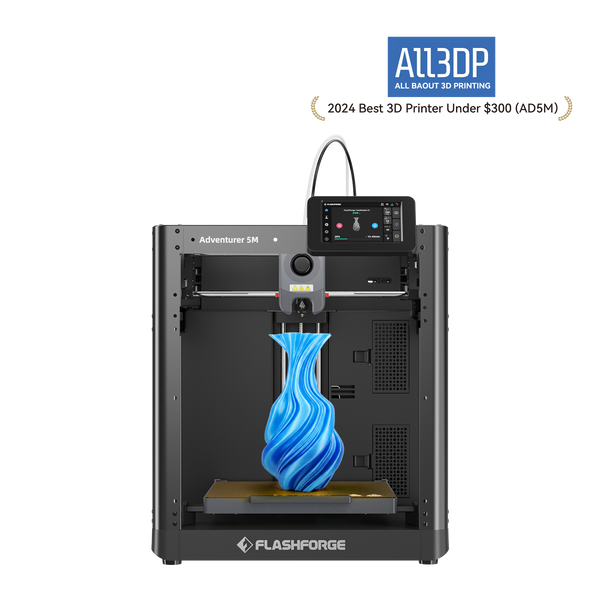
The Flashforge Adventurer 5M suits beginners making organizers, simple prototypes, and other everyday filament projects. Its 220 × 220 × 220 mm build volume accommodates many desktop objects. Automatic leveling simplifies setup, while quick-detach nozzles make routine replacement more straightforward. These features address preparation and upkeep rather than guaranteeing a specific saving.

The U.S. product page displayed $249 on November 19, 2026, before any checkout offers or taxes. Prices can change. Choose it when a basic single-color workflow meets your needs; the official page states that ABS-series filaments are not compatible.
Creator 5 for Recurring Multicolor Work
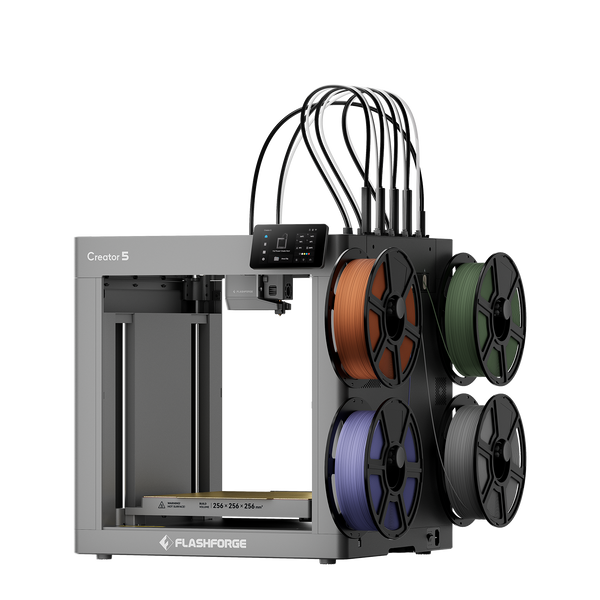
The Flashforge Creator 5 becomes relevant when repeated color or material changes are part of your actual workload. Its four independent toolheads avoid sharing one nozzle between colors, addressing material-switching purge waste. Supports, priming structures where required, and unsuccessful prints can still consume material.

The U.S. page displayed $699 on November 19, 2026, before checkout offers or taxes. Its maximum printing speed is 600 mm/s, not a promise for every model. Compare sliced material use and completion time against the higher purchase cost; occasional single-color printing may not justify this upgrade.
Frequently Asked Questions
Are free 3D models really free to use?
Some are, but licenses vary. Check whether a download permits modification and commercial use. A free file can still require paid software, substantial editing, or printing supplies.
Do I have to pay for slicing software?
Not necessarily. Free slicers are available. Confirm support for your exact printer and use a compatible profile. Paid design tools or model subscriptions are separate choices.
Can I reuse filament from failed prints?
Not by feeding broken pieces back into a standard filament printer. Converting waste into consistent new filament requires additional equipment and process control. Do not count on recycling to eliminate your material bill.
Does the printer use electricity while idle?
Powered electronics can consume energy outside active printing. Measure the full period you want to budget, including standby, rather than counting only extrusion time.
Will printing replacement parts always save money?
No. A common inexpensive part may cost less to buy once you include design and testing. Printing becomes more appealing when the part needs a custom fit or is difficult to obtain.
Start with a Budget for Your Own Projects
Choose three objects you actually want, slice them, and calculate material, electricity, and ownership costs. Compare those totals with buying or ordering equivalent parts. That small exercise gives a more useful answer to whether 3D printing is expensive than the printer's price tag alone.