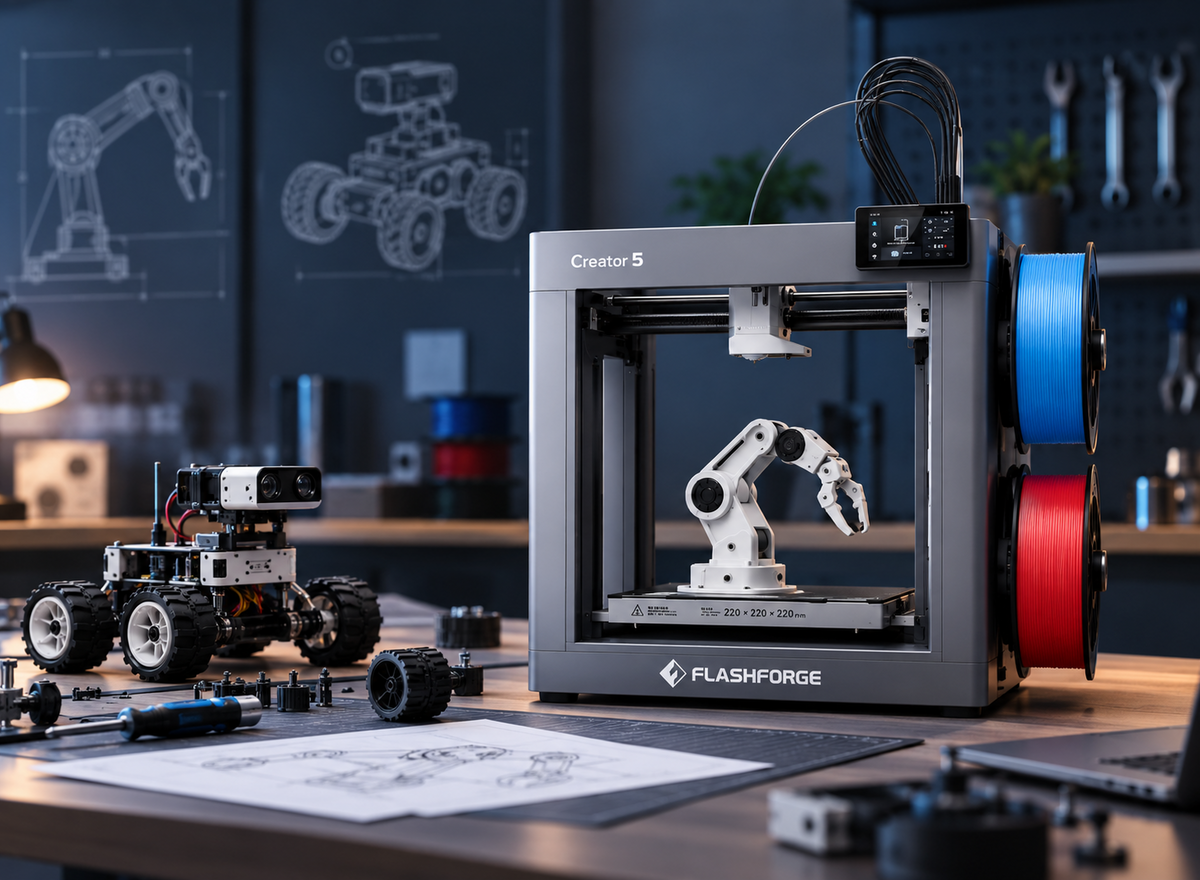
TPU is a popular flexible 3D printing filament known for its elasticity, abrasion resistance, and impact resistance. However, different TPU filaments can vary significantly in Shore hardness, printability, and material consistency.
This TPU filament guide compares Shore hardness, brand consistency, and printability, along with practical print settings, to help you choose the right TPU for your specific application.
What Is TPU Filament and How Does It Work?
TPU, or thermoplastic polyurethane, is a flexible thermoplastic commonly used in FDM 3D printing. Its balance of flexibility and durability makes it suitable for a wide range of functional and everyday parts.
Key Properties of TPU Filament
TPU can bend, compress, and absorb impact while also offering good abrasion resistance. These properties make it useful for gaskets, grips, protective parts, flexible joints, and wearables.
Its flexibility depends largely on Shore hardness, with softer grades deforming more easily and harder grades offering better shape retention.
How TPU Works in FDM 3D Printing
Like other FDM filaments, TPU is melted and deposited layer by layer in a 3D printer, but its flexibility makes filament feeding more demanding. Softer TPU can bend or compress inside the filament path, particularly at higher speeds or in longer feeding systems.
Reliable TPU printing depends on controlling the flexible filament through the feeding and extrusion process. Softer materials usually require more careful handling than rigid FDM filaments.
Which TPU Shore Hardness Should You Choose?
Shore hardness indicates how soft or firm a TPU filament feels and directly affects flexibility, printability, and part performance. For most first-time TPU users, 95A is a practical starting point because it balances useful flexibility with easier feeding. Choose 85A or 90A when the part needs more compression, and consider 64D when greater stiffness is required.

85A vs 90A vs 95A vs 64D TPU
TPU hardness ranges from soft Shore A grades such as 85A to much firmer Shore D materials such as 64D. Shore A and Shore D are different hardness scales, so 64D should not be compared numerically with 85A–95A. The right choice depends on the flexibility and stiffness required for the part.
| TPU Hardness | Flexibility | Printability | Typical Applications |
|---|---|---|---|
| 85A | Very High | More Difficult | Soft seals, wearables |
| 90A | High | Moderate | Flexible functional parts |
| 95A | Medium-High | Easier | Cases, gaskets, general TPU |
| 64D | Low | Easier | Semi-rigid functional parts |
85A TPU is best suited to parts that need significant flex or compression, but its softness can make feeding more difficult. At the other end of the range, 64D TPU behaves more like a semi-rigid engineering material and is better suited to parts that need toughness with limited flex.
Match TPU Hardness to Your Application
Choose softer TPU when flexibility, cushioning, or repeated bending is the main requirement. Wearables and soft seals may benefit from 85A or 90A, while 95A offers a practical balance for general-purpose flexible parts. Keep in mind that wall thickness, infill settings, and part geometry also affect how flexible the finished print feels.
For components that need greater dimensional stability while still retaining some impact resistance and toughness, harder TPU such as 64D is usually more suitable. Matching hardness to the mechanical demands of the part helps avoid choosing a filament that is either too soft to hold its shape or unnecessarily stiff for the application.
Best TPU Filament Brands Compared
Different TPU brands vary in hardness options, consistency, price, and intended use. Comparing these factors across 3D printer filament options can help you choose a material that fits both your printer and the type of part you want to make.
TPU Brands by Shore Hardness Options
Polymaker, eSUN, NinjaTek, and Overture all offer TPU, but their hardness ranges differ. eSUN and NinjaTek provide broader flexibility options, while Overture mainly targets common 95A printing needs.
TPU Brands by Material Consistency and Quality
A well-known brand does not guarantee that every TPU grade will suit the same printer or project. Compare the specific hardness, recommended settings, and material requirements, since a reliable 95A TPU may behave very differently from a softer grade from the same brand.
TPU Brands by Price and Use Case
If you mainly print cases, gaskets, or everyday flexible parts, a standard 95A TPU is often sufficient. Softer or more specialised projects benefit more from brands that offer additional Shore hardness options, even if the filament costs more.
TPU Filament Brand Comparison Table
Each brand has a slightly different focus, from affordable 95A TPU to softer or more specialised grades. The table below compares their main hardness options, strengths, and general price positioning.
| Brand | Hardness Options | Best Fit | Price Position |
|---|---|---|---|
| Polymaker | 90A / 95A / harder grades | General-purpose users who want multiple TPU options | Mid to Premium |
| eSUN | Multiple grades | Users comparing several Shore hardness levels | Mid |
| NinjaTek | 85A / 95A / specialty grades | Soft and specialised flexible-material projects | Premium |
| Overture | Mainly 95A | Budget-focused everyday 95A printing | Budget |
For straightforward 95A printing, Overture, eSUN, and Polymaker all provide practical options at different price levels. If your projects require softer TPU or multiple hardness levels, focus more on the available material range than on brand name alone.
Key Factors Affecting TPU Printability
TPU printability depends heavily on filament hardness, feeding path, and moisture condition. Understanding these factors helps reduce feeding problems, stringing, and inconsistent extrusion.

TPU Hardness and Feeding Difficulty
Softer TPU bends and compresses more easily as it moves through the extruder, making it more prone to buckling or inconsistent feeding. Harder grades such as 95A and 64D are generally easier to control, while softer TPU usually requires slower, more carefully tuned printing, which is why extrusion design matters when comparing the best TPU 3D printers.
Direct Drive vs Bowden Extruders
TPU is easier to control when the distance between the drive gears and nozzle is short. A longer filament path gives softer TPU more room to bend or compress, which can increase the risk of inconsistent feeding or jams.
| Factor | Direct Drive | Bowden |
|---|---|---|
| Filament Path | Short, close to the nozzle | Longer feed path |
| TPU Feeding | More controlled | More prone to compression or buckling |
| Softer TPU | Better suited | More difficult to tune |
| Setup Needs | Usually easier for flexible filament | Often requires slower, more careful settings |
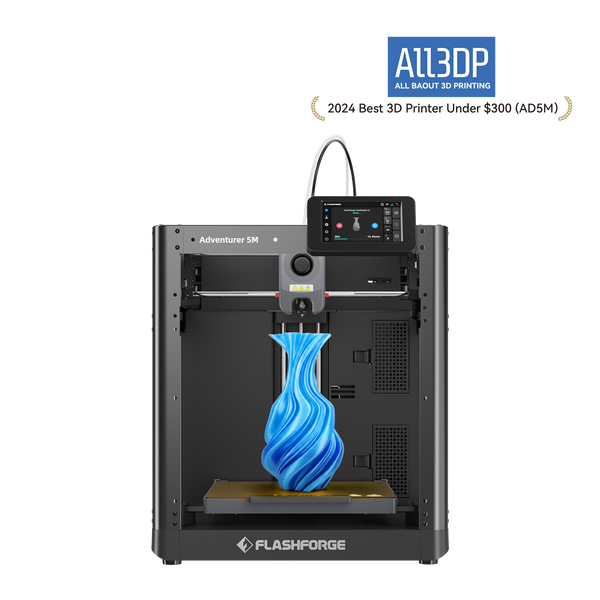
For users moving from rigid filament into everyday TPU printing, a straightforward direct-drive setup keeps the learning curve manageable. The Flashforge Adventurer 5M uses a direct-drive extruder and recommends a 0.6 mm nozzle for TPU, making it a practical entry point for grips, protective parts, and flexible functional prototypes.
Once a project combines different TPU hardness levels or flexible and rigid materials, repeated filament changes become part of the workflow rather than a minor inconvenience. The Flashforge Creator 5 supports TPU 90A–95A and TPU 64D with four independent toolheads, allowing different materials to remain assigned to separate toolheads. For advanced makers, design studios, and R&D teams producing soft-rigid functional parts, this reduces repeated material switching and the purge waste associated with conventional single-nozzle multi-material workflows.
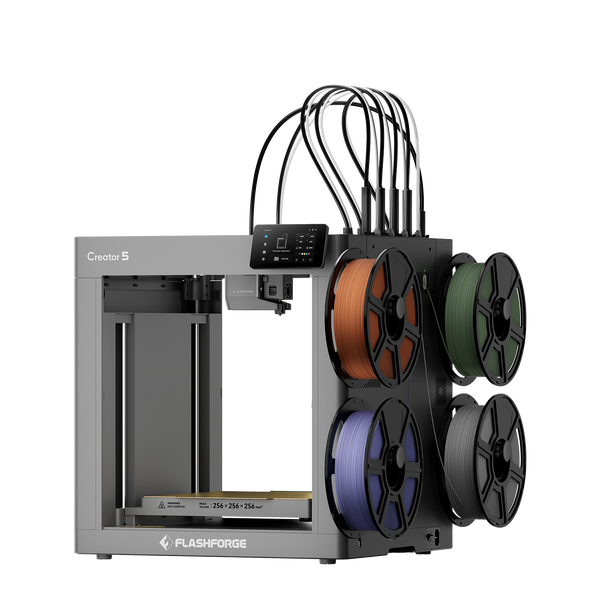
Flashforge Creator 5 4-Toolheads Multi-Color 3D Printer | 500% Faster, Zero Purge Waste
Filament Moisture and Drying
TPU can absorb moisture from the air, which may lead to bubbling, stringing, and inconsistent extrusion. Because TPU drying temperature and drying time vary by formulation, follow the filament manufacturer’s profile rather than relying on one universal setting. For reference, eSUN recommends 55°C for more than 4 hours for eTPU-95A, while Overture recommends 70°C for 7 hours for its TPU 95A.
TPU Print Settings and Tips
TPU settings should be adjusted based on filament hardness, brand, and printer setup. Start with the manufacturer’s recommended profile, then fine-tune as needed.
Nozzle and Bed Temperature
Many TPU filaments print within a nozzle range of roughly 210–250°C, while bed requirements vary from room temperature to around 60°C. Always check the filament manufacturer’s recommended range first, then adjust gradually if you see poor layer bonding, excessive stringing, or surface defects.
Print Speed for Different TPU Hardness
Softer TPU generally needs slower printing because it compresses or buckles more easily during feeding. Manufacturer profiles show the practical difference: NinjaTek NinjaFlex 85A recommends 10 to 20 mm/s for top and bottom layers and 15 to 35 mm/s for infill, while Polymaker PolyFlex TPU95 lists 20 to 40 mm/s overall. Treat these as brand-specific starting points rather than universal speed limits.
Retraction and Cooling Settings
TPU retraction should be tuned by formulation rather than copied from a universal profile. Overture recommends turning retraction off or keeping it minimal for its TPU 95A, while Polymaker lists 3 mm at 40 mm/s for direct-drive PolyFlex TPU95. Both brands recommend active cooling, so start with the filament manufacturer’s profile before fine-tuning retraction and fan settings.
Common TPU Printing Problems and Fixes
Stringing, under-extrusion, and feeding problems are among the most common TPU issues. Use the symptoms below to identify the most likely starting point for troubleshooting.
| TPU Printing Problem | Likely Cause | First Adjustment to Check |
|---|---|---|
| Stringing | Moisture or unsuitable retraction | Dry the filament and tune retraction |
| Under-extrusion | Feeding resistance or excessive speed | Check the filament path and reduce speed |
| Buckling or jams | Soft TPU in a long feeding path | Reduce speed and use a shorter, constrained path |
| Popping or bubbles | Moisture in the filament | Dry according to manufacturer guidance |
| Weak layer bonding | Low nozzle temperature or excessive cooling | Adjust temperature and cooling within the recommended range |
If problems continue after these basic checks, review whether the TPU hardness is suitable for the printer’s extruder and feeding system.
Conclusion
Choosing the right TPU starts with the part itself: decide how much flexibility or shape retention it needs, then select the appropriate Shore hardness and a filament your printer can feed reliably. For most users, 95A is a practical starting point, while softer grades require more careful feeding and harder TPU such as 64D suits semi-rigid parts. From there, follow the manufacturer’s temperature, drying, speed, and retraction guidance rather than relying on one universal TPU profile.
FAQ
Is TPU the Same as Rubber?
No. TPU is a thermoplastic elastomer, not natural or conventional synthetic rubber. It can provide similar flexibility and resilience while still being melted and extruded through an FDM 3D printer.
Does TPU Need an Enclosure?
Usually, no. Most standard TPU filaments print well without an enclosure, provided the room temperature is stable and the recommended nozzle and bed settings are used.
Can You Print TPU With a Standard Brass Nozzle?
Yes, standard unfilled TPU can usually be printed with a brass nozzle. If the TPU contains abrasive additives or reinforcement, a hardened or wear-resistant nozzle may be a better choice.
Is TPU Waterproof?
TPU is generally water-resistant, but a 3D printed TPU part is not automatically waterproof. Layer gaps, wall thickness, infill, and overall print quality can still affect whether water passes through the finished part.
Is TPU Safe for Outdoor Use?
Yes, some TPU filaments are suitable for outdoor use, but long-term performance depends on the formulation. UV exposure, heat, moisture, and weathering can gradually affect some grades, so outdoor-rated TPU is preferable for parts that will remain outside for extended periods.
Can TPU Be Glued or Painted?
Yes, but adhesion can be more difficult than with rigid filaments because TPU flexes during use. Flexible adhesives, primers, and coatings designed for polyurethane or elastomeric materials generally perform better than rigid alternatives.