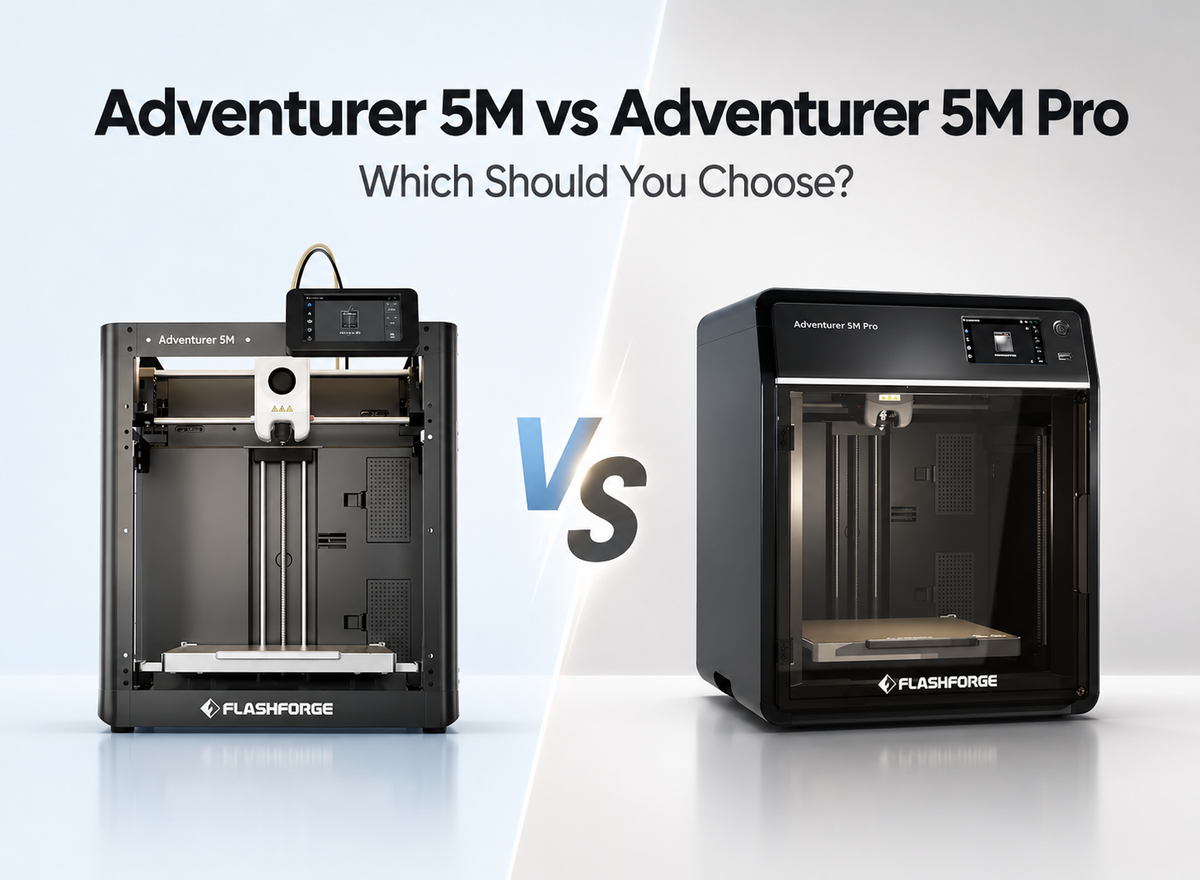
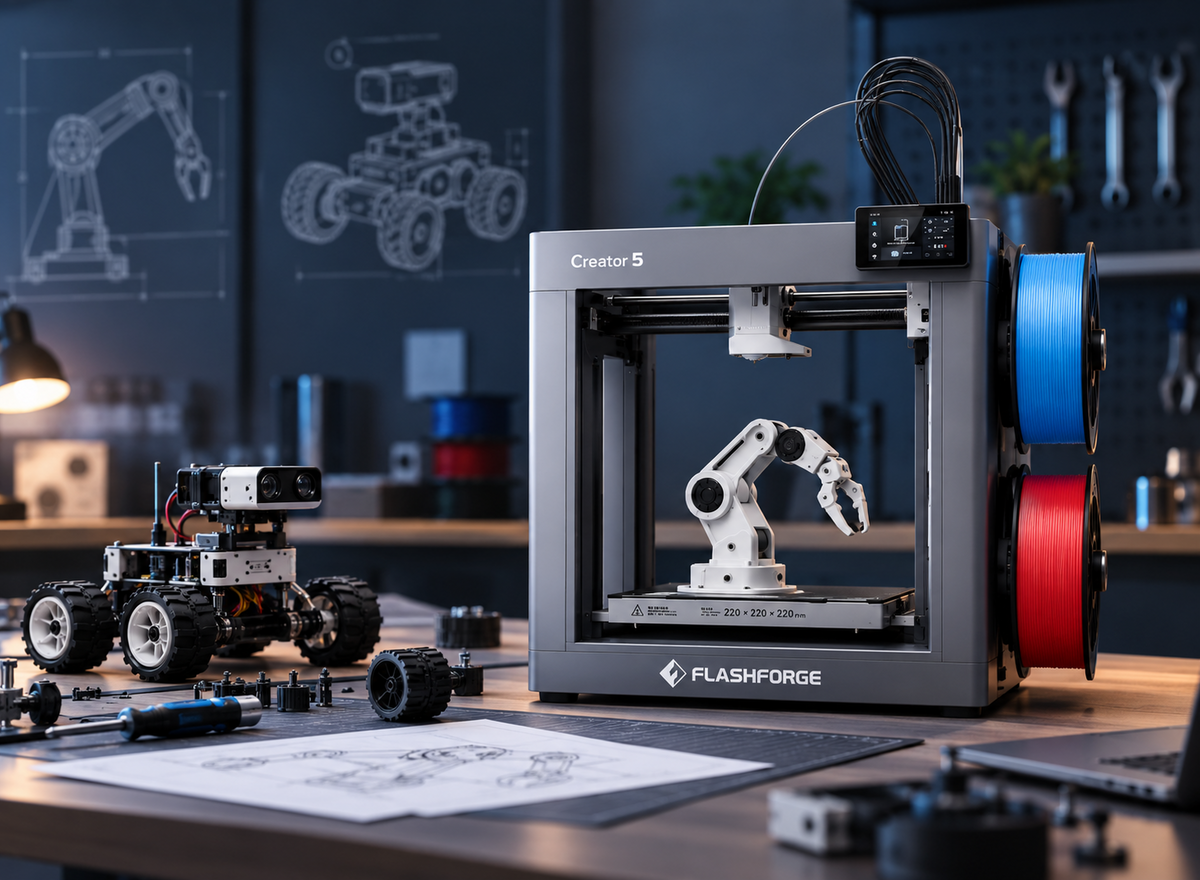
AD5X, Creator 5, and Creator 5 Pro are all multi-color 3D printers, but they use different systems and are designed for different types of projects. AD5X focuses on straightforward automated color changes, while Creator 5 and Creator 5 Pro use four independent toolheads for more efficient color and material switching. This AD5X vs Creator 5 vs Creator 5 Pro comparison looks at switching methods, multi-material capabilities, purge waste, and printing environments to help you understand the practical differences and choose the system that best fits your printing needs.
AD5X vs Creator 5 vs Creator 5 Pro at a Glance
AD5X, Creator 5, and Creator 5 Pro all support multi-color printing, but they use different systems and target different types of projects.
Quick Comparison Table
The table below highlights the main differences in multi-color systems, print specifications, and intended use.
| Feature | AD5X | Creator 5 | Creator 5 Pro |
|---|---|---|---|
| Multi-Color System | Single nozzle + IFS | 4 independent toolheads | 4 independent toolheads |
| Build Volume | 220 × 220 × 220 mm | 256 × 256 × 256 mm | 256 × 256 × 256 mm |
| Max Extruder Temp | 300°C | 320°C | 320°C |
| Nozzle Diameter | 0.4 mm standard; 0.25 / 0.6 / 0.8 mm optional | 0.4 mm standard; 0.25 / 0.6 / 0.8 mm optional | 0.4 mm standard; 0.25 / 0.6 / 0.8 mm optional |
| Max Bed Temp | 110°C | 120°C | 120°C |
| Printer Structure | Open | Open | Fully enclosed |
| Active Chamber Heating | Not supported | Not supported | Up to 65°C |
| Main Strength | Easy multi-color printing | Efficient multi-color & multi-material workflow | Engineering-material stability |
| Best For | Beginners and hobby users | Advanced creators | Engineering and professional use |
In short, AD5X focuses on easy multi-color printing, Creator 5 improves switching efficiency with independent toolheads, and Creator 5 Pro adds a more controlled environment for engineering materials.
Main Differences Between AD5X, Creator 5, and Creator 5 Pro
AD5X uses a single nozzle with IFS, making automated multi-color printing easier for everyday models and decorative projects. Creator 5 uses four independent toolheads to reduce repeated filament switching and purge waste, while Creator 5 Pro adds a fully enclosed structure and active chamber heating up to 65°C for more demanding materials.
What All Three Multi-Color Printers Have in Common
All three support automated multi-color workflows and 0.25, 0.4, 0.6, and 0.8 mm nozzle options. However, they handle filament switching differently, so the same four-color project can involve different switching time, purge waste, and material handling depending on the printer.
Single-Nozzle vs Multi-Toolhead Printing: What’s the Difference?
In FDM 3D printing, the switching system affects more than how colors are changed. It can also influence changeover time, purge waste, and how easily different materials remain ready during the same print.
Single-Nozzle Multi-Color vs Four Independent Toolheads
AD5X uses a single nozzle with the IFS system, making multi-color printing simple and accessible for everyday models. Creator 5 and Creator 5 Pro use a tool changer 3D printer system with four independent toolheads, allowing different colors or materials to stay loaded separately and reducing repeated filament changes.
How Color and Material Switching Works
With AD5X, the printer unloads one filament and feeds the next through the same nozzle, with purging needed to clear the previous color. On Creator 5 and Creator 5 Pro, the printer switches between dedicated toolheads, which can shorten changeovers and reduce color contamination.
In practice, the switching process looks different:
• AD5X: unload filament → load the next color → purge the previous material → continue printing
• Creator 5: park the active toolhead → select another loaded toolhead → resume printing
• Creator 5 Pro: uses the same multi-toolhead switching approach, with an enclosed and actively heated environment for more demanding materials
Workflow Differences for Multi-Color and Multi-Material Printing
Single-nozzle printing is well suited to users who mainly want easier multi-color output with a simpler setup, such as character models, signs, or decorative parts. Four-toolhead printing becomes more useful when a project involves frequent color changes or separate materials, such as a rigid prototype that uses a dedicated support material, because each toolhead can keep its assigned filament ready.
Multi-Color and Multi-Material Performance Compared
The printing system affects not only color changes, but also print time, material waste, and how well different materials can be combined.
Print Time and Color-Change Efficiency
AD5X changes colors by unloading and reloading filament through one nozzle, which adds time when switches are frequent. Creator 5 and Creator 5 Pro switch between four independent toolheads, which can be more efficient for a multicolor 3D printer workflow with frequent color changes.
Purge Waste and Color Contamination
Single-nozzle color changes require purging to clear the previous filament, which adds waste and can leave traces of the previous color. Creator 5 and Creator 5 Pro keep materials in separate toolheads, avoiding the large shared-nozzle flush during each change. A small prime structure may still be used to stabilize flow, so the practical advantage is much lower purge waste and cleaner color transitions rather than zero waste in every print.
The difference becomes more noticeable when a model has:
• Frequent color changes within the same layer
• Many small colored details
• Long prints with repeated material switching
• Materials that need to remain separated between toolheads
Multi-Material Performance in Functional Projects
For functional parts that combine materials with different properties, separate toolheads provide more flexibility. Research into multi-material additive manufacturing with PLA also examines how PLA can be combined with other materials in multi-material 3D printing. Creator 5 and Creator 5 Pro can keep different materials assigned to individual toolheads, which is useful for workflows such as a rigid prototype printed with a dedicated soluble-support material.
Print Quality and Reliability in Complex Projects
As tool changes increase, print reliability depends more on consistent switching, extrusion, and temperature control. Multi-color display models mainly test switching accuracy, while multi-material functional parts also require compatible material temperatures and stable extrusion across different toolheads.
How Materials and Enclosure Affect Printing Performance
Nozzle temperature alone does not determine material compatibility. Enclosure design and chamber temperature become increasingly important when printing materials that are sensitive to drafts, cooling, or shrinkage.
Expand Material Options Across the Three Printers
AD5X is well suited to common 3D printer filament options such as PLA, PETG, and TPU, especially for everyday multi-color projects. Creator 5 broadens the workflow with four independent toolheads and a 320°C maximum extruder temperature, while Creator 5 Pro adds a fully enclosed structure and active chamber heating up to 65°C for a wider range of temperature-sensitive engineering materials. Material capability therefore depends not only on nozzle temperature, but also on whether the printing environment can remain stable throughout the job.
Improve Print Stability in Enclosed Conditions
An enclosed structure helps reduce drafts and sudden temperature changes around the printed part. Compared with the open-frame AD5X and Creator 5, Creator 5 Pro provides a more controlled printing environment, which becomes increasingly useful when working with materials that are sensitive to uneven cooling.
Reduce Warping with a Heated Chamber
Creator 5 Pro adds active chamber heating up to 65°C, helping maintain a more stable temperature around the part throughout the print. Research on warping in ABS 3D printing shows how temperature changes during printing can contribute to thermal deformation. For larger ABS, ASA, or other temperature-sensitive parts, a more controlled environment can help reduce warping caused by uneven cooling.
Support Temperature-Sensitive Engineering Materials
Engineering-material capability becomes more important when these filaments are part of a regular workflow rather than an occasional experiment. For longer functional parts or demanding prototypes, the printing environment should therefore be considered alongside nozzle and bed temperature when choosing between Creator 5 and Creator 5 Pro.
Which Multi-Color System Is Better for Your Needs?
When choosing an FDM 3D printer, start with the projects you print most often. Occasional PLA or PETG color changes favor a simpler workflow, while frequent tool changes, mixed materials, or temperature-sensitive filaments make the Creator 5 series more relevant.

When to Choose AD5X
For toys, decorative pieces, and character models, the goal is often to make the finished print more colorful rather than combine materials with very different properties. Manually swapping filament can interrupt the printing flow, especially on models with repeated color changes, so the Flashforge AD5X uses a single nozzle with an integrated IFS to automate the process and make multi-color printing more straightforward. For beginners or everyday creators mainly working with PLA and PETG, such as someone printing colorful desk figures or personalized nameplates at home, this lower-intervention workflow is usually the more practical fit.
When to Choose Creator 5
As the number of color changes increases, a single-nozzle system has to unload, reload, and purge filament more frequently, adding both time and material waste to the job. That difference becomes more noticeable on complex color models or multi-material prototypes, where the Flashforge Creator 5 can keep different colors or materials assigned to four independent FlashSwap toolheads instead of repeatedly feeding them through the same nozzle. On a prototype that combines several material sections or a display model with frequent color changes, this setup reduces purge waste and keeps the switching process more efficient.
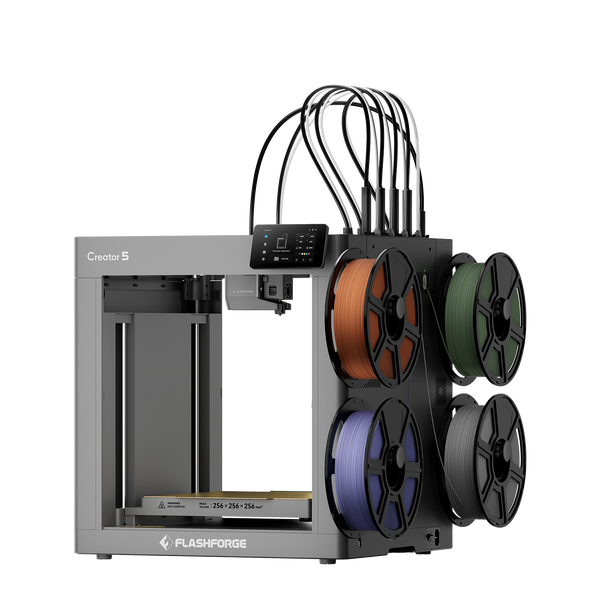
Flashforge Creator 5 4-Toolheads Multi-Color 3D Printer | 500% Faster, Zero Purge Waste
When to Choose Creator 5 Pro
Once projects move beyond standard multi-color models into ABS, ASA, PA, PC, or fiber-reinforced materials, the printing environment can matter as much as the switching system itself. Temperature changes in an open workspace can increase the risk of warping or cracking, which becomes especially relevant for engineering prototypes, functional housings, or small-batch parts that need more consistent results. The Flashforge Creator 5 Pro combines four independent toolheads for multi-material switching with a fully enclosed structure and active chamber heating, providing a more stable environment for temperature-sensitive materials.
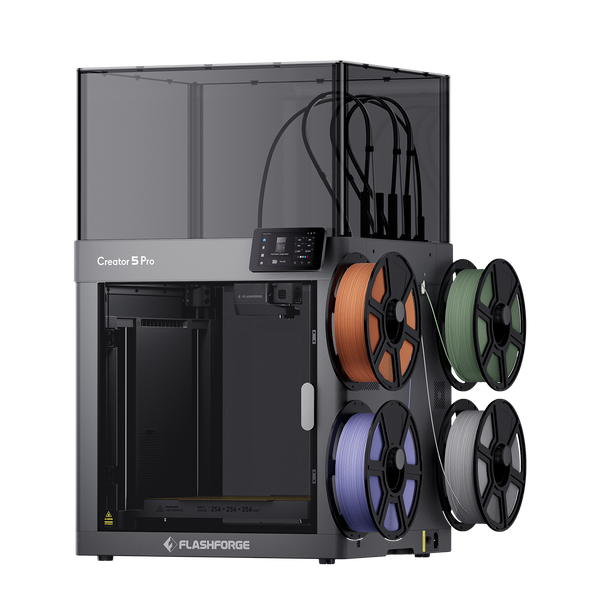
Flashforge Creator 5 Pro 4-Toolheads Enclosed Multi-Color 3D Printer | 500% Faster, Zero Purge Waste
Conclusion
AD5X, Creator 5, and Creator 5 Pro are built for different levels of multi-color and multi-material printing. AD5X is the more straightforward choice for everyday multi-color projects, Creator 5 improves switching efficiency with four independent toolheads, while Creator 5 Pro adds the enclosed, actively heated environment needed for more demanding engineering materials. The better system ultimately depends on whether your priority is simple color printing, lower purge waste, or greater material and temperature control.
FAQ
Can Creator 5 and Creator 5 Pro Use Different Nozzle Sizes at the Same Time?
Yes. Creator 5 and Creator 5 Pro use four independent toolheads with independent nozzle settings, and the Creator 5 Series supports 0.25, 0.4, 0.6, and 0.8 mm nozzle options. Different nozzle diameters can be useful when one section needs finer detail while another benefits from higher material flow. Make sure each toolhead is assigned the correct nozzle setting in the slicer and repeat toolhead calibration after nozzle changes when required.
Do Multi-Toolhead 3D Printers Require More Calibration and Maintenance?
Generally, yes, because multiple toolheads add more nozzles and moving components to maintain. Creator 5 and Creator 5 Pro reduce the setup burden with automatic multi-toolhead offset calibration, but regular nozzle and toolhead checks are still important.
Can Creator 5 Pro Still Print PLA and PETG Effectively?
Yes. PLA and PETG are both officially supported on Creator 5 Pro, so the printer is not limited to engineering materials. For everyday prints, chamber temperature and cooling settings should still be matched to the filament rather than using heated-chamber conditions by default.
Are Creator 5 and Creator 5 Pro Toolheads and Accessories Compatible?
Many core parts are shared across the Creator 5 Series, including nozzle assemblies, extruder assemblies, build plates, and several toolhead components. However, Pro-specific parts such as its HEPA filter and enclosure-related components should not be assumed to fit Creator 5.
Do You Need Special Slicer Settings for Multi-Toolhead Printing?
Yes, multi-toolhead printing requires the correct toolhead assignments and material settings in the slicer. For Creator 5 and Creator 5 Pro, assign each color, material, and model section to the intended toolhead, then verify nozzle size, temperatures, and material profiles before slicing. Flash Studio Desktop is the current recommended Flashforge slicer for the Creator 5 Series, while OrcaSlicer remains an available option.
What Happens If Filament Runs Out During a Multi-Color Print?
The printer can detect a filament run-out instead of continuing the job without extrusion. Creator 5 and Creator 5 Pro include filament run-out detection, while AD5X combines filament detection with its IFS automatic loading system. If an AD5X print pauses because filament runs out, inserting replacement filament into the IFS can trigger automatic loading. Before resuming a multi-color print, make sure the replacement filament matches the color and material assigned to that channel.