For users planning to use an FDM 3D printer long-term in 2026, the high-speed and stable CoreXY structure is better for mid-to-high frequency creators and small-batch production. Beginners on a budget and educational environments can still safely choose the mature Cartesian structure. In this 2026 guide, we will analyze motion principles, daily user experience, industry data, and real-world cases. This will help you decide which 3D printer type fits your rhythm and business planning.
CoreXY vs. Cartesian 3D Printers: Quick Answer and Key Takeaways
We will provide the key answers first before diving into the details. After reading this section, you can identify which user category you fit into. You can then fine-tune your choice by scenario and budget in the following chapters.
Which One Is Faster?
In the same price bracket, a CoreXY 3D printer usually offers higher usable speeds. This makes it better for high-frequency printing and time-sensitive projects. The CoreXY system uses two belts to drive the X and Y axes simultaneously. Since the weight is concentrated on the frame and the moving toolhead is light, the motion path is more efficient. This allows the machine to stay stable at speeds above 300 mm/s. Leading CoreXY models, such as the Flashforge Adventurer 5M Pro, now reach a nominal maximum speed of 600 mm/s with an acceleration of 20,000 mm/s². These FDM 3D printers use metal frames and vibration suppression to keep deformation within acceptable limits during high-speed operation.
A Cartesian 3D printer typically moves the entire build plate along one axis while the print head moves along the others. The moving mass of the platform is much larger, making momentum harder to control. As a result, when these machines approach high nominal speeds, they are more likely to show ringing, edge burrs, or even layer delamination. In many tests, although entry-level Cartesian 3D printers claim speeds of 200 or 300 mm/s, their practical speed for quality results stays around 100 mm/s. If you care about how many finished products you can deliver in a week, CoreXY offers a very direct advantage in speed.
Experience shows that for a maturely designed CoreXY platform, when printing time is compressed from over ten hours to just a few, and the failure and rework rates do not rise significantly, the efficiency gains far outweigh the difference in machine price.
Which One Is Easier to Use?

Ease of use depends on two factors: the initial learning curve and long-term mental effort. For absolute beginners, the installation and coordinate system of most Cartesian 3D printers are more intuitive. The X-axis moves left and right, the Y-axis moves forward and backward, and the Z-axis moves up and down. This aligns perfectly with daily logic. Many entry-level FDM 3D printers use semi-assembled structures and have extensive tutorials, making them easier for teaching and self-study.
In the past, CoreXY 3D printers were mostly found in DIY kits and open-source platforms. Complex belt routing and poor tension designs often led to distorted shapes, like squares that were not square or holes that were not round. Consequently, users spent significant effort on leveling and calibration. However, recent models like the Adventurer 5M Pro, designed for home and school use, are now 90% pre-assembled. They offer one-click auto-leveling, built-in cameras, and air filtration. Reviews show the time from unboxing to the first successful 3D print is usually around ten minutes. Feedback indicates that if you choose a mature, enclosed CoreXY 3D printer, the learning curve is now similar to a basic Cartesian 3D printer.
Which One Delivers Better Print Quality?
At low to medium speeds, both CoreXY and Cartesian structures produce fine results. Real differences appear at high speeds, during long print jobs, and in scenarios requiring high dimensional accuracy. CoreXY 3D printers concentrate mass on lightweight components and avoid moving the heat bed back and forth. This ensures more stable layer alignment and straighter edges, especially when printing tall models. In tests of the Adventurer 5M Pro, review teams printed complex marble machines, masks, and large integrated toys. The surfaces showed almost no ringing, and small holes maintained excellent circularity.
On a Cartesian 3D printer, the constant movement of the heat bed can cause slight swaying as the part grows taller. This manifests as visible layer lines or slight leaning on high-detail statues and tower-like models. A Cartesian 3D printer is still sufficient for educational models, toys, or simple parts. However, the advantages of CoreXY in dimensional consistency and detail retention become clear when you frequently print mechanical parts for assembly or need multiple FDM 3D printers to produce parts quickly.
How CoreXY and Cartesian Motion Systems Actually Work
Understanding the differences between these two motion systems is the foundation for judging long-term reliability and upgrade potential. Below, we break down the motion paths of Cartesian and CoreXY in an intuitive way. We also explain why these differences ultimately impact speed and quality.
Cartesian Axis Movement Explained (X, Y, Z)
A Cartesian FDM 3D printer is based on the classic coordinate system: X for left and right, Y for forward and backward, and Z for up and down. Each linear rail is driven by an independent stepper motor and a belt or lead screw. The most common layout features a toolhead moving on the X-axis or XZ plane, while the heat bed moves along the Y-axis. The change in distance between the nozzle and the heat bed determines the layer height.
From a mechanical design perspective, the main advantage of a Cartesian 3D printer is its intuitive structure and simple control algorithms. It is easy to understand and maintain. You can determine the position of each axis at a glance. This makes it very friendly for assembly, debugging, and teaching. This is why many schools and makerspaces adopted Cartesian 3D printers in their early days. The downside is that as the bed size grows or the model gets taller, the mass of the platform increases. To increase speed while maintaining precision, the FDM 3D printer requires higher rigidity and higher costs.
CoreXY Belt-Driven Motion System Explained
The CoreXY motion system also uses Cartesian coordinates, but the X and Y movements are handled by two crossed belts. Two stepper motors work together to create diagonal movements. Simply put, when both motors rotate in the same direction, the carriage moves along one diagonal. When they rotate in opposite directions, it moves along the other. By combining different steps from both motors, the system can achieve any direction in the plane.
This design allows the entire printing platform to remain very compact. The motors are fixed to the frame, meaning only the lightweight toolhead module moves at high speeds. This makes high acceleration and high speeds easier to achieve. It also keeps vibrations from inertia to a minimum. For example, in the Adventurer 5M Pro, the metal frame and CoreXY path allow for an XY positioning accuracy of 0.0125 mm and a Z accuracy of 0.0025 mm even at high speeds. This means high detail and high speed are no longer a trade-off.
Note that CoreXY is more sensitive to belt tension, pulley rigidity, and assembly precision. If the design or manufacturing is poor, axial deviations or positioning errors can occur. This is why choosing a mature brand with a factory-assembled unit is important for creators who do not have time to tinker with hardware.
Why Motion Design Impacts Performance
Industry reports show that the global FDM 3D printing market size was approximately $2.56 billion in 2025. Industrial-grade 3D printers accounted for about 75.9% of that revenue. About 54.4% of applications focus on prototyping. High-precision industries like automotive contribute about 23.9% of the market share. These users expect both dimensional accuracy and long-term stability. High-speed CoreXY and high-rigidity Cartesian systems have evolved to meet these needs. Because Cartesian 3D printers are simple and easy to maintain, they still have a solid user base in education and lightweight R&D. For occasional printing or teaching demonstrations, the speed difference from the motion structure is not the highest priority.
Real-World Differences That Matter Most
Numbers on a spec sheet are only one part of the story. The performance of an FDM 3D printer during daily power cycles and weeks of long-term operation is what defines its reputation. This section maps the differences between CoreXY and Cartesian designs across four dimensions: speed efficiency, consistency, footprint, and noise.
Speed and Efficiency in Daily Printing

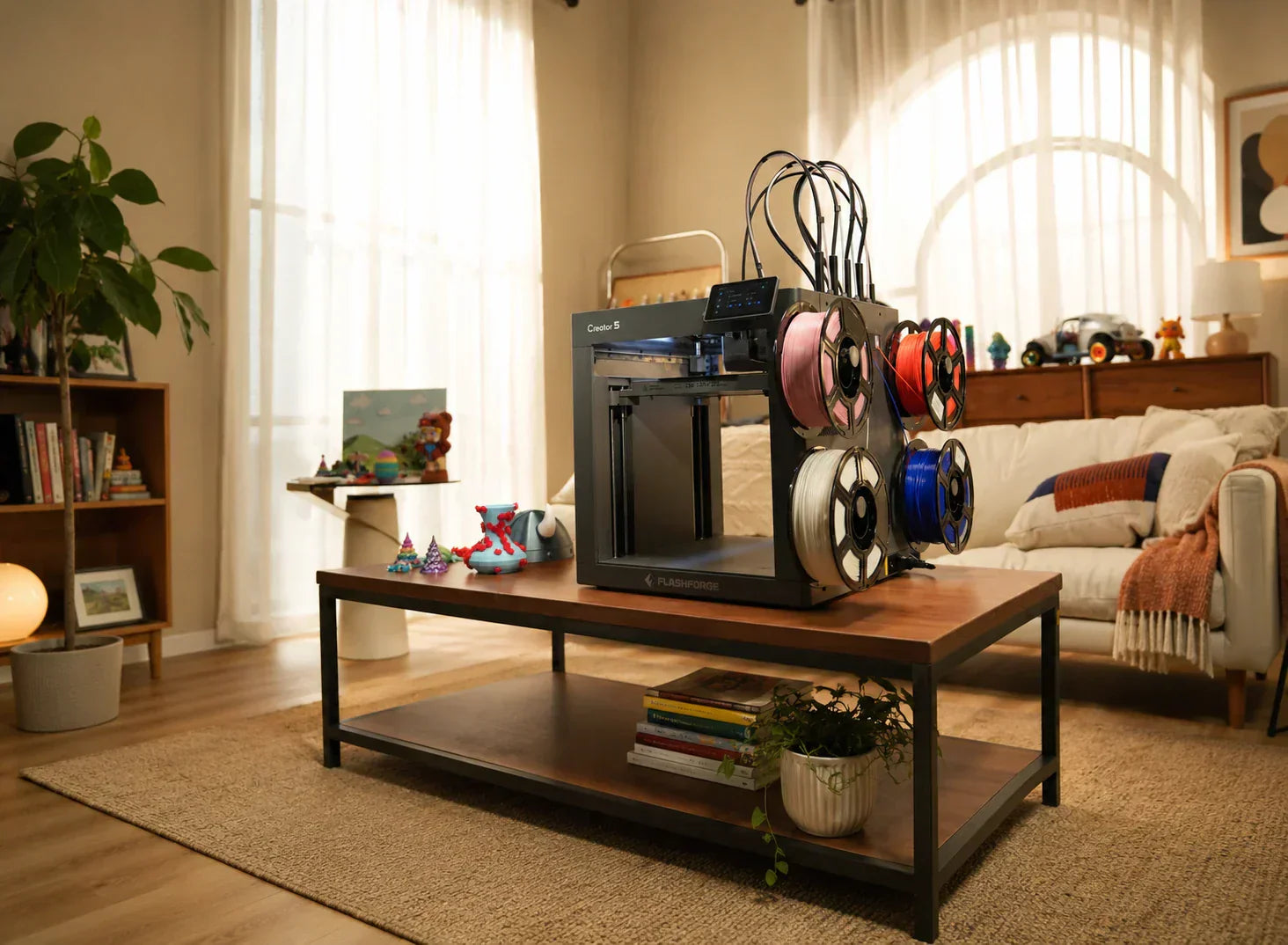
In high-frequency scenarios, print tasks often run for days or weeks. Design studios may need multiple iterations in one day, or factories might require a steady supply of spare parts and jigs. As highlighted in guides exploring the best multicolor 3D printer for boosting productivity, the Flashforge Creator 5, an industrial-grade CoreXY platform, uses the FlashSwap four-toolhead system for multi-color or multi-material printing. It switches the entire nozzle rather than relying on a prime tower. In benchmark tests, a multi-color Rubik’s Cube printed on the Creator 5 took about 2.6 hours and used 47.5g of filament. A traditional single-nozzle multi-color system took 16 hours and used 290g of filament. This represents an 84% saving in both time and material.
For teams where labor costs are real, one CoreXY 3D printer can deliver far more projects than traditional setups. It can often replace several slower Cartesian 3D printers. For beginners who print occasionally or only make a few small parts per week, the speed disadvantage of a Cartesian 3D printer is less noticeable and does not create a significant gap in return on investment.
Print Consistency and Layer Accuracy
Consistency means two things: the repeatability of the same model and the alignment of layers in tall prints. A Cartesian 3D printer, with its large bed movements, is prone to slight swaying at the top of tall models. This issue is often made worse by room temperature changes and material warping.
In a CoreXY 3D printer, the heat bed usually only moves slowly along the Z-axis. The X and Y movements are concentrated on the lightweight toolhead, which reduces the accumulation of inertia. When paired with a fully enclosed chamber and constant airflow, these machines can handle tasks lasting twenty hours or more without mid-print alignment errors. Reviews of the Adventurer 5M Pro highlight its stable performance across various layer heights. Whether at a standard 0.2 mm or a thicker 0.3 mm, the edges and joints of the models remained consistent and repeatable. When a project moves from a hobby to a commercial order, consistency becomes more important than peak speed. CoreXY 3D printers provide this through their structural design and enclosed environments.
Machine Footprint and Space Requirements
Many users underestimate space issues before buying. You must consider the footprint of the FDM 3D printer and the space needed for bed movement and maintenance. A Cartesian bed-slinger requires a long travel path for the heat bed along the Y-axis. During printing, the bed will extend past the body of the machine. You must leave safety clearance to avoid collisions. This makes it difficult to place the FDM 3D printer against a wall or on a narrow desk.
A CoreXY 3D printer, like the fully enclosed Adventurer 5M Pro, is more compact. It fits a 220 x 220 x 220 mm build volume into a body of approximately 380 x 400 x 453 mm. Since the bed only moves vertically, the entire motion path stays inside the casing. This allows the machine to sit flush against a wall. When evaluating how to choose the best 3D printer for home use or for classrooms with multiple units, enclosed CoreXY 3D printers fit much more easily into the same desk area.
The following table summarizes the core differences in daily use:
|
Dimension
|
CoreXY FDM 3D Printer
|
Cartesian FDM 3D Printer
|
|
Typical Rhythm
|
High-frequency iterations, small-batch production, multi-material
|
Entry-level learning, lab experiments, occasional printing
|
|
Usable Speed
|
Stable at high speeds; maintains quality during rapid prints
|
Requires lower speeds to ensure stability
|
|
Consistency
|
Better alignment for tall models and long tasks
|
Top alignment on tall models depends on tuning
|
|
Space Usage
|
Motion contained in an enclosure; easy to plan
|
Bed extends outward; requires extra clearance
|
|
Lifespan Goal
|
Built for 2+ years of high-intensity use
|
Ideal for the entry phase or low-frequency use
|
Noise and Mechanical Wear
Noise and wear are significant pain points for home and office users. Loud FDM 3D printers can disrupt sleep and work. Early open-frame Cartesian 3D printers often used exposed parts that created resonance and fan noise, even with silent drivers.
Enclosed CoreXY 3D printers trap most motion noise inside the chassis. The panels and filters act as physical sound barriers. The Adventurer 5M Pro offers a low-noise mode between 50 and 55 dB. This is quiet enough for a desk or open office without interrupting conversations. The Creator 5 Pro further reduces noise from 65 dB to 55 dB by adding a fully enclosed chamber and dual air filtration, making it a better production platform for classrooms.
Regarding wear, the CoreXY bed does not move at high speeds, so it experiences less dynamic load. Wear on linear rails and blocks is concentrated on the lightweight moving parts. With proper lubrication, long-term precision is easier to maintain. On a Cartesian 3D printer, the heat bed rails and belts are more likely to develop play over time, increasing the frequency of maintenance.
CoreXY vs Cartesian: Which One Fits Your Printing Goals?
The real choice is not about which technology is more advanced. It depends on your project types, time pressure, and your tolerance for tinkering with hardware. This section breaks down which structure is recommended for typical use cases, featuring specific FDM 3D printers to help you visualize your future workflow.
Rapid Prototyping and High-Speed Needs
If you are an industrial designer, product manager, or studio owner, you likely need multiple iterations of shells and structural parts within a week. When your models are usually within a 20 cm cube but needed in high quantities, a high-speed CoreXY platform will significantly reduce your time pressure.
In this scenario, the Creator 5 Pro is an ideal primary FDM 3D printer. Its 256 x 256 x 256 mm build volume covers most consumer electronics housings, multi-color brand signage, and functional prototypes. The FlashSwap system features four independent toolheads. This allows you to mix colors and materials in a single job while avoiding the massive waste of a purge tower common in single-nozzle systems. With a maximum print speed of 300 mm/s, travel speeds of 600 mm/s, and acceleration up to 30,000 mm/s², it is built for efficiency. The fully enclosed metal frame and active chamber heating keep the internal temperature around 65°C. Combined with a 120°C heat bed and PEI spring steel plate, materials like ABS, ASA, PC, and PA maintain excellent dimensional accuracy and layer bonding during high-speed prints. In benchmark tests for multi-color cubes, this toolhead system reduced time and filament waste by over 80%. For teams delivering frequent samples or small-batch orders, this shortens the delivery cycle and allows more focus on creativity.
Learning, Education, and Entry-Level Use
Ease of use, safety, and visibility are often more important than peak performance in education. The training sector still relies heavily on entry-level Cartesian 3D printers. The primary reason is the intuitive structure, which is perfect for explaining coordinate systems, motion control, and basic maintenance. Research shows that teachers prefer structures that are easy to understand at a glance, rather than systems requiring complex explanations of belt logic. If a school wants to build a lab for student practice rather than mass production, reliable Cartesian 3D printers allow more students to experience the full process from modeling to printing quickly. Educators can also introduce one or two enclosed CoreXY 3D printers as advanced units. This lets older students experiment with higher speeds and complex materials while demonstrating the strengths of both architectures.
Small Batch Production and Business Use
When a 3D printer directly generates business revenue, the choice of machine becomes a matter of cash flow. Industrial FDM solutions account for about 75.9% of total revenue as more companies use FDM 3D printers for small-batch and on-demand manufacturing. In these cases, efficiency, waste rates, and automation directly impact profit margins.
The Creator 5 is a typical solution for this environment. It uses a CoreXY motion structure with a 256 x 256 x 256 mm build space and the FlashSwap system. It supports mixing PLA, PETG, TPU, PVA, and various fiber-reinforced composites in the same job. For a multi-color model, time and filament consumption are reduced by about 84% compared to traditional multi-color solutions. For small studios making signs, toys, or custom parts, this means a significant increase in the number of orders delivered per unit of time.
Complex and Large-Scale Prints
Large and complex 3D prints present two challenges. First, print times often stretch into dozens of hours. Second, the models are prone to stress from shrinkage and environmental changes, leading to warping, cracking, and dimensional errors. For these tasks, the key is not just the motion system, but whether the FDM 3D printer has an enclosed chamber with proper thermal and airflow control.
Enclosed CoreXY 3D printers use constant-temperature chambers and internal circulation to keep the environment stable. This gentle airflow reduces stress concentrations caused by sudden cooling on the model surface. The dual-filtration system in the Adventurer 5M Pro filters over 99% of particles and VOCs. This ensures a stable environment for ABS and ASA while protecting air quality in the home or office. For users printing complex masks, large art installations, or high-precision assemblies, this combination of reliability and safety makes it the right long-term partner.
Final Decision Checklist for 2026 Buyers
Before making your final purchase, use this concise checklist to verify your requirements. These key questions will help you filter through the many 3D printer options quickly.
-
Define Your Print Frequency and Project Cycles
Consider how often you will use the equipment. If you only print one or two models a month or mainly use it for teaching demonstrations, a reliable Cartesian 3D printer is completely sufficient. However, if you have weekly deadlines or plan to take on commercial orders, prioritize a mature CoreXY 3D printer. You should factor both time costs and waste rates into your overall budget.
-
Identify Your Material Roadmap for the Next Two Years
If you only plan to print with PLA and a small amount of PETG, an open-frame 3D printer meets most needs. If you plan to use engineering plastics like ABS, ASA, or PA consistently, prioritize a 3D printer with an enclosed chamber and air filtration. For example, the Adventurer 5M Pro allows for safe ABS and ASA printing in home and school environments. The Creator 5 Pro provides even higher environmental control for engineering materials and multi-color production.
-
Evaluate Your Willingness to Spend Time on Tuning and Maintenance
Decide how much you want to interact with the hardware. If you enjoy upgrading and disassembling parts, a Cartesian 3D printer or a highly open CoreXY 3D printer can be a great learning tool. If you prefer a 3D printer that acts as a stable production tool where you drop a file before leaving and collect the finished part the next morning, choose a different path. Prioritize an enclosed CoreXY 3D printer with a solid structure, high pre-assembly, full auto-leveling, and remote monitoring.
Conclusion
Choosing between a CoreXY 3D printer and a Cartesian 3D printer is essentially a trade-off between different usage paths. If you are just starting out and enjoy the process of tinkering, an intuitive Cartesian 3D printer will help you build a solid foundation. However, if you are already chasing deadlines, running small batches, or simply cannot stand waiting over ten hours for a single 3D print, the time and material saved by a CoreXY 3D printer will make every extra cent worth it.