








Table of Contents
3D printing is convenient for homes, classrooms, offices, and small studios, but it also produces emissions during the printing process. These emissions can include odors, volatile organic compounds, and very small particles released when filament or resin is heated.
The risk depends on the material, print temperature, room size, airflow, printer design, and how often the machine runs. PLA in a ventilated room usually creates less concern than long ABS or ASA prints in a small enclosed space, but no material should be treated as completely emission-free.
This guide explains what 3D printer fumes are, which materials need more caution, and how to reduce exposure when printing indoors.
What Are 3D Printer Fumes?
3D printer fumes are the airborne substances released during printing. In FDM printing, they are mainly produced when plastic filament is heated and extruded through the nozzle. In resin printing, emissions and exposure risks can also come from liquid resin, washing, curing, and post-processing.
The main concerns for FDM users are volatile organic compounds, often called VOCs, and ultrafine particles, often called UFPs. Odor is also common, but smell is not a reliable way to judge safety.
Research from EPA and UL has shown that desktop 3D printers can emit gases and particles during operation. The exact emission profile changes with the printer, filament, temperature, additives, and ventilation conditions.
How Are Fumes Generated During 3D Printing?
FDM printers heat thermoplastic filament until it softens and flows through the nozzle. As the material heats, small amounts of chemical vapors and particles can be released into the surrounding air.
Higher nozzle temperatures usually increase the need for caution. Materials such as ABS, ASA, nylon, and polycarbonate often print at higher temperatures than PLA, so they may require stronger ventilation and better containment.
Emissions can also come from additives. Colorants, flame retardants, fillers, carbon fiber, glitter, wood blends, and other modifiers can change what is released during printing.
This is why two spools with the same base material may not behave exactly the same.
VOCs and Ultrafine Particles Explained
VOCs are chemical vapors that can evaporate into the air. Some VOCs create noticeable odors. Others may be difficult to smell.
Ultrafine particles are extremely small airborne particles. They are much smaller than typical dust and can remain suspended in the air. Because of their size, they are harder to manage with ordinary room cleaning alone.
UL's ANSI/CAN/UL 2904 standard was created to measure and assess particle and chemical emissions from 3D printers used in homes, schools, offices, libraries, and other non-industrial indoor spaces. This standard reflects the need to evaluate emissions as part of indoor printing safety.
Are 3D Printer Fumes Harmful?
Yes, 3D printer fumes can be harmful, especially without ventilation.
The risk is not the same for every print. A short PLA job in a well-ventilated room is different from repeated ABS, ASA, nylon, or PC printing in a small room with poor airflow. Exposure also matters more for children, pets, people with asthma, and users who run printers for long periods.
The safest approach is to reduce exposure rather than assume a material is harmless.

VOCs Can Irritate the Eyes, Nose, and Throat
Some VOCs can irritate the eyes, nose, throat, or airways.
Users may notice odor, dryness, headache, throat irritation, or general discomfort during or after printing. These symptoms do not prove a specific exposure level, but they are a signal that the room setup should be improved.
ABS and ASA deserve extra caution because they can release stronger odors and higher levels of VOCs than many common PLA or PETG prints. Flashforge's guide to ABS ventilation and safety also emphasizes the importance of airflow when printing ABS indoors.
Ultrafine Particles Can Reach Deep Into the Lungs
Ultrafine particles are concerning because they are small enough to move deep into the respiratory system.
Research on desktop 3D printers has found that UFP emissions can occur during normal printer operation. The amount depends on material, printer design, temperature, and ventilation.
This does not mean every print creates the same risk. It means indoor printing should be managed with ventilation, containment, and filtration when practical.
Exposure May Trigger Coughing and Asthma Symptoms
People with asthma, allergies, or sensitive airways may react more strongly to poor indoor air quality.
A poorly ventilated print area can contribute to coughing, throat irritation, chest tightness, or discomfort in sensitive users. Anyone who experiences symptoms during printing should stop the print if needed, ventilate the room, and avoid staying close to the printer during operation.
For classrooms, homes with children, and shared workspaces, it is better to use conservative safety practices from the beginning.
Some Emissions May Affect Cardiovascular Health
Some research links ultrafine particle exposure to respiratory and cardiovascular concerns, but the evidence for 3D printing-specific cardiovascular effects is still developing.
It is safer to describe this as a potential concern rather than a confirmed outcome for every printer or material. Current guidance supports reducing exposure, improving ventilation, and avoiding long printing sessions in poorly ventilated spaces.
Which 3D Printing Materials Produce the Most Fumes?
Material choice has a major effect on emissions.
High-temperature materials generally need more ventilation than low-temperature materials. Additives and print settings can also change the emission profile. When choosing 3d printer filament for indoor printing, compare not only strength and finish but also print temperature, odor, ventilation needs, and whether the material requires an enclosure.
The Flashforge Blog article Does 3D Printing Cause a Smell? explains why odor varies by filament type and why ventilation remains important even when the smell seems mild.
ABS Can Release High Levels of VOCs
ABS is one of the materials most often associated with strong odor and higher VOC emissions.
It usually prints at higher temperatures and benefits from an enclosure to reduce warping. That same enclosed setup should also be paired with ventilation or filtration to reduce indoor exposure.
ABS is useful for durable parts, but it should not be printed for long periods in a bedroom, small office, or classroom without airflow control.
ASA Also Requires Strong Ventilation
ASA is often used for outdoor parts because it offers better weather resistance than many standard materials.
Like ABS, ASA prints at higher temperatures and can produce noticeable odors. It should be used in a ventilated area, ideally with an enclosure and filtration.
ASA is practical for functional parts, but it is not a low-emission material simply because it is common in FDM printing.
Nylon and Polycarbonate Need Higher Temperatures
Nylon and polycarbonate require higher nozzle temperatures and more controlled printing conditions.
These materials are often used for stronger functional parts, but they also increase the need for enclosure control, ventilation, and careful material handling.
Professional users who print nylon, PC, or fiber-reinforced filaments frequently should avoid placing printers in general living or office areas.
PLA and PETG Usually Produce Fewer Fumes
PLA and PETG usually produce fewer noticeable fumes than ABS or ASA.
PLA is often the easiest material for indoor hobby printing because it prints at lower temperatures and tends to have a milder odor. PETG is also common for functional parts and usually creates less odor than ABS.
This does not mean PLA or PETG produce no emissions. They can still release particles and VOCs during printing, especially at higher temperatures or with additives.
Additives and Print Temperature Affect Emissions
A filament is more than its base polymer.
Colorants, fillers, flame retardants, carbon fiber, wood particles, metal-like additives, and recycled blends can change printing behavior and emissions. EPA research notes that specialty filaments and additives may create additional exposure considerations.
Print temperature also matters. Printing hotter than necessary can increase emissions and odor. Use the recommended temperature range for the filament and avoid overheating material for long jobs.Material Emissions Comparison Table
| Material | Typical Emission Concern | Indoor Printing Recommendation |
| PLA | Usually lower odor, but still emits particles and VOCs | Use basic ventilation and avoid treating it as emission-free |
| PETG | Moderate odor and possible stringing at higher temperatures | Use ventilation, especially for long prints |
| ABS | Stronger odor and higher VOC concern | Use enclosure, filtration, and strong room ventilation |
| ASA | Similar caution to ABS, often used for outdoor parts | Use enclosure, filtration, and strong room ventilation |
| Nylon | Higher-temperature printing and stronger workspace requirements | Use dedicated ventilation and controlled setup |
| PC | High-temperature printing and engineering-material workflow | Use enclosed equipment and dedicated workspace |
| Resin | Different hazard profile from liquid resin and post-processing | Use PPE, ventilation, and careful handling |
Factors That Affect Indoor Exposure Levels
The same printer and filament can create different indoor air conditions in a large ventilated room compared with a small bedroom. Airflow, print duration, temperature, enclosure design, and the number of printers all matter.
Room Size and Airflow
A small room can allow emissions to build up more quickly.
A larger room with steady airflow dilutes emissions more effectively. Ventilation can come from mechanical exhaust, a dedicated ventilation system, or controlled airflow to the outside.
Do not rely on opening a door only after the room smells bad. The better approach is to maintain airflow during the print.
Print Temperature and Material Settings
Higher temperatures can increase emissions.
Use the lowest recommended temperature that still gives good layer bonding and extrusion quality. Avoid raising nozzle temperature only to force speed unless the material and printer profile support it.
For ABS, ASA, nylon, and PC, the print environment should be planned before starting the job.
Print Duration and Frequency
A short print creates less cumulative exposure than a printer running for many hours every day.
Print farms, classrooms, makerspaces, and small businesses need stronger exposure controls than occasional home users. Multiple long prints can increase the importance of ventilation, filtration, and room placement.
If a printer runs daily, treat it as a workspace air-quality issue, not just a hobby device.
Enclosed vs Open-Frame Printers
An enclosure can help separate the printing area from the surrounding room. It can also support more stable temperatures for materials that are sensitive to drafts.
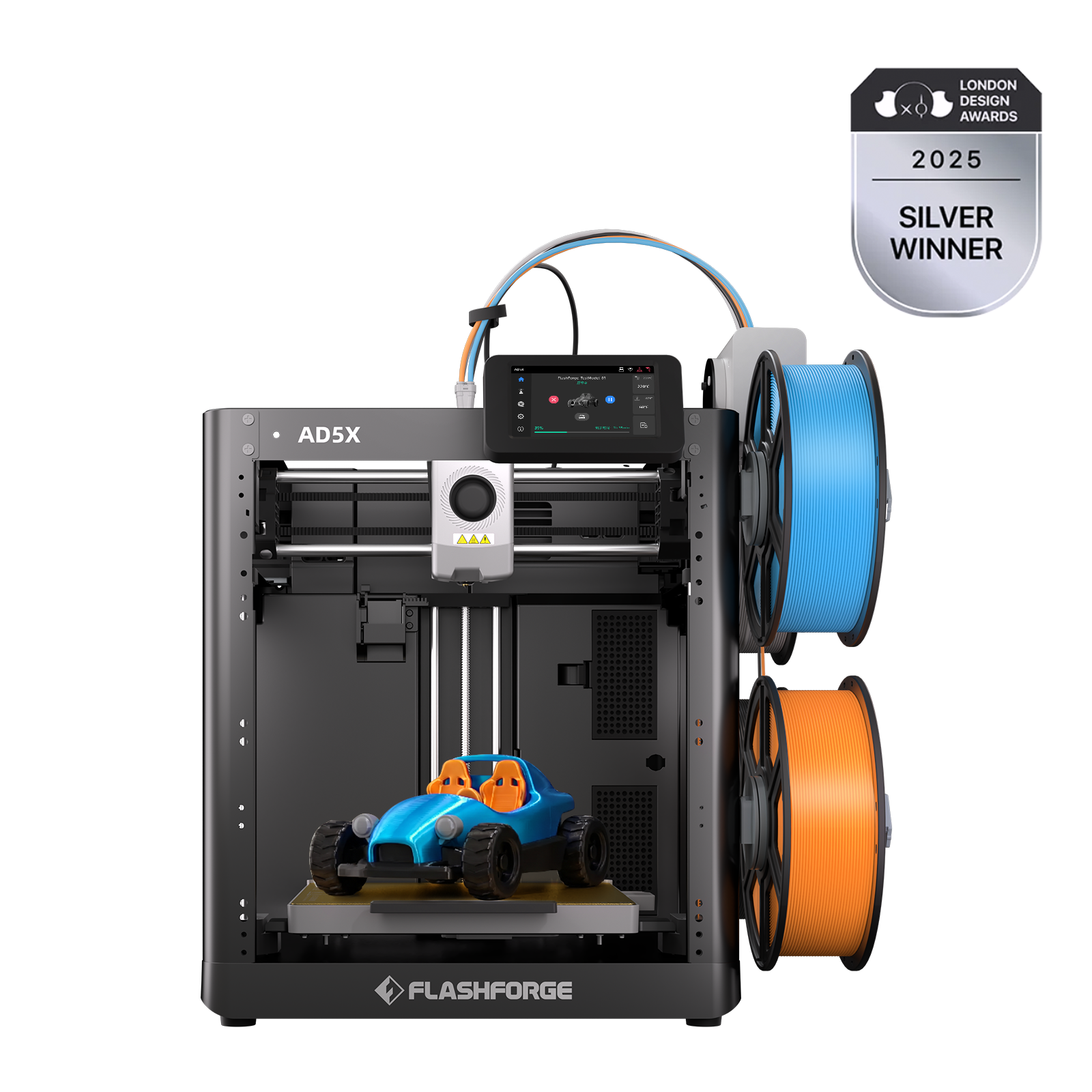
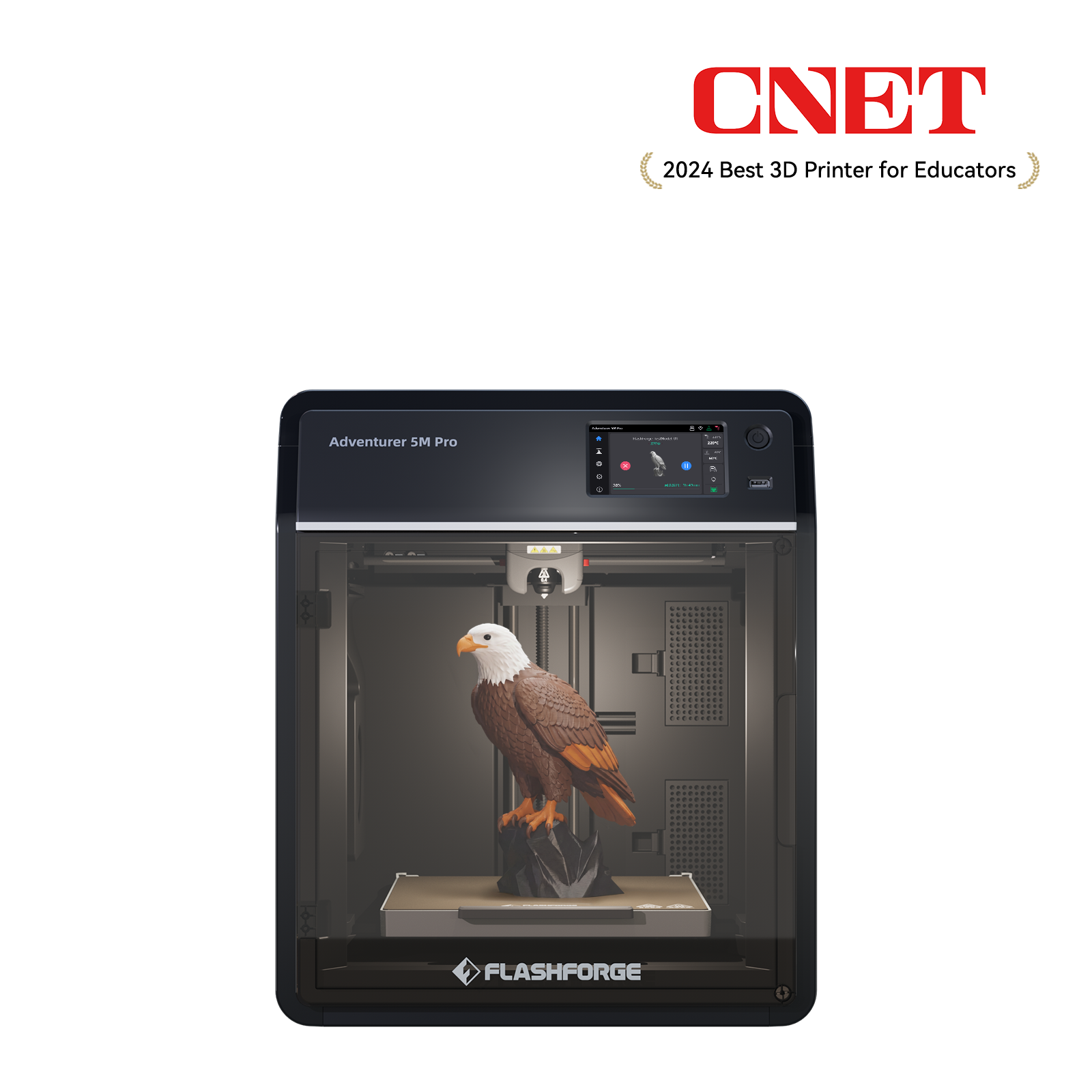
For routine indoor printing, an enclosed model such as the Flashforge Adventurer 5M Pro can help reduce direct exposure around the printer. Its internal and external circulation system uses HEPA and activated carbon filtration, making it a practical option for home offices, classrooms, and smaller workspaces.
When comparing the best 3d printer for indoor use, look beyond speed and build volume. Enclosure design, filtration, material support, room placement, and maintenance requirements all affect how safely the printer fits into a home or shared workspace.
The Flashforge guide to Adventurer 5M Pro air filtration explains how its dual-circulation system works with HEPA and activated carbon filtration. An enclosure does not replace room ventilation, so the printer should still be placed in an area with adequate airflow.
Multiple Printers Operating in the Same Space
Several printers running at the same time can increase indoor exposure.
This is common in classrooms, small studios, and print farms. Even if each printer produces a moderate amount of emissions, the combined output can become more significant.Group printers in a dedicated space when possible. Use local exhaust, air filtration, and room ventilation rather than spreading printers across occupied desks.How to Reduce Exposure to 3D Printer Fumes
How to Reduce Exposure to 3D Printer Fumes
A practical approach to reducing exposure is to combine several protective measures rather than relying on a single solution.
Choose lower-emission materials when possible. Use ventilation. Add filtration. Keep printers away from breathing zones. Maintain filters and ducts. For higher-temperature materials, use an enclosed setup and a more controlled workspace.

Improve Room Ventilation
Ventilation is the first step.
Place the printer in a room with airflow that moves emissions away from users. When possible, exhaust air outside instead of recirculating it indoors.
A window fan, exhaust duct, or mechanical ventilation system may help, but the setup should not create drafts that damage print quality. Balance airflow with the material's printing needs.
Use an Enclosed Printer or Enclosure
An enclosed printer helps contain heat, odors, and particles around the print area.
This is especially useful for ABS, ASA, nylon, PC, and longer indoor prints. An enclosure also helps keep children and pets away from hot parts and moving components.
However, an enclosure alone is not a complete emissions solution. If the enclosure has no filtration or exhaust plan, emissions can still enter the room when the door opens or the print ends.
Install HEPA and Activated Carbon Filtration
HEPA filtration targets particles. Activated carbon helps adsorb many odor-causing gases and VOCs.
For routine indoor use, a combined approach is more practical than relying on one filter type alone. Filters must also be replaced according to the manufacturer's guidance, since saturated filters lose effectiveness.
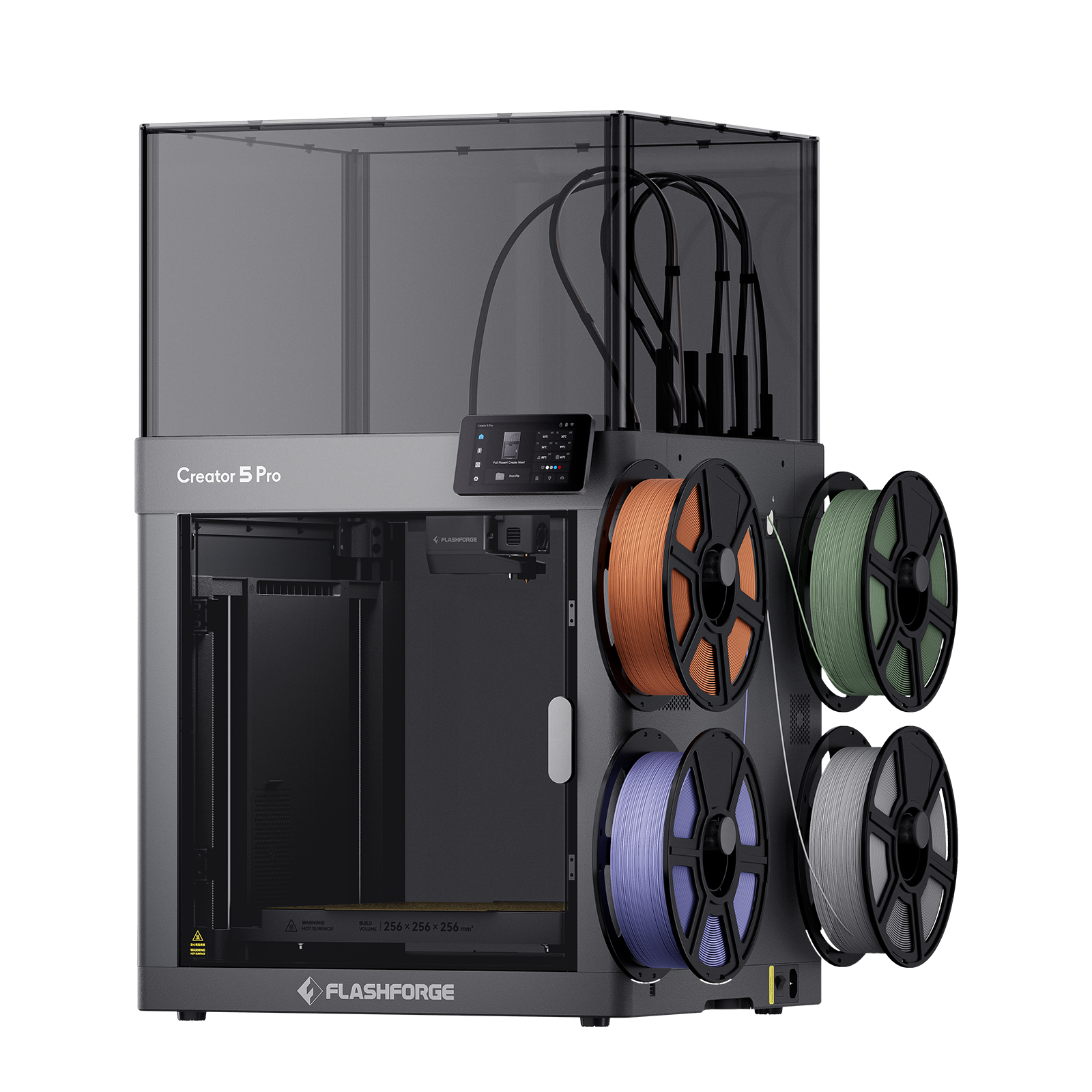
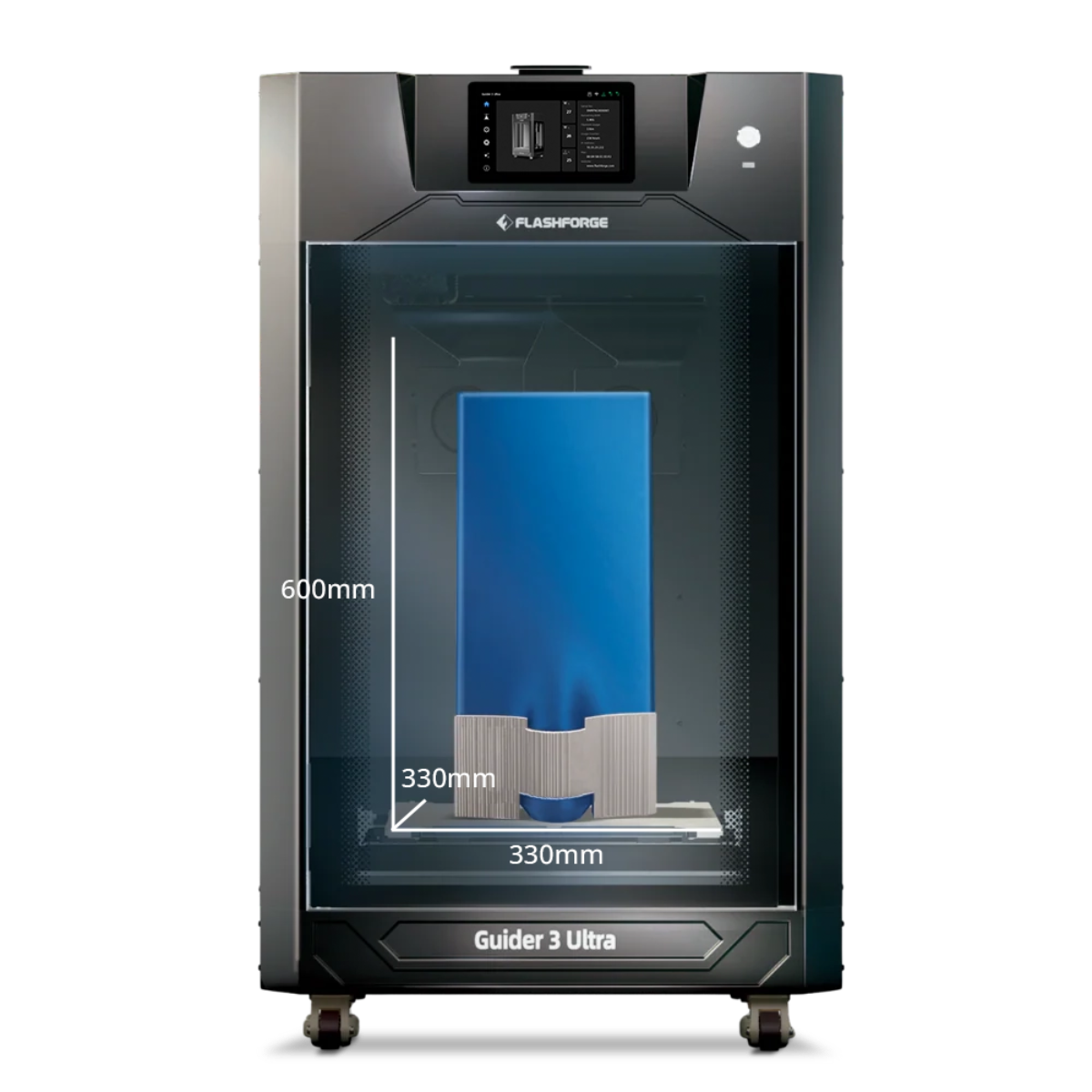
Professional workspaces that frequently print engineering materials may need a more controlled setup. The Flashforge Creator 5 Pro combines a fully enclosed rigid frame with HEPA and activated carbon filtration. Its actively heated chamber also supports more demanding multi-material workflows.
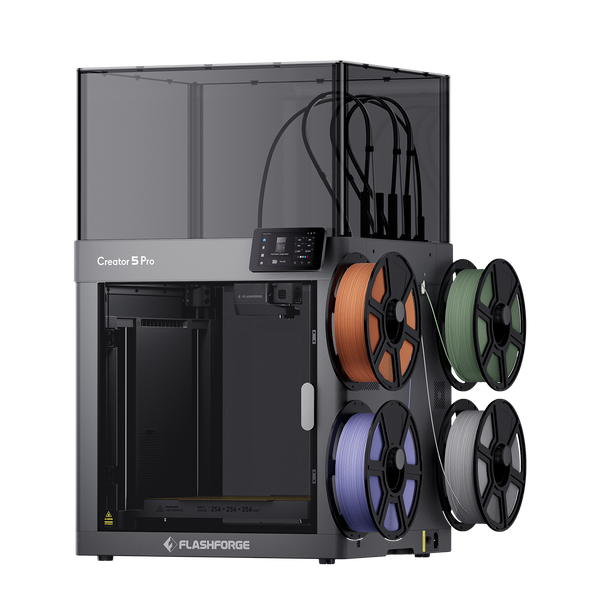
Flashforge Creator 5 Pro 4-Toolheads Enclosed Multi-Color 3D Printer | 500% Faster, Zero Purge Waste
Room ventilation is still important, especially during longer jobs or frequent ABS, ASA, PC, and PA printing. Filtration reduces exposure, but it should not be treated as a guarantee that all emissions are removed.
Place Printers in Dedicated Workspaces
Avoid placing printers beside beds, dining areas, children's play spaces, or desks where people sit for long periods. If a printer runs often, place it in a room where airflow and supervision can be managed.
The open-frame Flashforge Creator 5 is better placed in a dedicated, well-ventilated workspace, especially during longer print jobs. Its four-toolhead workflow is useful for multi-color and multi-material projects, but open-frame operation does not provide the same separation as an enclosed machine.
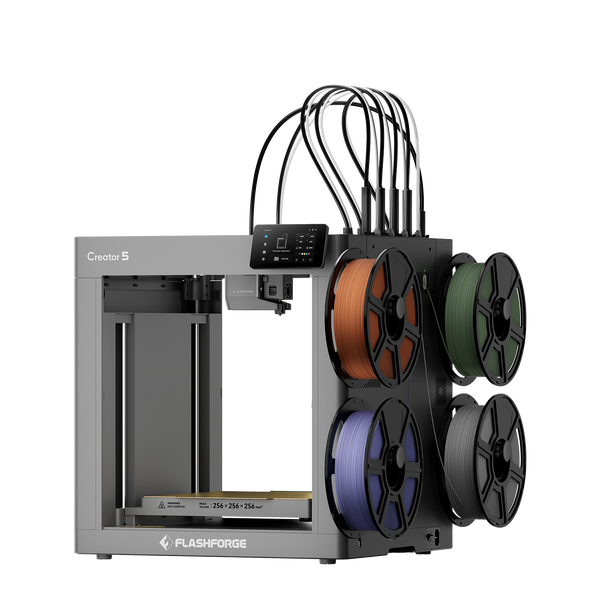
Flashforge Creator 5 4-Toolheads Multi-Color 3D Printer | 500% Faster, Zero Purge Waste
Choose Lower-Emission Filaments When Possible
Choosing the right filament is one of the simplest and most effective ways to reduce exposure before a print even begins.
Use PLA or PETG for general indoor projects when the part does not require ABS, ASA, nylon, or PC. Select lower-temperature profiles within the manufacturer's recommended range when quality allows.
For functional parts that require engineering materials, plan the workspace before printing. The stronger material should not come at the cost of poor indoor air management.
Best Indoor Safety Practices for 3D Printing
Even if your printer includes an enclosure or built-in filtration, everyday operating habits still play an important role in reducing exposure.
Safe indoor printing is not based on a single feature or device. Instead, it involves a combination of good practices, including proper printer placement, thoughtful material selection, adequate ventilation, regular monitoring, and routine maintenance.
When browsing a 3d printer for sale, check whether the model matches your actual indoor environment. A printer used in a classroom, apartment, home office, or small studio should be evaluated by enclosure design, filtration, material compatibility, and ventilation needs, not price alone.
Where to Place a Printer at Home
Place the printer away from the breathing zone.
Avoid setting it next to a bed, sofa, dining table, or main work desk. A better location is a separate room, utility area, garage, workshop, or ventilated hobby space.
If the printer must stay in a home office, place it near controlled ventilation and avoid sitting close to it during long prints.
Printing Safely in Apartments and Small Rooms
Small rooms need extra caution because emissions can build up faster.
Use lower-emission materials when possible. Keep prints shorter. Ventilate during and after the job. Avoid printing ABS, ASA, nylon, or PC in a small room without an enclosure and airflow plan.
Do not assume a closed door solves the issue. It may reduce spread to other rooms, but it can also increase concentration inside the printing room.
Protecting Children and Pets Around 3D Printers
Children and pets should not have direct access to operating printers.
Hot nozzles, heated beds, moving axes, loose filament, resin containers, and tools all create safety concerns. Emissions are another reason to avoid placing printers in bedrooms or play areas.
For classrooms and homes, choose enclosed equipment when practical and keep printers under adult supervision.
Maintaining Filters and Ventilation Systems
To get the full benefit of any filtration system, regular maintenance is essential.
Replace HEPA and activated carbon filters on schedule. Check fans, ducts, vents, and seals for dust buildup or blockage. If the printer has a sensor, treat alerts as a reason to improve airflow rather than as a reason to ignore odor.
A filter that looks clean may still be saturated with VOCs. Follow the manufacturer's replacement guidance.
Monitoring Indoor Air Quality
Indoor air monitors can help identify trends, but they are not perfect.
A VOC monitor may show changes during printing, but it may not identify every compound. A particle monitor may show changes in airborne particles, but it does not replace exposure testing.
Use monitoring as a warning tool. If readings rise during printing, improve ventilation, reduce print duration, change material, or move the printer to a better space.
Common Myths About 3D Printer Fumes
Misunderstandings often lead to poor indoor setups.
A safer approach is to assume that every heated material can produce some emissions, then reduce exposure based on the material and workspace.
“PLA Produces No Fumes”
PLA usually produces fewer odors than ABS, but it is not emission-free.
PLA can still emit particles and VOCs during printing. Additives and higher temperatures can change the emission profile.
Use ventilation even for PLA, especially during long prints or frequent indoor printing.
“If You Can't Smell It, It's Safe”
Smell is not a reliable safety test.
Some VOCs have strong odors at low levels. Others may not be noticeable. Ultrafine particles usually cannot be smelled at all.
A low-odor print can still contribute to indoor particle or VOC levels.
“All Enclosed Printers Eliminate Emissions”
Enclosures help, but they do not eliminate all emissions.
Some emissions can escape when the door opens, when the print finishes, or if the enclosure has gaps. Filters also have limits and require replacement.
An enclosed printer should be part of a broader setup that includes ventilation and good placement.
“Only Resin Printers Need Ventilation”
Resin printers need careful ventilation and PPE, but FDM printers also produce emissions.
FDM printing can release VOCs and ultrafine particles, especially with higher-temperature materials. Resin printing introduces additional concerns from liquid resin, washing solvents, curing, and skin contact.
Both processes need an indoor safety plan.
Conclusion
3D printer fumes can affect indoor air quality, especially when printing high-temperature materials in small or poorly ventilated spaces. Main concerns include VOCs, ultrafine particles, odors, and material-specific emissions. ABS, ASA, nylon, PC, and some composite filaments generally require more caution than PLA or PETG, while resin printing requires additional ventilation and PPE.
To reduce exposure, use proper ventilation, enclosed printing, HEPA and activated carbon filtration, and suitable material choices. The Adventurer 5M Pro is a practical enclosed option for homes and classrooms, while the Creator 5 Pro is designed for more demanding engineering-material applications. Regardless of the printer, good indoor air management remains important.
FAQ
Are PLA Fumes Safe?
PLA usually produces fewer fumes and less odor than ABS, but it should not be treated as completely safe or emission-free.
Use ventilation for PLA prints, especially during long jobs or repeated indoor printing. Avoid overheating the filament beyond its recommended range.
Are ABS and ASA Fumes More Hazardous?
ABS and ASA generally need more caution than PLA or PETG.
They print at higher temperatures, can produce stronger odors, and are commonly associated with higher VOC concerns. Use an enclosure, filtration, and strong room ventilation when printing these materials indoors.
Do Resin Printers Produce More Harmful Emissions?
Resin printers have a different risk profile.
Liquid resin can irritate skin and may cause sensitization. Resin workflows also involve post-processing, washing, curing, and waste handling. Ventilation, gloves, eye protection, and careful cleanup are important.
FDM printers also need ventilation, especially with high-temperature filaments. The safer question is not which process is harmless, but how each process should be controlled.
How Much Exposure Is Too Much?
There is no simple universal number for home users.
Risk depends on material, printer type, temperature, room size, airflow, print duration, and personal sensitivity. If you smell strong odors, notice irritation, or run long prints often, improve ventilation and move the printer away from occupied spaces.
Shared spaces, schools, and workplaces should follow more formal safety guidance.
Should You Use a 3D Printer in a Bedroom or Home Office?
A bedroom is not a good location for regular 3D printing.
A home office may work for occasional PLA or PETG printing if the room has ventilation and the printer is not close to your breathing zone. For ABS, ASA, nylon, PC, resin, or frequent long prints, use a dedicated and better-ventilated space.
When in doubt, separate the printer from living and sleeping areas.