Choosing a budget 3D printer is not just about finding the lowest purchase price. Print reliability, material compatibility, ease of use, and long-term operating costs can all affect whether a machine actually delivers good value after months of use.
A cheaper printer may save money upfront, but frequent failed prints, limited material support, or the need for later upgrades can increase the total cost over time. This guide compares budget 3D printers across different use cases and spending levels, from first-time home printing and multi-color projects to small-batch production and engineering applications. The goal is to help you find the right balance between upfront price, printing capability, and long-term value.
Key Factors for Choosing a Budget 3D Printer
The best budget 3D printer is not simply the cheapest model. A better choice balances print reliability, usable build volume, material support, ease of use, and features that match your actual printing needs.

Print Quality and Reliability
Reliable printing should come before maximum speed. A budget printer that produces consistent first layers and stable results can reduce failed prints, wasted filament, and repeated setup, which lowers the real cost of ownership over time.
Build Volume and Printer Size
For most FDM 3D printing projects, choose a build volume that matches the parts you actually plan to print. Larger printers cost more and take up more space, while a standard desktop build area is usually enough for toys, household parts, organisers, and small prototypes.
Material Compatibility
Material support determines how flexible the printer will be as your projects expand, so understanding common 3D printer filament types can help you match materials to the projects you plan to print. PLA and PETG cover many everyday uses, while TPU, carbon-fibre reinforced filaments, and engineering materials may require a suitable extruder, nozzle, higher temperatures, or an enclosed design.
Ease of Use and Automatic Features
Useful automation can make a budget printer easier to own. Features such as auto bed levelling, filament detection, simple calibration, and quick nozzle replacement reduce setup time and are especially valuable for beginners who want fewer manual adjustments.
Enclosure, Multi-Color, and Advanced Features
Advanced features are worth paying for only when they solve a real need. An enclosure can improve printing conditions for certain materials, while automatic multi-colour systems can simplify colour changes but may also increase print time, material use, and overall cost. For budget buyers, practical value matters more than the number of features.
How Does Your Printing Setup Affect the Cost per Print?
A printer with a low purchase price does not always produce the cheapest parts. A 3D printing cost calculator can help account for material choice, slicer settings, color changes, print duration, and how often a job needs to be repeated.

Filament Type and Material Price
Material choice sets the basic cost of every print. PLA is commonly used for low-cost everyday printing, while TPU, reinforced filaments, and engineering materials usually cost more per kilogram. When comparing 3D printer filament, checking the cost per gram gives a clearer basis than spool price alone for estimating the real cost of each part.
Model Size, Infill, and Support Material
A large model naturally uses more filament, but size is only part of the equation. Higher infill, thicker walls, and extensive support structures can also increase material consumption, even when two finished parts look similar.
Material Cost per Print = Material Used × Filament Price per Gram
This simple formula makes it easier to compare different print settings before starting a job. Adjusting model orientation, infill, or support placement can often reduce material use without affecting the main function of the part.
How Multi-Color Printing Changes Cost per Model
Multi-color printing can add material cost beyond the filament visible in the finished model. Depending on the system, extra filament may be used during colour changes, purging, or transition cleaning, which can make frequent multi-colour jobs more expensive.
For users printing colourful toys, signs, or character models regularly, waste per colour change is worth comparing alongside the number of colours a printer supports. A system with fewer material losses may offer better long-term value even if the upfront price is slightly higher.
Print Time and Electricity Use
Electricity is usually a smaller part of the cost than filament, but long print jobs can still add up. Higher bed temperatures, heated chambers, and extended print times all increase energy use, especially when a printer runs for many hours at a time.
For occasional hobby printing, the difference may be limited. In a workshop or print farm, however, shorter and more efficient print cycles can have a greater impact on overall operating costs.
Failed Prints, Reprints, and Material Waste
One failed print can erase much of the saving gained from cheaper filament or a lower-cost machine. If a model fails near the end of a long job, the material, electricity, and machine time have already been spent, and the replacement print adds the same costs again.
This is why reliability has a direct cost value. Stable first layers, consistent extrusion, and dependable calibration help reduce reprints and make the cost of each successful model more predictable.
Best Budget 3D Printers for Different Needs
A budget FDM 3D printer should be chosen around the work it needs to handle, not simply the lowest purchase price. Beginners, multi-color hobbyists, small businesses, and engineering users face different cost pressures, so the best-value option can look very different from one scenario to another.
Best Budget 3D Printer for Beginners
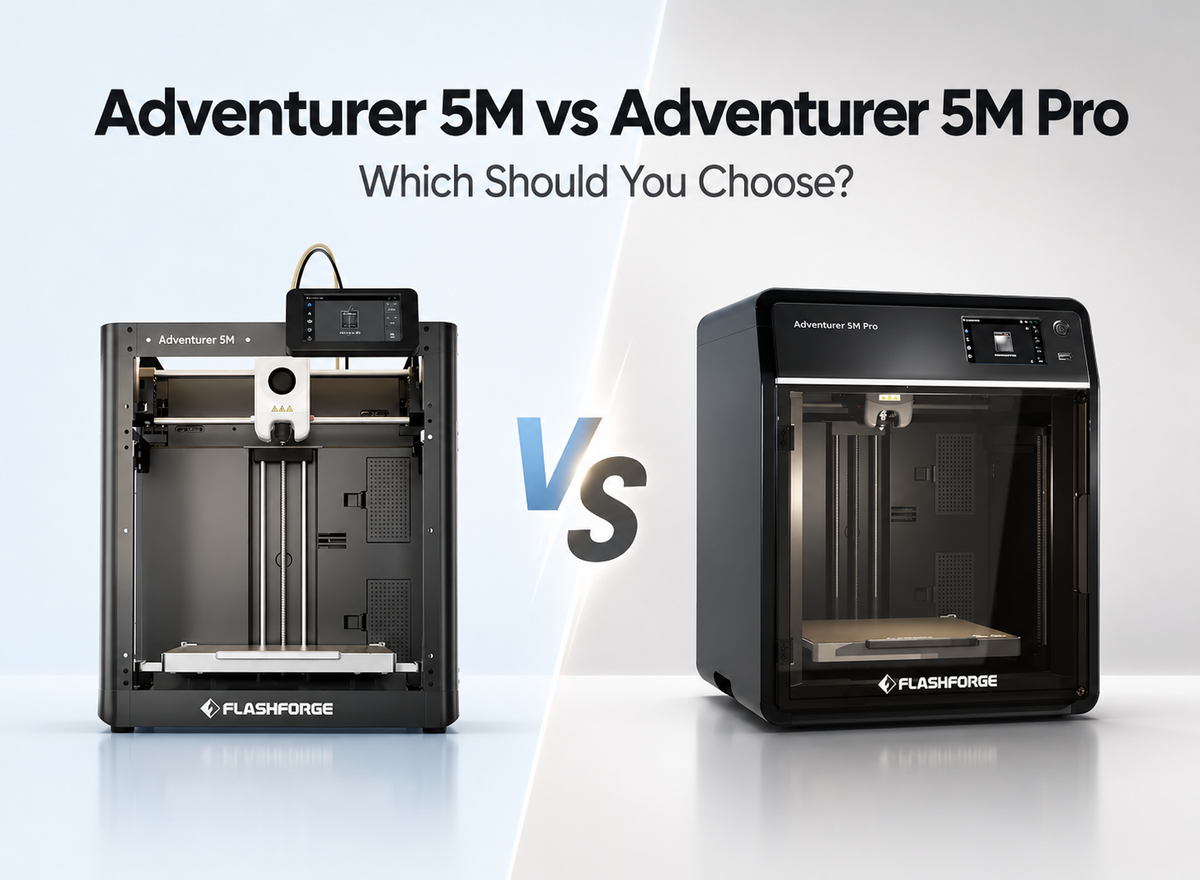
For a first 3D printer, stable performance and a lower entry cost are usually more important than advanced features. The Flashforge Adventurer 5M is positioned as an entry-level option for users who mainly print common models, toys, and everyday parts while still wanting a reliable experience at a more accessible price.
Its appeal is especially clear for users who want to start printing without paying for features they may not need yet. For home projects, school models, replacement parts, or early prototyping, this makes it easier to focus on learning the printing process before moving to more specialised equipment.
Best Budget Multi-Color 3D Printer
Color matters more for toys, character models, signs, and personalised gifts, but a limited budget does not always justify moving straight to a complex high-end multi-material system. The Flashforge AD5X is designed as an accessible entry point into automatic multi-color printing, making it better suited to individual creators who want easier color changes without paying for professional-level multi-material capability.
For someone producing decorative models, custom nameplates, or small batches of colourful gifts, automatic multi-color printing can reduce the need for repeated manual filament changes or post-processing. That gives the AD5X a clearer value proposition for users who care about colour output but still need to keep the overall investment under control.
Best Value 3D Printer for Small Business
Print farms, studios, and small-batch production users tend to judge value by material waste and output over time rather than machine price alone. The Flashforge Creator 5 uses four independent toolheads, helping reduce the purge waste associated with traditional multi-color workflows while faster tool changes can improve production efficiency.
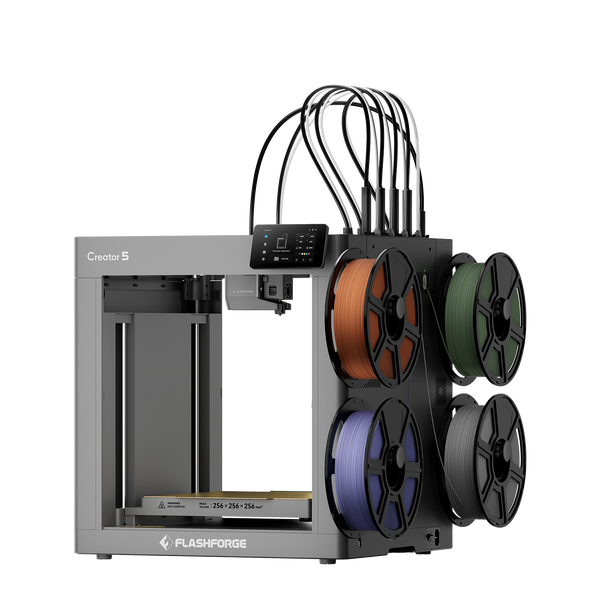
Flashforge Creator 5 4-Toolheads Multi-Color 3D Printer | 500% Faster, Zero Purge Waste
That difference becomes more meaningful when the same workflow is repeated across many jobs. For a small business producing customised parts, multi-color products, or short production runs, a higher initial printer budget can make sense if lower material loss and more efficient changeovers reduce the cost of repeated production over time. In this scenario, value is measured less by the lowest machine price and more by the cost of producing each finished part.
Best Value Enclosed 3D Printer for Engineering Materials
When nylon, carbon-fibre reinforced filaments, or functional prototypes are part of regular production, a low-cost entry-level printer can create additional upgrade or replacement costs later. The Flashforge Creator 5 Pro combines four independent toolheads with an actively heated chamber up to 65°C, a 320°C nozzle, and a 120°C heated bed, making it better suited to professional workshops, small businesses, and R&D users that need stronger engineering-material capability.
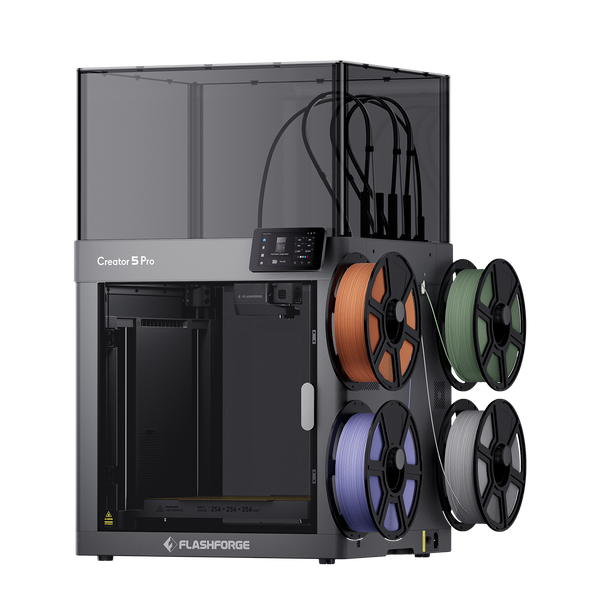
Flashforge Creator 5 Pro 4-Toolheads Enclosed Multi-Color 3D Printer | 500% Faster, Zero Purge Waste
In this type of workflow, budget planning should account for future equipment needs as well as the initial purchase price. Users moving from basic prototypes to more demanding functional parts may therefore benefit more from a machine that already supports a broader engineering workflow, especially when the alternative is upgrading components or replacing an entry-level printer later.
Quick Comparison
The right budget depends on what you expect the printer to do. This comparison highlights the main use case and long-term value of each option, making it easier to narrow down the best fit before looking at detailed features.
| Product | Current Sale Price* | Best For | Main Value | |
|---|---|---|---|---|
| Adventurer 5M |
|
First-Time Buyers | Reliable everyday printing at a low entry cost | |
| AD5X |
|
Entry-Level Multi-Color Printing | Lower-cost access to automatic four-color printing | |
| Creator 5 |
|
Small Businesses and Print Farms | Less purge waste and more efficient multi-color production | |
| Creator 5 Pro |
|
Engineering Prototypes and Professional Workshops | Broader engineering-material capability with fewer future upgrade needs |
*Prices reflect current checkout discounts and may change with promotions.
What Other Costs Should You Consider Beyond the Printer Price?
The printer price is only the starting point of a 3D printing budget. Over time, filament care, replacement parts, maintenance, and optional upgrades can all affect how much the machine actually costs to own.
Filament Storage and Drying Costs
Learning how to store 3D printer filament properly can prevent moisture-related print problems and unnecessary material waste. Basic PLA may only need sealed containers and desiccant in many environments, while nylon, TPU, and other moisture-sensitive materials can make a filament dryer or dry box a more practical investment.
This cost becomes more relevant as the number and variety of filament spools increase. Before buying additional storage equipment, consider which materials you actually plan to use and how often they will be printed.
Replacement Nozzles and Wear Parts
Nozzles, build surfaces, and other frequently used components will eventually need replacement. Standard filaments usually cause relatively little nozzle wear, but abrasive materials such as carbon-fibre reinforced filament can shorten the life of softer nozzles.
For regular printing, these parts should be treated as normal operating expenses rather than unexpected repairs. Availability and replacement cost are therefore worth checking before choosing a budget printer.
Maintenance and Repair Costs
Routine maintenance is generally inexpensive, but neglected wear can lead to larger repair costs later. Cleaning the build plate, checking belts, keeping motion components in good condition, and replacing worn parts can help maintain consistent printing over time.
A useful way to compare machines is to look beyond the initial price:
Total Ownership Cost = Printer Price + Filament + Wear Parts + Maintenance + Accessories
This gives a more realistic picture of long-term value, especially for users who expect to print frequently rather than occasionally.
Optional Accessories and Upgrades
Not every accessory needs to be purchased at the beginning. Extra build plates, different nozzle sizes, filament dryers, cameras, or other upgrades are most valuable when they solve a specific limitation in your normal workflow.
A beginner printing mostly PLA, for example, may need very few extras at first, while a workshop using several materials may benefit from additional drying and maintenance equipment. Factoring these likely upgrades into the budget helps avoid choosing a cheaper printer that requires significant spending soon after purchase.
Conclusion
The best budget 3D printer is the one that fits both your current projects and your expected long-term use. Purchase price matters, but reliability, material support, print efficiency, maintenance needs, and upgrade costs can have a greater impact on overall value.
For beginners, a lower-cost machine with dependable everyday performance may provide the best value. Users moving into multi-color printing, small-batch production, or engineering materials should look further ahead and consider whether spending more upfront could reduce material waste, workflow limitations, or future replacement costs. The best budget choice ultimately depends on which combination of purchase price and long-term capability fits your actual printing needs.
FAQ
Is FDM or Resin Better for a Budget 3D Printer?
FDM is usually the better budget choice for general-purpose printing. Filament is relatively affordable, the workflow is simpler, and FDM works well for toys, household parts, prototypes, and functional models, while resin is better suited to highly detailed miniatures but can involve additional costs for resin, cleaning supplies, and post-processing.
Can a Budget 3D Printer Print TPU?
Yes, many budget 3D printers can print TPU. A well-controlled filament path and suitable extrusion system usually make flexible filament easier to feed consistently, but users should still check the manufacturer's supported materials before buying, especially when working with softer TPU grades.
Do Budget 3D Printers Come Fully Assembled?
Many budget 3D printers now arrive fully assembled or require only minor setup. Users may only need to install a few components, load filament, run calibration, and complete a test print, although assembly requirements can still vary between models.
Can You Use Third Party Filament With a Budget 3D Printer?
Yes, most budget FDM printers can use compatible third-party filament. Filament diameter, printing temperature, and material compatibility are the main factors to check, while differences in filament quality can also affect extrusion consistency and print reliability.
Is WiFi or Remote Monitoring Important on a Budget 3D Printer?
WiFi and remote monitoring are useful but not essential for every budget buyer. They can make file transfer and long-print monitoring more convenient, but for occasional home printing, reliable performance and ease of use are usually more important priorities.
Do Budget 3D Printers Include Slicer Software?
Most budget 3D printers support free slicer software. A slicer prepares the model for printing and controls settings such as infill, supports, temperature, and print speed, while ready-made printer profiles can make setup easier for beginners.