Open a shopping site and search for a 3D printer, and you will see prices ranging from a few hundred to tens of thousands of dollars, with countless brands. Every product page claims itself to be the best choice for beginners or the king of cost-effectiveness. You look through a dozen 3D printers, get more and more confused, and finally close the page, deciding to think about it later.
If this sounds like you, you do not have decision anxiety. You simply lack a clear framework for filtering your choices. This article will not give you a list of twenty 3D printers to make your head spin. Instead, it will help you understand your specific needs first, and then use the process of elimination to find your very first 3D printer.
Common Reasons People Buy Their First 3D Printer
Understanding why people want to buy their first 3D printer helps you determine your own category, allowing you to choose a 3D printer more precisely. Core motivations generally fall into hobby, utility, education, and business, and each demands completely different things from a 3D printer.
Hobby and Utility Users
Many consumers want to print storage boxes, brackets, phone stands, board game accessories, and model toys at home or in small studios. These users care most about smooth printing, low noise, and a footprint that fits into daily life.
Designers and Small Businesses
An increasing number of designers, freelancers, and small business owners use desktop 3D printers for prototyping and small-batch customization. They provide services like enclosures, jigs, and display models for clients. They need the desktop 3D printer to run stably for long periods and support various engineering materials.
Educational Settings
Schools and training institutions integrate 3D printing into STEM curricula. They use desktop 3D printers to let students turn geometry, engineering, and programming into tangible 3D prints. These users have higher requirements for safety and ease of use.
What Is a Desktop 3D Printer?
By industry definition, a desktop 3D printer usually refers to additive manufacturing equipment sized to fit on a desk or workbench. It runs on standard wall outlets and serves individuals and small teams. The focus centers on low barriers to entry and operational flexibility. Compared to large industrial systems, its build volume, material options, and automation levels are lower, but it fully covers home, education, maker, and some professional prototyping scenarios.
According to an industry report by Grand View Research, the global desktop 3D printing market size was valued at approximately 5.88 billion dollars in 2024. It is expected to grow to 20.93 billion dollars by 2030, with a compound annual growth rate of about 23.8% from 2024 to 2030. This growth shows that desktop manufacturing is moving from geek circles to the general public and small businesses. For individual users, this means more 3D printer options will become available in the future, increasing the need for a clear selection logic to avoid confusion.
How Desktop 3D Printing Works
Most desktop 3D printers use FDM/FFF technology. The FDM 3D printer heats plastic filament to a meltable state, extrudes it through a nozzle, and lays it down layer by layer along a path. Each layer cools and stacks to form a complete solid structure. This method offers reliable structural strength, rich material choices, and manageable maintenance, making it the mainstream technology route in consumer and education markets today.
Resin 3D printers use a light source (LCD or laser) to expose photosensitive resin, curing it layer by layer to form highly detailed 3D prints. This technology fits high-detail appearance parts like character figures and jewelry samples. However, resin 3D printing requires alcohol washing, secondary curing, and strict protection and ventilation. For first-time users, an FDM desktop 3D printer is often friendlier regarding learning curve, safety, and overall cost, making it better suited as a first choice. To fully understand which technology aligns with your goals, check out this comprehensive breakdown of resin vs filament 3d printer which one is right for you.
The Difference Between Consumer and Industrial 3D Printers
Industrial 3D printing systems usually feature larger build volumes and higher price tags. They support high-end materials like metal powders and high-temperature nylon, primarily serving high-value parts production in aerospace, medical, and automotive sectors, with strict requirements for process control and quality traceability. Consumer desktop 3D printers focus on ease of use, affordability, and environmental friendliness. They fit into homes, schools, and small offices, emphasizing the convenience of being ready to use anytime.
You can view a desktop 3D printer as an accelerator between ideas and factories. It may not replace all industrial manufacturing, but it significantly shortens the cycle from creativity and design to physical validation. It fits projects that require frequent trial and error or high customization.
FDM vs Resin Desktop 3D Printers
FDM Desktop 3D Printers
The advantages lie in higher structural strength, lower material costs, and simple maintenance. Mainstream materials like PLA and PETG have low odor, making them suitable for long-term placement in home and classroom environments.
Resin Desktop 3D Printers
The advantage centers on significantly higher detail and surface finish. However, the resin itself is irritating, requiring gloves and proper ventilation. This demands stricter management standards for families with children and schools.
If you mainly want to print storage items, brackets, functional prototypes, and educational 3D prints, an FDM desktop 3D printer using mostly PLA is a safer starting point. You can consider adding a resin 3D printer later when your requirements for surface detail increase significantly, which aligns better with a practical investment pace.
Define Your Main Purpose Before Buying
Before browsing specific 3D printer options, ask yourself a serious question: what is your core purpose for buying a 3D printer? Is it for a hobby, making functional parts, teaching, or taking orders for a side hustle? Your answer determines which tier of 3D printer you should prioritize.
Printing Household Items and Hobby Projects
If you mainly want to print small household items, desktop decorations, or hobby pieces, the most critical factors are whether the 3D printer runs quietly, how easy it is to set up, and whether the failure rate stays within your comfort zone.
-
Flashforge Adventurer 5M
Flashforge AD5M 3D printer targets beginners directly. It offers a 220×220×220 mm build volume, fully automatic one-click leveling, a maximum travel speed of 600 mm/s, and a 4.3-inch touchscreen. You can go from unboxing to starting your first print in about ten minutes, making it highly suitable for families and hobbyists trying 3D printing for the first time.
-
Flashforge Adventurer 5M Pro
Educational and parent-child users who care more about safety and air quality can consider this version. It features a fully enclosed chassis and an internal/external dual-circulation HEPA13 and activated carbon filtration system. While maintaining the same compact footprint and high-speed performance, it effectively traps most particles and VOCs, making it better suited for long-term use in studies and classrooms.
Creating Functional Parts and Prototypes
When you start printing robot brackets, jigs, fixtures, and small batches of functional parts, dimensional accuracy, material compatibility, and long-term running stability become your primary considerations. These applications often require ABS, ASA, nylon, or carbon-fiber reinforced filaments. This creates higher demands for nozzle temperature limits, bed temperatures, and chamber temperature control, to avoid frequent warping, cracking, and poor layer adhesion.
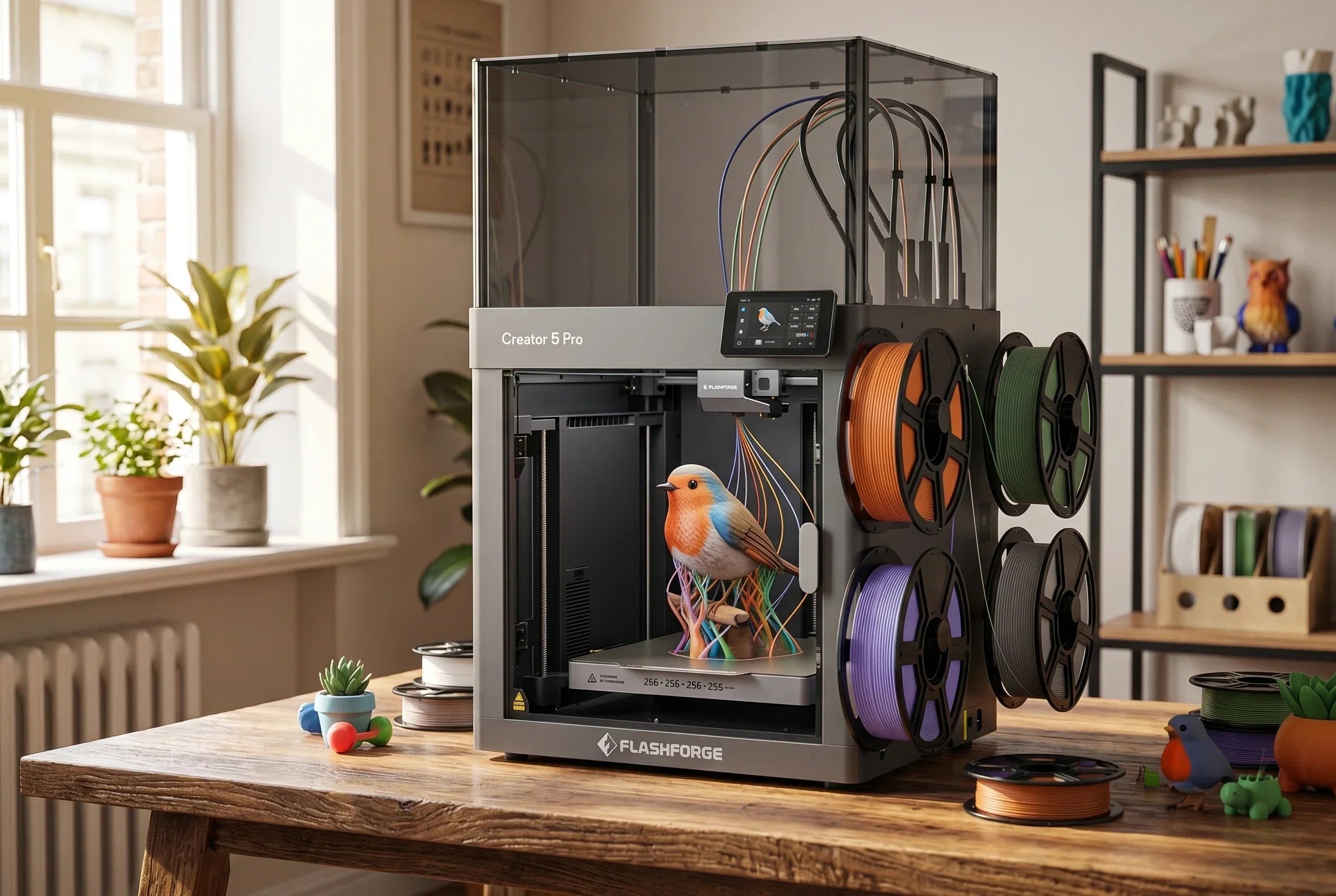
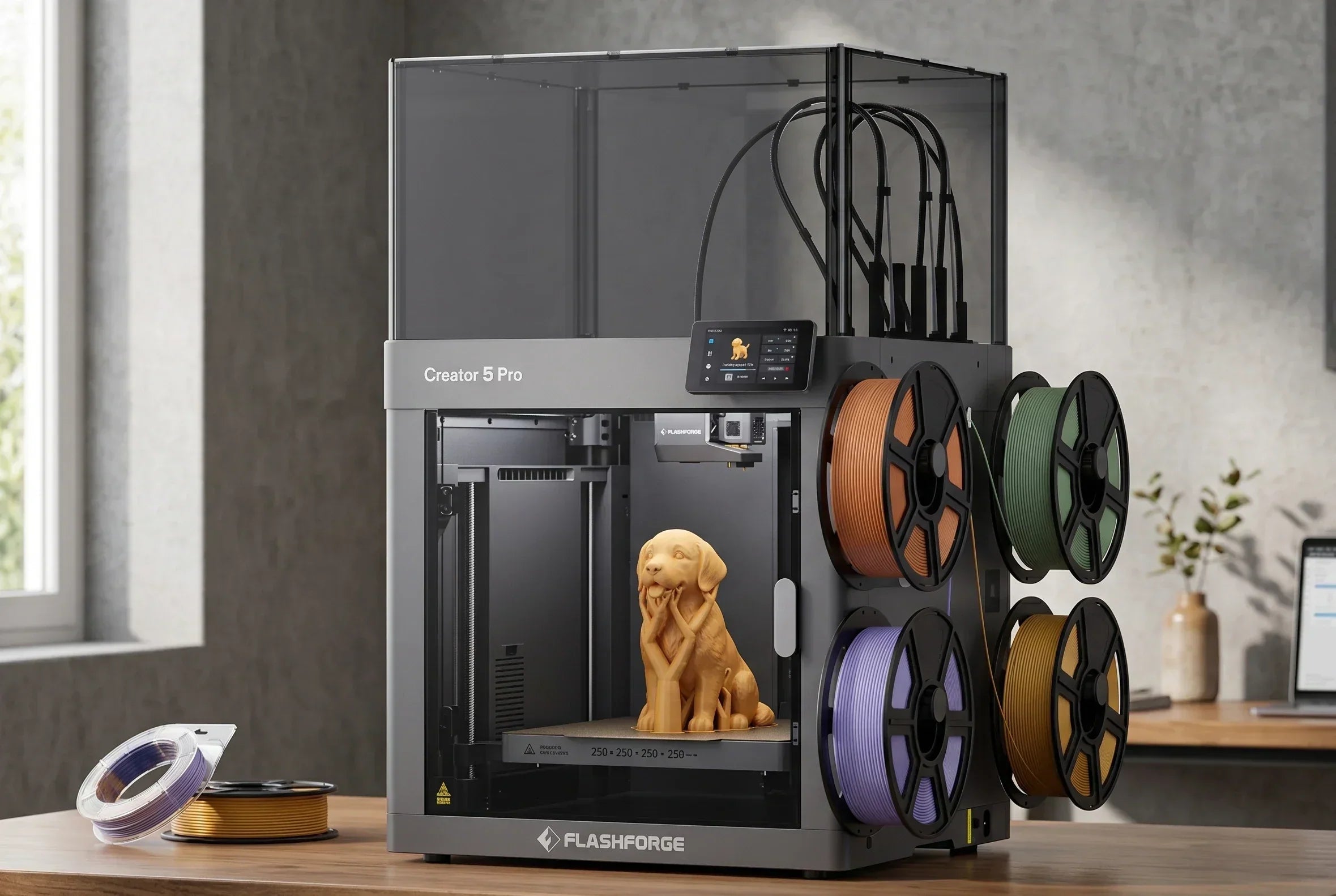
In this scenario, we recommend Flashforge Creator 5 Pro 3D printer as a desktop-scale small production tool. It features a 256×256×256 mm build volume, four independent tool heads, a maximum nozzle temperature of 320°C, and a bed temperature of 120°C. Combined with a actively heated chamber reaching up to 65°C and a HEPA13 and activated carbon filtration system, it significantly improves the print success rate and dimensional stability of engineering filaments like ABS, ASA, PC, and PA. This makes it an ideal core prototyping tool for design studios and small businesses.

Using a 3D Printer for Education and STEM Learning
The key to education and STEM scenarios is allowing students to quickly move from understanding the basic concept to completing a 3D print on their own. At the same time, the classroom environment requires manageable safety, low noise, and low maintenance costs. For teachers, one-click leveling, reliable preset slicing parameters, and multi-device management capabilities matter more than extreme printing speeds or support for exotic filaments.
The Flashforge Adventurer 5M Pro delivers fully automatic one-click leveling, a 220×220×220 mm build volume, 600 mm/s high-speed movement, and a dual-layer filtration system. This setup allows teachers to quickly finish demonstrations and batch-print student assignments within limited class periods, while reducing odor and noise disruption. It stands as a highly suitable desktop 3D printer choice for schools and training institutions today. For advanced engineering courses or maker labs, adding a Flashforge Creator 5 Pro allows students to experiment with real engineering filaments and multi-material structural parts in the same workspace.
Small Business and Side Hustle Applications
When you start accepting outside orders and making small-batch customized products, the 3D printer stops being a toy. It becomes a production tool that directly impacts delivery cycles and customer satisfaction, where stability and repeatability dictate your cost control capabilities. Running continuously for long periods, supporting engineering filaments, handling multi-material or multi-color 3D prints, and utilizing remote management features will significantly widen the efficiency gap between different 3D printer options.
In this tier, we position the Flashforge Creator 5 Pro as a desktop production hub for small teams. Its four-tool-head structure allows you to combine multiple colors or materials in a single 3D print, while reducing waste through zero-purge material switching. The actively heated chamber and advanced filtration system protect the success rate and environmental friendliness when printing engineering materials like ABS and PA. Coupled with device fleet management and remote monitoring, this FDM 3D printer serves perfectly as the main workhorse for design firms, print studios, or small brands.
Key Features to Look for in Your First Desktop 3D Printer
Once you define your purpose, looking at specifications becomes easy without getting lost in marketing claims. For your first desktop 3D printer, learning to avoid these mistakes when picking the best 3d printer for starters is essential, as success rate and ease of use matter much more than pursuing extreme speeds or rare filaments.
Build Volume and Why It Matters
Build volume determines how large your 3D prints can be, and it directly affects the footprint and price of the 3D printer. For most homes, schools, and hobbyists, a cubic space ranging from 220×220×220 mm to 256×256×256 mm strikes a perfect balance between size and flexibility. This size allows you to print practical storage boxes and helmet models without letting the 3D printer crowd your entire desk.
Print Speed vs Print Quality
Many desktop 3D printers claim high-speed capabilities up to 600 mm/s in their specs. However, the actual working speed for long-term use is usually lower to balance surface quality and stability. High-speed mode works well for rough drafts and quick validation, while finished 3D prints for display or delivery require a slower pace to keep details clean and layer lines even.
Automatic Bed Leveling and Ease of Use
One of the most frustrating experiences for beginners is when the first layer fails to stick. Automatic bed leveling is the key feature that solves this problem. The system measures the height differences between the nozzle and the build plate at multiple points, automatically generating a compensation profile so new users do not have to twist screws or adjust the Z-axis repeatedly.
Enclosed vs Open-Frame Designs
Open-frame structures suit users who mainly print with low-shrinkage filaments like PLA and PETG. They offer easy observation, fast heat dissipation, and compact 3D printer dimensions. The Flashforge Adventurer 5M features an open-frame structure that is compact and flexible, making it an ideal first 3D printer for a desk or bookshelf.
When your target materials expand to ABS, ASA, PC, or nylon, an enclosed chassis and controlled chamber temperature significantly lower the risks of warping and cracking.
Touchscreen Interfaces and Smart Features
Touchscreen interfaces, power outage recovery, filament runout detection, remote camera monitoring, and multi-device management are easy to overlook but heavily impact your long-term experience. Clear menus and official preset slicing configurations reduce trial and error for beginners. For small teams, monitoring devices and scheduling tasks over a local network or cloud platform lowers management costs.
Understanding 3D Printer Materials
Beyond the 3D printer itself, material compatibility determines how deep you can go with your project over the long term. When choosing, consider your long-term material needs to figure out your requirements for hotend temperatures and chassis structures.
Why PLA Is the Best Starting Filament
PLA is the starting material for most users due to its low melting point, minimal shrinkage, and low odor. Its lenient requirements for bed and chamber temperatures make it suitable for educational models, decorative pieces, and light functional parts. Most consumer buying guides suggest starting with PLA because it lets new users focus their energy on modeling and slicing instead of fighting warping and cracking.
The Flashforge Adventurer 5M series and the Flashforge Creator 5 Pro both include presets that balance speed and quality for PLA. These presets cover cooling duct designs, temperature curves, and default slicing configurations, helping beginners get usable 3D prints with minimal adjustments before moving on to PETG or ABS.
When to Use PETG, ABS, or TPU
When projects demand higher toughness or heat resistance, PETG and ABS/ASA come into play. PETG fits outdoor parts and load-bearing structures, while ABS/ASA is widely used for enclosures and automotive interior parts, demanding tight temperature and chamber controls. Flexible filaments like TPU work well for shock absorption pads, protective sleeves, and flexible joints. They are sensitive to extruder mechanisms and path designs but allow you to create more diverse product forms.
Material Compatibility and Hotend Temperature Limits
Different filaments require vastly different nozzle and bed temperatures. PLA prints stably within 180–220°C, whereas materials like ABS and PC often require temperatures near or exceeding 260–300°C, alongside high-temperature beds and enclosed chambers.
Filament Costs and Ongoing Expenses
During long-term use, filament costs often surpass the price of the 3D printer itself, making it important to understand material price ranges and consumption rates. Standard PLA and PETG are affordable per kilogram, while carbon-fiber reinforced, flexible, and specialty functional filaments carry higher price tags, making planned purchases ideal for specific needs.
At the same time, nozzles, bed sheets, replacement build plates, lubrication maintenance supplies, and filtration filters add to your maintenance expenses. Choosing a reliable, highly automated 3D printer can offset hardware costs over the medium and long term by reducing wasted 3D prints and tuning time.
How Much Should You Spend on Your First Desktop 3D Printer?
Budgeting comes down to aligning the capabilities of a 3D printer with your actual needs. It also means ensuring that the failure rate and maintenance costs stay within your expectations.
Entry-Level Budget 3D Printers
Entry-level 3D printers feature accessible price points. They mainly support PLA and a small amount of PETG, using a relatively simple structure that suits users who want to experience 3D printing firsthand. At this tier, factory calibration, automatic bed leveling, and optimized slicing presets are crucial. Without a solid foundation in these basics, an unreliable budget 3D printer can quickly consume your time and enthusiasm through repeated failures.
The Flashforge Adventurer 5M serves as a high-speed entry-level FDM 3D printer tailored specifically for beginners. It features fully automatic one-click leveling, a maximum travel speed of 600 mm/s, a flexible PEI steel plate bed, and a 4.3-inch touchscreen. These features allow users with zero experience to complete their first successful 3D print in a short time, making it a classic choice for a first 3D printer.
Mid-Range Desktop 3D Printers for Better Reliability
When you demand higher stability, engineering material support, and multi-material capabilities, mid-range desktop 3D printers provide clear upgrades in frame rigidity, motion systems, sensors, and software. For maker studios, small brands, and internal corporate engineering teams, investing directly in a reliable mid-range desktop 3D printer often saves more money than buying a low-end option and upgrading later.
The Flashforge Creator 5 Pro represents the mid-range tier for professional users. It features four independent tool heads, integrated multi-material 3D printing, a 256×256×256 mm build volume, a fully automatic calibration system, and an actively heated chamber up to 65°C. With HEPA13 and activated carbon filtration alongside remote multi-device management, this FDM 3D printer handles high-intensity prototyping and small-batch production smoothly. In projects with frequent orders and high-value functional parts, the higher success rate of this desktop 3D printer often offsets the price difference within a single year.
Hidden Costs Beyond the 3D Printer Itself
Beyond the 3D printer and filaments, failed 3D prints, calibration time, and maintenance downtime represent hidden costs that first-time buyers often overlook. For studios and businesses operating on tight project delivery timelines, these hidden costs can prove more expensive than the filaments themselves.
When Paying More Actually Saves Money
When your 3D printer functions as a tool tied directly to your work or income, achieving a higher success rate and minimizing maintenance time matters far more than the initial purchase price. Selecting a desktop 3D printer equipped with engineering filament support, automated calibration, multi-device management, and solid customer support will consistently save you money and opportunity costs over the following years.
Experienced users who know they will utilize 3D printing long-term will find investing directly in a desktop production platform like the Flashforge Creator 5 Pro more cost-effective. This path avoids the cycle of buying low-end hardware, dealing with frequent failures, and upgrading later, while helping you quickly establish stable service capabilities and a strong brand reputation.
Final Tips for Choosing the Right Desktop 3D Printer
Let us set realistic expectations before you begin. Your first 3D print will likely have imperfections, such as stringing, layer lines, or minor flaws. This is completely normal. 3D printing requires hands-on practice and calibration. You cannot simply push a button and expect a flawless result. Fortunately, the learning curve is shorter than you might think. Most people understand the process after completing three to five 3D prints. Within one to two weeks, your finished parts will look highly professional. Give yourself some patience, and do not give up on 3D printing because of a few early failures.