Dual extruder 3D printers, as the name suggests, are 3D printers equipped with two extrusion heads. Do not let this simple definition fool you. Behind the term "dual extrusion" lie at least three or four completely different technical approaches. Each approach has its own pros, cons, target applications, and specific demands on the 3D printer. Some systems share a single nozzle, others features two nozzles that move independently, and some simply use two extruders to feed into the exact same hotend in turns. This article will thoroughly deconstruct the concept of dual extrusion, helping you understand how each approach works and which one best fits your needs.
What Are the Main Types of Dual Extruder 3D Printers?
Different dual extrusion architectures affect calibration difficulty, material waste, and ultimate stability. Understanding these differences is essential to investing your budget into a solution that truly matches your specific use case.
Independent Dual Extruder (IDEX) 3D Printers
The advantage of IDEX lies in the ability of the two toolheads to operate relatively independently. This design is ideal for mirror 3D printing, duplication 3D printing, and high-efficiency batch production. For studios that need to produce multiple small samples simultaneously, the efficiency benefits are significant. For teams that need higher stability, speed, and a fully enclosed environment for engineering materials, dual-extruder Core-XY systems like the Guider 3 Ultra offer another path, combining high-speed motion with an ultra-large build volume for batch production and functional prototypes.
Dual Nozzle Shared Gantry Systems
Dual nozzle systems sharing a single gantry are more common. They keep the footprint of the fdm 3d printer more compact and offer a lower barrier to entry. This setup handles basic dual-color and dual-material needs well.This setup handles basic dual-color and dual-material needs well. However, it is highly sensitive to nozzle offset, oozing control, and calibration precision.
Single Nozzle Multi-Material Systems
Single nozzle multi-material systems rely on filament switching to achieve multi-color or multi-material FDM printing. While the hardware design is straightforward, it usually generates more purge waste. This method serves users well for occasional display pieces. For high-frequency prototype development, the waste and waiting times gradually become a noticeable cost.
Tool-Changing and Professional Multi-Extrusion Systems

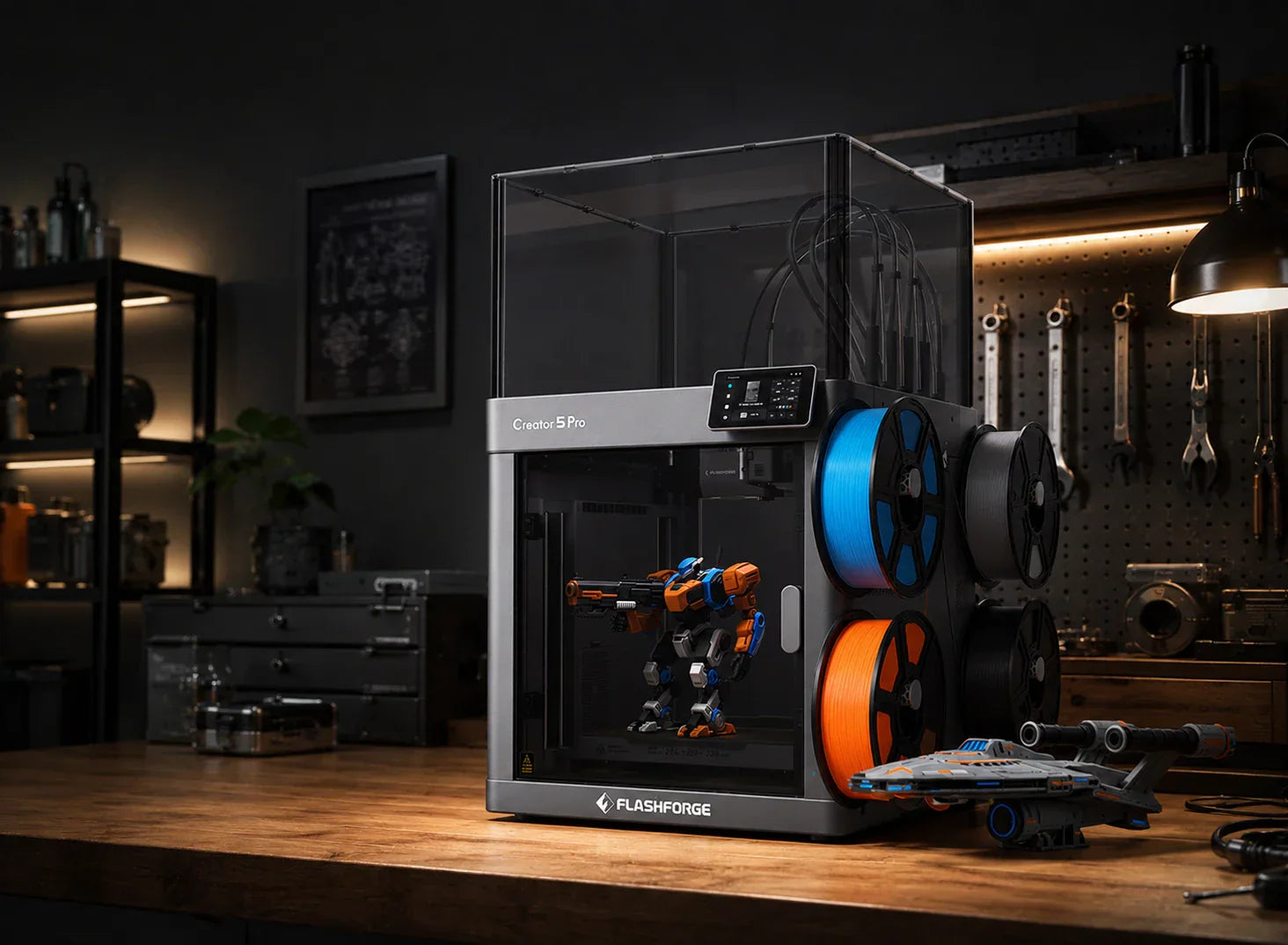
Tool-changing represents a more professional multi-extrusion path. Multiple independent toolheads correspond to different materials, leading to less purging and contamination during swaps. The Flashforge Creator 5 Pro represents this design philosophy. It features four independent toolheads combined with a 600 mm/s high speed, making it highly suitable for prototyping and engineering teams.
How Dual Extruder 3D Printers Work
The working logic of dual extrusion is straightforward. The slicing software assigns different regions to different nozzles, and the 3D printer completes material transitions layer by layer. The factors that truly create a gap in user experience include transition stability, material compatibility, and whether the post-processing is lightweight enough.
Printing with Two Different Filaments
The most common approach involves one nozzle handling the main body, while the other nozzle manages supports, details, or a second color. This method preserves structural integrity and divides a complex 3D print into easier-to-print regions.
Soluble Support Printing Explained
Soluble support is one of the most practical capabilities of dual extrusion, particularly for overhangs, internal cavities, and complex suspended structures. The support material dissolves after the 3D print finishes, which significantly reduces surface damage and manual support removal time.
Multi-Color and Multi-Material Printing Process
The key to dual-color and multi-material FDM printing is designing the 3D print zones and material assignments in advance. For display samples, this process directly enhances visual expression. For functional parts, it allows you to combine flexible, rigid, and support materials within a single component.
Common Slicer Settings for Dual Extrusion
Common slicing parameters for dual extrusion include:
-
Nozzle offset
-
Retraction
-
Wiping
-
Purge towers
-
Switch temperatures
More parameters mean the user needs a better understanding of material fluidity and transition logic, which also increases debugging costs.
Key Benefits of Using a Dual Extruder 3D Printer
The value of dual extrusion truly unlocks when 3D print complexity increases. For users who need both functionality and presentation, this technology can save more time than a standard 3d printer, especially when the project involves complex supports, multiple materials, or presentation-ready prototypes.
Print Complex Models with Dissolvable Supports
Dissolvable supports make complex geometries easier to 3D print successfully on the first try, and they help maintain superior surface accuracy. This capability is critical for engineering prototypes and components with complex internal structures.
Combine Flexible and Rigid Materials in One Print
Mixing flexible and rigid materials allows a single component to handle support, cushioning, and connection functions at the same time. For prototypes requiring assembly validation, this approach delivers a result closer to the final product stage.
Create Multi-Color Parts Without Manual Filament Changes
The greatest advantage of multi-color output is eliminating repetitive manual material changes. The Flashforge Creator 5 with its four-toolhead solution is highly attractive for these scenarios, making it well-suited for branding prototypes, display pieces, and color-coded functional parts.
Improve Efficiency for Engineering and Prototype Work
Industry data highlights the long-term value of these FDM printers. Mordor Intelligence estimates the global 3D printing market will reach 34.45 billion USD in 2026 and grow further to 69.26 billion USD by 2031, showing that multi-material, high-efficiency prototyping workflows continue to expand.
From the perspective of user demand, buyers look for equipment that compresses trial-and-error cycles and accelerates prototype delivery. The Flashforge Creator 5 Pro meets these needs with its four independent toolheads, 65°C heated chamber, and support for engineering materials.
Limitations and Challenges of Dual Extrusion
Dual extrusion is highly useful, but it is also more demanding than a single extrusion setup. Once users pursue stable dual-material output, they face calibration, waste, and maintenance challenges.
Nozzle Alignment and Calibration Issues
The most common issue with dual nozzles is inaccurate offset calibration. Misalignment causes uneven seams at best and ruins the 3D print by scraping it at worst. Dual extrusion naturally requires higher debugging precision.
Oozing, Stringing, and Material Waste
Oozing, stringing, and waste during material transitions are unavoidable realities in dual extrusion. Single-nozzle multi-material configurations particularly tend to increase waste, whereas tool-changing setups offer a clear advantage in this area.
Higher Maintenance Compared to Single Extruder Printers
Dual extrusion means more nozzle components, more calibration steps, and higher maintenance intensity. Because dual-material printing involves more filament changes, temperature shifts, and nozzle usage, users should also know how to follow a practical 3d printer unclog nozzle guide when extrusion becomes unstable. It suits users who are willing to invest setup time for efficiency and complex features, rather than beginners who just want one-click 3D printing.
Increased Learning Curve for Beginners
When beginners use dual extrusion, they struggle most with slicing software and material compatibility. It is manageable to learn, but it requires more study time than a single-nozzle FDM printer.
Best Use Cases for Dual Extruder 3D Printers
Dual extrusion is not a feature for everyone. It works best for scenarios requiring specific structures, materials, and presentation effects. The closer a user is to a real development workflow, the more obvious its value becomes.
Functional Engineering Prototypes
Engineering prototypes often suffer from complex structures that are difficult to validate. Dual extrusion separates the main material from the support material, helping teams confirm assembly and stress performance faster.
Architectural and Product Design Models
Architectural and product design prototypes must balance appearance, layers, and presentation efficiency. Dual extrusion directly prints the design language, reducing post-processing painting and assembly.
Educational and Research Applications
Teaching and research settings place a higher premium on structural visualization. Dual-material 3D printing helps students and researchers understand internal structures and material distribution more intuitively.
Manufacturing Jigs, Fixtures, and End-Use Parts
Jigs, fixtures, and end-use functional parts often require different sections to perform different tasks. Dual extrusion integrates flexible interfaces, wear-resistant areas, and main structures into a single component.
Multi-Color Consumer Products and Art Projects
Multi-color consumer product prototypes and art projects showcase the visual advantages of dual extrusion best. For these users, it eliminates time spent on painting, filming, and manual assembly.
Conclusion
The core value of a dual extruder 3D printer is turning complex structures, multi-material, and multi-color outputs into an efficient, standard workflow. If your focus centers on prototype validation, engineering samples, or display pieces, four-toolhead 3D printers like the Flashforge Creator 5 Pro and Creator 5 offer better long-term purchasing value than standard solutions.
FAQ About Dual Extruder 3D Printers
Is a dual extruder 3D printer worth it?
If you frequently create complex parts, dissolvable supports, multi-color prototypes, or functional prototypes, it is highly worth it. If you only print simple appearance pieces, a single-nozzle 3D printer is usually less hassle.
Can dual extruder printers print two colors at once?
Yes, and this is one of its most direct applications. The model partitioning and slicing settings must be correct, or you will experience increased contamination and waste.
What materials work best with dual extrusion?
Combinations of PLA, PETG, TPU, PVA, BVOH, and various engineering materials are very common. If your goals include dissolvable supports, rigid-flexible mixing, or engineering validation, dual extrusion is the right fit.
Are dual extruder 3D printers difficult to use?
They are more complex than single-nozzle FDM printers, but they are not impossible to master. For users willing to learn slicing and material logic, the return on investment for dual extrusion is usually immediate.