TPU is sensitive to moisture. When a spool absorbs water from the air, the print may show stringing, bubbles, rough surfaces, weak layer bonding, or inconsistent extrusion. These issues are often mistaken for incorrect slicer settings or printer faults.
Drying the filament before printing is the first step. The correct TPU drying temperature depends on the filament formulation, Shore hardness, storage history, and supplier instructions. A dry box can then help protect the spool during printing and storage.
What Are the Recommended Drying Temperature and Time for TPU?
Flashforge lists 50°C for 6 hours as the general drying reference for its TPU filament in the official filament drying temperature guide.
For TPU 64D printing with the AD5X, Flashforge provides a separate recommendation. The official AD5X FAQ advises drying TPU at 70°C for 8 hours before placing the spool inside a dry box. During printing, the humidity inside the dry box should remain below 15%.
| TPU Drying Scenario | Temperature | Time | Additional Guidance |
| General Flashforge TPU reference | 50°C | 6 hours | Use as a starting point for Flashforge TPU filament |
| AD5X TPU 64D workflow | 70°C | 8 hours | Dry the spool before placing it inside a dry box |
| TPU printing with an AD5X dry box | Not applicable | During printing | Keep humidity below 15% and replace the desiccant when needed |
These values should not be treated as universal settings for every TPU spool. TPU formulations vary. A soft low-shore filament and a harder TPU 64D material may require different handling.
Always check the instructions supplied with the filament first. Excessive heat can deform the spool, soften the filament prematurely, or affect dimensional consistency.

Best Methods for Drying TPU Filament
The best drying method provides stable, low-temperature heat and protects the spool from humid air after the drying cycle ends.
A dedicated filament dryer is the most convenient option for regular use. A food dehydrator can also work when its temperature remains stable. Oven drying requires more caution because household ovens may fluctuate at low temperatures. A dry box is most effective after the filament has already been dried.
Using a Dedicated Filament Dryer
A dedicated filament dryer is designed to hold a spool at a controlled temperature for several hours.
Set the dryer according to the instructions provided with the filament. For general Flashforge TPU, start at 50°C for 6 hours. For the AD5X TPU 64D workflow, follow the separate recommendation of 70°C for 8 hours.
A dryer with a filament outlet can also reduce exposure between drying and printing. This is useful in humid environments because TPU can begin absorbing moisture again after it leaves the dryer.
Make sure the spool rotates smoothly. A tight outlet or high-friction feed path can interfere with flexible filament.
Drying TPU in a Food Dehydrator
A food dehydrator can provide consistent airflow and low-temperature heating. It is a practical alternative when a dedicated filament dryer is not available.
Before using one, confirm that it can maintain the required temperature. The temperature shown on the display may not match the conditions around the spool. An independent thermometer can help verify the actual reading.
Keep the spool away from direct contact with the heating element. Do not increase the temperature simply to shorten the drying cycle. A stable, controlled process is safer than an aggressive shortcut.
Oven Drying: Risks and Best Practices
A household oven can dry TPU, but it requires extra caution because many ovens struggle to maintain stable low temperatures.
Even a brief temperature spike can deform the spool or soften the filament before the drying cycle is finished. For this reason, oven drying should only be used when the appliance can reliably hold the required temperature.
Before placing the spool inside, let the oven stabilize and verify the actual temperature with an independent thermometer. Position the spool away from direct contact with hot metal surfaces to reduce the risk of overheating.
If the oven cannot maintain consistent low-temperature control, a dedicated filament dryer or a food dehydrator is usually the safer and more reliable choice.
Using a Dry Box, Including Printing While Drying
A dry box protects filament from moisture after drying. Some dry boxes rely on desiccant, while others use active heating. These systems serve different purposes.
A desiccant box helps maintain a dry spool. It does not remove absorbed moisture as quickly as a heated dryer. Dry the damp TPU first, then transfer it into the box.
This is especially useful during long prints. The Flashforge AD5X supports TPU 64D printing, and Flashforge recommends drying TPU before placing it inside a dry box. For this workflow, the humidity inside the box should remain below 15% while printing.
Flashforge also provides an official AD5X dry box installation guide with downloadable model files and assembly instructions.
When looking for the best budget 3D printer for TPU projects, check whether the printer supports the required filament hardness and whether a protected dry-feed setup can be added. These details matter during longer print jobs, especially in humid environments.
How Moisture Affects TPU Printing
TPU is hygroscopic, which means it absorbs moisture from the surrounding air. When damp filament enters the hot end, the trapped water turns into vapor and disrupts extrusion.
The Flashforge Blog explains this process in its guide to filament dryness and humidity. The article notes that moisture can create bubbles, cracks, weak layer bonding, and poor surface quality.
Stringing and Oozing Problems
TPU already requires careful control during travel moves because flexible filament can compress inside the extrusion path. Moisture makes stringing and oozing more noticeable.
Thin strands may appear between separate sections of the model. Small blobs may form where the nozzle changes direction.
Dry the spool before changing retraction settings. This helps determine whether the problem comes from moisture or from the print profile.
Bubbling and Poor Surface Finish
Popping or crackling sounds during extrusion often indicate moisture.
As the filament heats up, trapped water can turn into vapor and create small bubbles. The surface may look rough, uneven, or foamy. Glossy and dull patches may appear on the same part.
Dry the spool and print a small test model before changing several slicer settings at once. A dry filament path should produce a more even surface.
Weak Layer Adhesion and Inconsistent Extrusion
Moisture can interrupt material flow. Some areas may print normally, while others show gaps or under-extrusion.
This inconsistency can weaken the bond between layers. A finished part may look acceptable but fail sooner when stretched or bent repeatedly.
Dry the filament before evaluating the part's mechanical performance. If the issue remains, check the nozzle, extrusion path, print speed, and temperature settings.
Reduced Flexibility and Mechanical Performance
TPU is often selected because it bends, compresses, and absorbs impact. Moisture-related voids make this performance less predictable.
A damp spool can produce parts with uneven flexibility. Thin sections may tear earlier than expected. Flexible hinges and protective pads may behave differently across the same model.
Print a small test coupon after drying. Comparing the result with an earlier print can help separate material-handling problems from design problems.
How to Store TPU After Drying
Even after proper drying, TPU can quickly begin absorbing moisture again when exposed to humid air. For that reason, storage is just as important as the drying process itself.
Transfer the spool into sealed storage as soon as possible, add desiccant, and minimize the amount of time the filament remains exposed to open air.
Using Airtight Containers for Moisture Protection
Store each spool of 3D printer filament in an airtight container or resealable moisture-resistant bag as soon as the drying cycle is complete.
A loose plastic bag may slow moisture exposure temporarily, but it is not reliable for long-term storage. Instead, use a container with a dependable seal that keeps humid air away from the spool. If possible, choose a storage box that also allows the filament to feed directly into the printer while remaining protected.
For better organization, label the container with the material type, Shore hardness, color, drying date, and recommended drying temperature.
Adding Desiccants to Maintain Filament Dryness
Place a desiccant inside the storage container to help control humidity and slow down moisture absorption after drying.
Silica gel is commonly used because it is inexpensive and easy to regenerate. Replace or dry the desiccant once it becomes saturated. Color-indicating desiccant can make maintenance easier by showing when moisture levels increase inside the container.
Although desiccant helps maintain a dry environment, it works best as a preventive measure rather than a recovery method. If the filament has already absorbed noticeable moisture, active drying is still necessary before printing.
Keeping TPU Away from Heat and Humid Environments
Proper storage conditions matter just as much as the container itself.
Keep TPU away from direct sunlight, open windows, damp rooms, and nearby heat sources. A warm room is not always a dry room, and high humidity can still affect the filament even when temperatures seem stable.
It is also better not to leave the TPU mounted on the printer between unrelated projects. In humid climates, transfer the spool directly from the dryer into a sealed dry box to reduce unnecessary exposure.
Organizing TPU Spools for Long-Term Storage
A simple labeling system helps prevent errors.
Record the material type, supplier, hardness, color, drying date, and proven print settings. Flexible filaments can look similar while behaving differently during extrusion.
Store partially used spools separately from unopened stock. Use older spools first and inspect them before starting a long print.

TPU Drying Compared to Other Filaments
Different filaments absorb moisture at different rates. TPU generally needs more attention than basic PLA. Nylon-based materials often require stricter moisture control and higher drying temperatures.
TPU vs PLA Moisture Sensitivity
Among common 3D printing types, both TPU and PLA can absorb moisture, but damp TPU often shows printing defects sooner.
PLA may become brittle or lose surface quality after poor storage. TPU is more likely to show stringing, oozing, bubbling, and unstable extrusion because flexible filament is already more difficult to control inside the feed path.
Store both materials carefully. Prioritize TPU when dryer capacity is limited or when a long print is planned.
TPU vs Nylon Drying Requirements
TPU and nylon both require moisture control, but their drying settings are not interchangeable.
The Flashforge drying guide lists TPU at 50°C for 6 hours as a general reference. The same guide lists PAHT, a high-temperature polyamide filament, at 70°C for 8 hours.
Nylon formulations vary, so always follow the instructions for the specific spool. Do not apply TPU settings automatically to nylon or other engineering filaments.
Tips for Better TPU Printing After Drying
Drying removes one major cause of print failure, but it does not replace correct printer settings.
The best 3D printer for TPU is not necessarily the fastest model. A stable feed path, compatible hardness range, controlled print speed, and suitable thermal environment are more important for consistent results.
TPU still needs conservative speed, suitable retraction, and moisture protection during long prints.
Adjusting Print Speed and Retraction
Start with a conservative print speed.
TPU can compress and bend inside the extrusion path. Printing too quickly may cause under-extrusion, jams, or inconsistent surfaces. Softer TPU usually requires more caution than harder flexible filament.
Use moderate retraction settings and change one parameter at a time. Excessive retraction can make flexible filament harder to control.
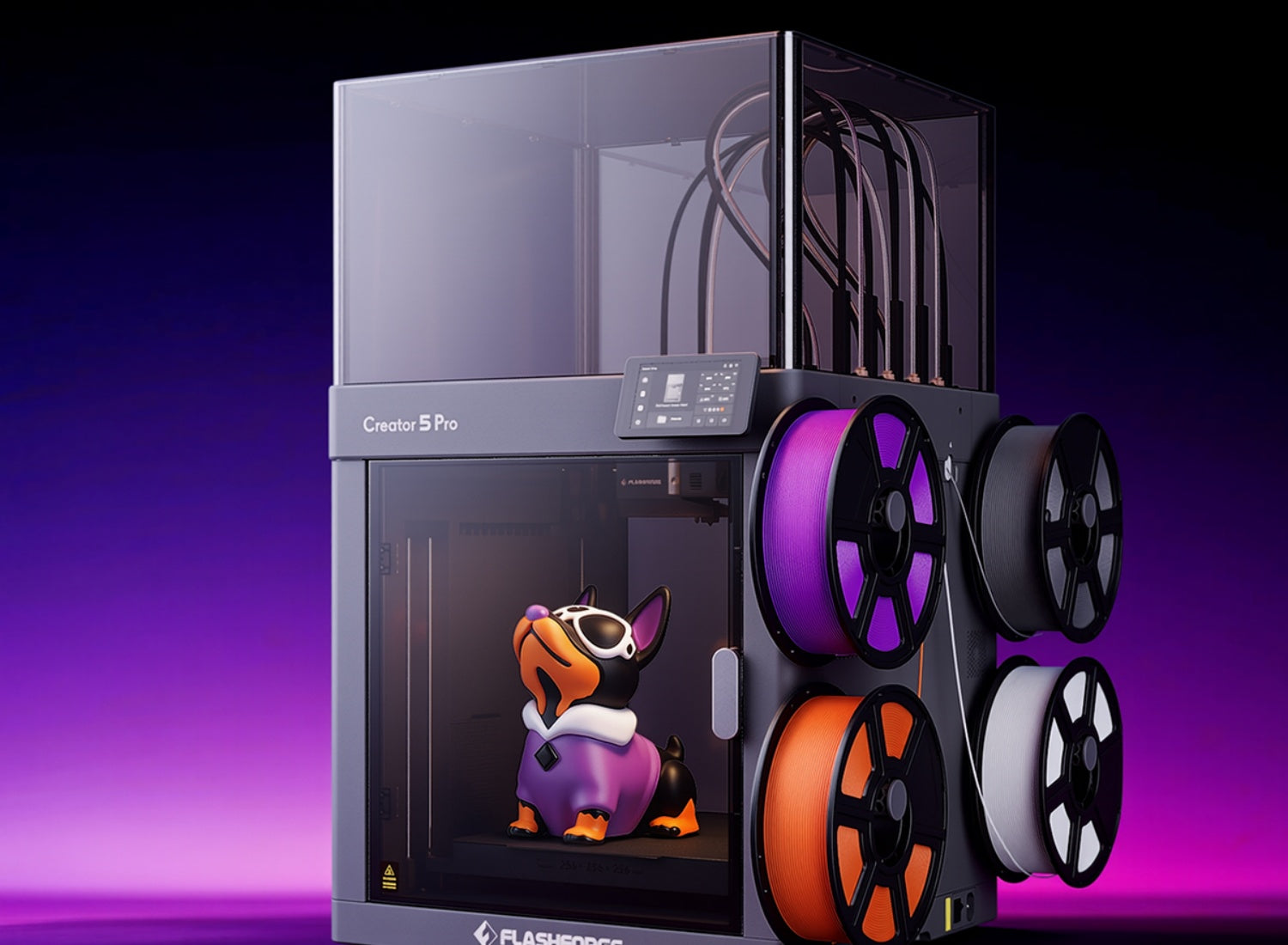
Drying solves moisture-related defects, but TPU still needs a stable thermal environment. The Flashforge Creator 5 Pro (C5P) includes a cooling mode that draws cool air into the enclosure for materials such as TPU, PLA, PETG, and PLA-CF. This helps manage the printing environment while the door remains closed.
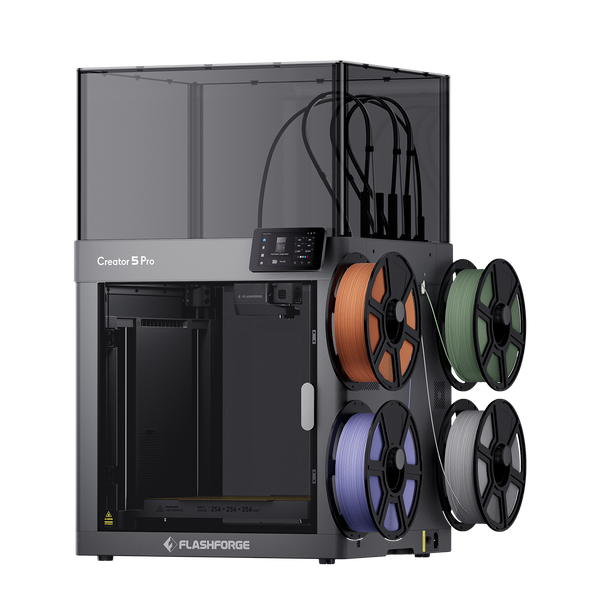
Flashforge Creator 5 Pro 4-Toolheads Enclosed Multi-Color 3D Printer | 500% Faster, Zero Purge Waste
Keeping TPU Dry During Long Prints
A one-time drying cycle may not be enough for a long print.
Keep the spool inside a dry box or a dryer with a feed outlet. Minimize the distance between the protected spool and the extruder. Make sure the filament path remains smooth and does not create unnecessary friction.
This matters even more in multi-material workflows, where several spools may remain loaded for extended periods. The Flashforge Creator 5 (C5) supports TPU 90A to 95A and TPU 64D. When TPU is part of a longer print job, a dry-feed setup helps reduce moisture exposure between drying and extrusion.
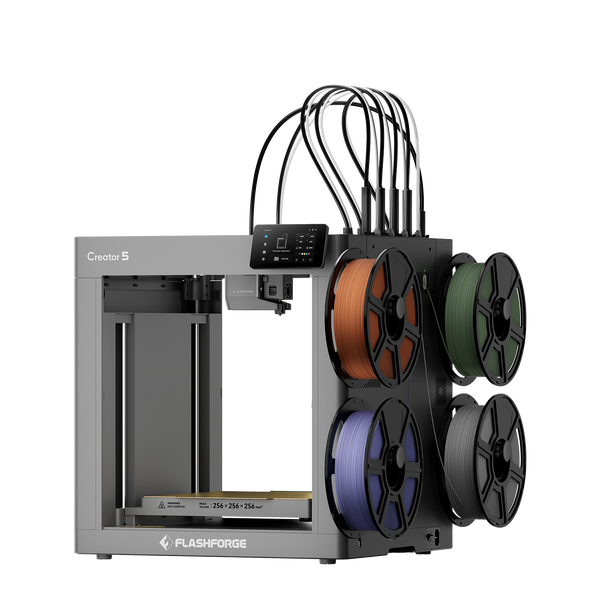
Flashforge Creator 5 4-Toolheads Multi-Color 3D Printer | 500% Faster, Zero Purge Waste
Return the partially used TPU to sealed storage as soon as the print is complete.
If you are browsing a 3D printer for sale, review its supported TPU hardness range, feed-path design, and dry-box compatibility before making a decision. These practical details can affect print stability more than a headline speed specification.
FAQ About TPU Drying
Can you over-dry TPU?
Yes, especially when the temperature is too high.
The main risk is excessive heat. It can deform the spool, soften the filament prematurely, or affect dimensional consistency.
Follow the filament supplier's instructions. Use a stable low-temperature device rather than increasing the temperature to shorten the cycle.
Do you need to dry brand-new, sealed TPU?
Not always.
Vacuum-sealed packaging reduces moisture exposure, but storage conditions and packaging quality can vary. A new spool may print cleanly without an additional drying cycle.
Dry the filament first when the packaging is damaged, the spool has been stored for a long time, or the first test print shows stringing, bubbling, popping sounds, or inconsistent extrusion.
For an important long print, pre-drying a sealed spool can reduce uncertainty.
Can you print TPU while it is still slightly damp?
You may be able to extrude slightly damp TPU, but the result is less predictable.
Even a small amount of moisture can cause stringing, bubbling, rough surfaces, or inconsistent extrusion. These defects also make print settings harder to evaluate.
Dry the spool first. Then adjust speed, temperature, and retraction after moisture is no longer affecting the test print.
Does the right drying temperature differ for soft low-Shore and harder TPU?
It can differ, but Shore hardness is only one factor.
The polymer formulation, additives, spool material, supplier instructions, and storage history also matter. Do not assume that every soft TPU requires one setting and every hard TPU requires another.
Use the material-specific recommendation first. Flashforge lists 50°C for 6 hours as a general TPU reference, while the AD5X TPU 64D workflow uses 70°C for 8 hours.
How can you tell drying actually worked?
Print a small test object and compare the result.
A properly dried spool should produce a cleaner surface, fewer bubbles, less stringing, and more stable extrusion. Popping or crackling sounds should also decrease.
If the symptoms continue after drying, inspect the nozzle, extrusion path, print speed, temperature, and retraction settings.
Conclusion
The correct TPU drying temperature depends on the filament and workflow.
For general Flashforge TPU, start with 50°C for 6 hours. For AD5X TPU 64D printing, Flashforge recommends 70°C for 8 hours and keeping dry-box humidity below 15% during printing.
After drying, store TPU in a sealed container with desiccant and protect it from moisture during long prints. Properly dried TPU usually produces cleaner surfaces and more stable extrusion.