




A customer asks what you would charge for a printed desk organizer. The filament costs only a few dollars, but the job also ties up your printer, requires preparation, and needs packing. Charging for plastic alone leaves much of the work unpaid.
To work out how to price 3D prints, calculate the full job cost, then allow for selling fees and your target profit. This guide focuses on filament printing and shows a repeatable formula, a worked example, and practical ways to quote custom orders.

Start With the Job and a Pricing Formula
Before calculating, confirm the file, dimensions, material, color, quantity, finish, and delivery date. Ask whether the customer needs a display piece or a functional part. These details determine the printing settings and the work you are pricing.
For fdm 3d printing, melted filament builds a part layer by layer. A slicer converts the model into printer instructions and estimates material use and printing time. Save those estimates with the approved settings so you can explain your quote.
Use this starting formula: Selling price = (full job cost + fixed selling fee) / (1 - percentage selling fee - target margin). Enter percentages as decimals. The margin is the share of the selling price left after the costs and fees included here; the fee percentage plus margin must stay below 100%.
Full job cost includes material, machine use, electricity, hands-on labor, expected rework, packaging, and allocated overhead. When comparing a desktop 3d printer for paid work, estimate these costs for your intended workload rather than assuming its purchase price determines your rates.
Calculate the Costs Behind Each Print
A useful quote separates costs you can measure from estimates you need to refine. Start with the sliced job, then add the expenses that the slicer cannot see.
Material and Waste
Material cost = total grams consumed / 1,000 × cost per kilogram. Use the delivered price you actually paid for 3d printer filament, including purchase shipping allocated to the spool. Include supports, brims, and any purge or priming material, not just the finished part.
Suppose a model uses 90 grams and its supports use 10 grams. At an assumed $20 per kilogram, the total material cost is $2.00. For several materials, calculate each separately. Keep failed-print losses in your rework allowance so you do not count the same waste twice.
Machine Use and Electricity
Build an hourly machine cost from equipment recovery and maintenance. For example, an assumed $600 setup spread over 3,000 productive hours contributes $0.20 per hour. Adding an assumed $0.10 maintenance allowance gives $0.30 per machine hour. These are planning inputs, not Flashforge prices or service-life promises.
Estimate maintenance using actual replacement costs for 3D printing accessories, such as nozzles and build plates. Flashforge's guide to how much an FDM 3D printer costs provides context for separating purchase cost from ongoing ownership expenses.
Electricity cost = average kilowatts × operating hours × your electricity rate. The U.S. Energy Information Administration explains watts and kilowatt-hours. Measure a representative job's consumption when possible; a printer's rated maximum power is not its average draw. Include drying or chamber heating when relevant, without charging electricity again inside the machine rate.

Labor and Overhead
Charge for time spent checking files, slicing, preparing the machine, removing supports, inspecting, and packing. Unattended printing uses machine time; it does not automatically require the same number of labor hours. At an assumed $24 hourly labor rate, 20 minutes costs $8.00.
Allocate software, workspace, administration, and other shared expenses across a realistic number of orders. Low sales volume increases overhead per order. Keep a note of what each hourly rate includes so maintenance, electricity, or administration is not added twice.
Allow for Reprints Before Adding Profit
A successful part may have required an earlier attempt. Track failed material, machine time, energy, and repeat labor by material and job type, then spread that cost across accepted output. A new geometry may need a paid test print before you can quote production confidently.
For an initial estimate, you can use a clearly labeled contingency based on the repeatable printing costs. Replace it with recorded results as orders accumulate. Do not treat a convenient percentage as an industry failure rate, or apply it to packaging and design work that would not be repeated.
Check the business as well as the individual order. The SBA break-even calculator separates fixed and variable costs and calculates the unit sales needed to cover fixed expenses. In that calculation, keep monthly fixed costs separate from variable unit costs; adding allocated overhead to both would double-count it.
Work Through a 3D Print Pricing Example
Consider one PLA organizer requiring 100 grams including supports, five printing hours, and 20 minutes of hands-on work. Assume average printer power of 120 watts and electricity at $0.20 per kWh. Every figure below is illustrative, not a market benchmark or a customer quote.
| Cost item | Calculation | Amount |
|---|---|---|
| Filament | 100 / 1,000 × $20 | $2.00 |
| Machine use | 5 hours × $0.30 | $1.50 |
| Electricity | 0.12 kW × 5 hours × $0.20 | $0.12 |
| Reprint allowance | Assumed 10% of the $3.62 printing subtotal | $0.36 |
| Hands-on labor | 20 / 60 hours × $24 | $8.00 |
| Packaging | Assumed supplies cost | $1.00 |
| Allocated overhead | Assumed share per order | $2.00 |
| Full job cost | Sum of the rounded amounts | $14.98 |
This simplified reprint allowance assumes no repeat labor; add that cost when your workflow requires it. With no selling fees, a 30% target margin gives $14.98 / 0.70 = $21.40. Rounding the quote to $22 leaves $7.02 after the listed costs, before income tax and any unmodeled expenses.
If your selling channel instead charges an assumed 10% fee on the item price plus $0.30, the calculation becomes ($14.98 + $0.30) / (1 - 0.10 - 0.30) = $25.47. Use your channel's actual fee schedule, including any fees on shipping, rather than copying these assumptions.
Choose a Quote Structure That Fits the Order
The same cost model supports several quoting methods. Select the customer-facing format that makes the scope easiest to understand while keeping your internal calculation complete.
Per Gram or Per Hour
A price per gram is convenient for similar parts with consistent settings. It becomes misleading when a light, detailed model takes much longer than a heavier simple shape. Compare both grams and machine hours before setting a repeatable rate.
An hourly printing rate can suit customer-supplied files, but state whether material and labor are included. Use a minimum order charge when file review and setup would otherwise consume the entire sale. Show the customer the total before starting.
Custom Work and Small Batches
Quote modeling, revisions, painting, assembly, and special packaging separately when their scope varies. Flashforge's guide to smoothing 3D prints can help define whether a customer expects a raw print or a surface that needs additional finishing time.
For batches, divide shared setup work across the quantity and confirm the number of acceptable parts per build. Material and machine costs do not disappear as quantities rise. Print a sample before offering a volume discount, and base rush charges on actual scheduling or overtime needs.
Match Your Printer to the Jobs You Sell
Equipment affects your estimates through material handling, setup, and the time needed to produce acceptable parts. Validate those effects with your own files before changing your price list.
When evaluating a fast 3d printer, compare complete job time at the required finish. Buyers considering an enclosed 3d printer should also account for the materials and temperature control their orders require.
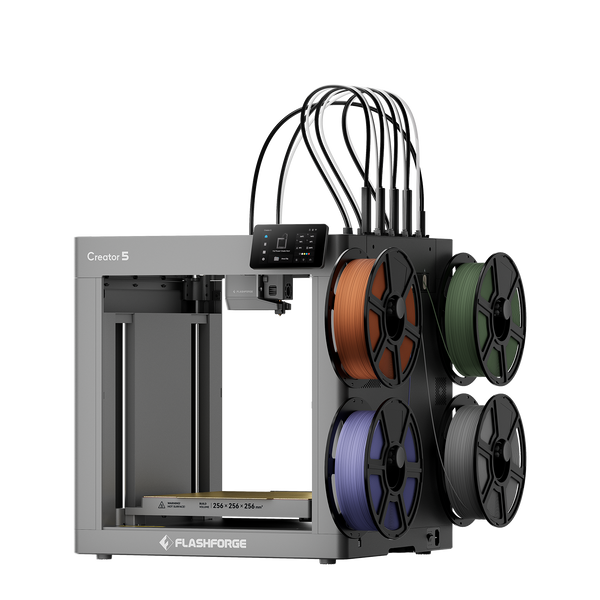
Creator 5 for Multicolor Orders
The Flashforge Creator 5 uses four independent toolheads for multicolor and multi-material work. Separate toolheads avoid repeatedly flushing different filaments through one shared nozzle during changes. For colored signs or personalized items, compare sliced material consumption and complete printing time before setting a surcharge. Supports and startup material still belong in the cost estimate.
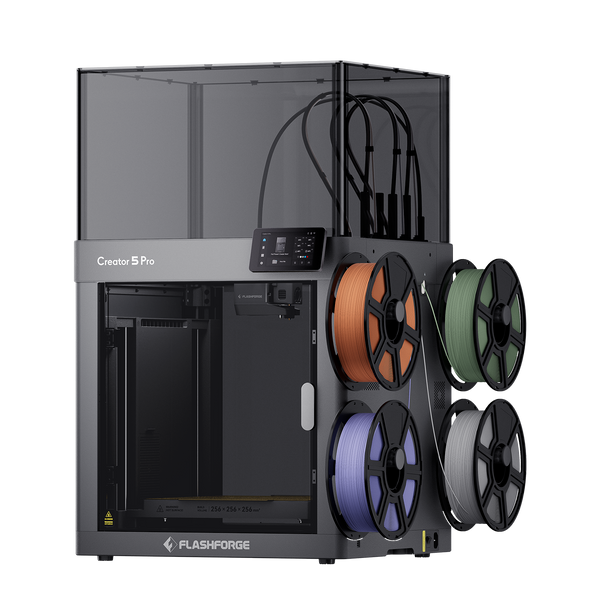
Creator 5 Pro for More Demanding Materials
The Flashforge Creator 5 Pro combines four independent toolheads with an enclosed design and active chamber heating up to 65°C. That temperature control is relevant when quoting compatible engineering materials that are sensitive to cooling and drafts. Include drying, power, and inspection time, and test the customer's geometry before committing to fit or repeatability.
Turn Your Estimate Into a Clear Customer Quote
State the approved file version, dimensions, material, color, quantity, finish, price, and lead time. Specify whether design changes, shipping, and applicable sales tax are included. Recalculate if the customer changes the geometry, material, or quality requirements.
After delivery, compare estimated grams, hours, and labor with actual results. Update the rates that were wrong before quoting the next similar job. A useful pricing method improves with your records and gives you a defensible reason for each charge.

FAQ
How Much Should I Charge Per Gram for 3D Printing
There is no universal rate. Divide the calculated job price by the finished part's weight to get an effective rate for that job, then test it against similar orders. Supports and printing time can make two equal-weight parts cost different amounts.
Is a 30 Percent Markup the Same as a 30 Percent Margin
No. A 30% markup multiplies cost by 1.30. A 30% margin divides cost by 0.70 when no selling fees apply. On a $10 cost, those methods produce $13.00 and about $14.29 respectively.
Should I Charge for a Failed Print
Your normal production failures should be covered by the allowance built into your agreed price. If a customer changes an approved file, agree on any additional charges before reprinting. Make test prints and revision terms clear before accepting the order.
Can I Sell Prints Made From Downloaded Files
Check the model's license and obtain commercial permission when required. Being able to download a file does not itself establish permission to sell printed copies. Include any permitted commercial license cost in your estimate.
What if Customers Will Not Pay the Calculated Price
Review the material, finish, design, and order quantity with them. Reduce costs through an agreed change in scope, then recalculate. If the job still cannot cover your costs at an acceptable price, decline it or choose a different product to sell.