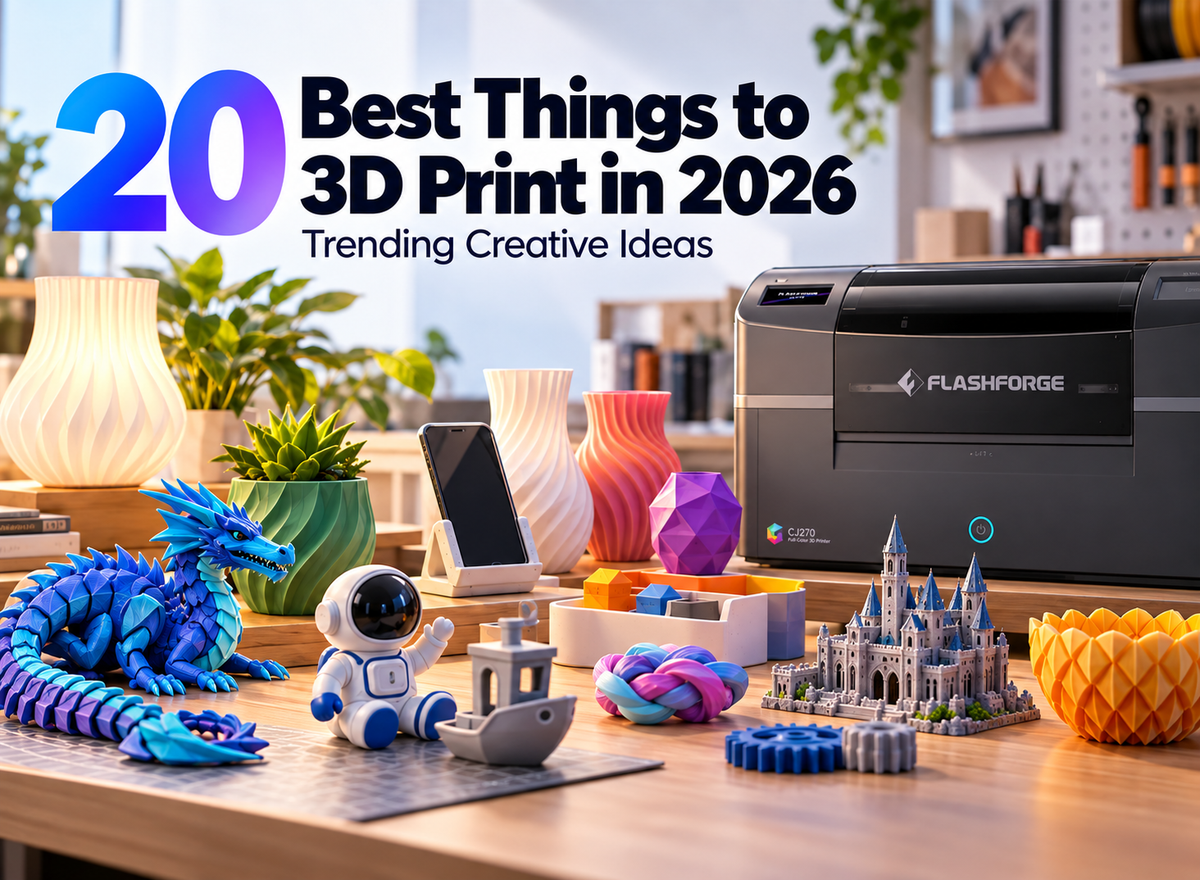
Choosing a FlashForge 3D printer is easier when you start with the objects you want to make. A beginner printing organizers has different needs from a studio producing four-color models or detailed, full-color figures. The biggest differences across the range are printing process, color system, materials, enclosure, and build size.
This guide compares six FlashForge models and shows where each one fits. It also explains the costs and workflow changes that may matter more than a specification on its own.
Quick Comparison of FlashForge 3D Printers
The table is a starting point for finding the best 3D printer for your projects. If two models appear to suit your needs, the sections below explain the practical differences.
| Model | Best for | Printing type | Color capability | Enclosure |
|---|---|---|---|---|
| Adventurer 5M | Beginners and everyday projects | FDM, one nozzle | One filament at a time | Open |
| Adventurer 5M Pro | Home and education | FDM, one nozzle | One filament at a time | Enclosed |
| AD5X | Accessible multicolor projects | FDM, one nozzle with IFS | Up to four loaded colors | Open |
| Creator 5 | Frequent multicolor and multimaterial work | FDM, four independent toolheads | Up to four loaded colors or materials | Open |
| Creator 5 Pro | Engineering materials and professional workflows | FDM, four independent toolheads | Up to four loaded colors or materials | Enclosed, actively heated |
| CJ270 | Detailed, full-color display models | MJP material jetting | Full color, including gradients | Enclosed machine |
The five FDM 3D printer models print with filament. The CJ270 uses a different process and dedicated materials, so its color output and day-to-day workflow need to be considered separately.
What Should You Decide Before Choosing a FlashForge 3D Printer?
In 3D printing, a few decisions can narrow the list quickly. Think about your usual project rather than the most demanding print you might make once.

Do You Need Single-Color, Multicolor, or Full-Color Printing?
For brackets, organizers, prototypes, and many decorative objects, one filament color per print may be enough. The Adventurer 5M and 5M Pro handle these jobs without a multicolor system.
For multi color 3D printing with several distinct filament colors, the AD5X uses its Intelligent Filament System (IFS) to feed up to four filaments through one nozzle. The Creator 5 models keep four separate toolheads ready, reducing repeated loading and the purging associated with a shared nozzle. For photographs, skin tones, gradients, or detailed surface artwork, consider the CJ270's full-color process. Four-color filament printing does not produce the same result as full-color material jetting.
Which Materials Do You Plan to Use?
PLA and PETG are common 3D printer filament options for hobby and everyday projects. Flexible parts, soluble supports, ABS, ASA, and reinforced engineering filaments require a closer look at each printer's published material guidance. Nozzle temperature alone does not establish suitability: the feeding system, nozzle choice, and printing environment also matter.
EPA research on 3D printing emissions reports that filament type and additives can affect particle and VOC emissions.
The Adventurer 5M is a sensible starting point for common filaments. The 5M Pro adds an enclosure and lists ABS and ASA among its supported materials. Creator 5 suits a wider range of everyday multimaterial workflows, while Creator 5 Pro is the stronger choice when engineering filaments are a regular part of the work. Check the relevant product page for the exact filament and nozzle combination before buying.
Do You Need an Enclosed Printer?
An enclosed 3D printer helps limit drafts and temperature changes around a print. That matters particularly for materials prone to warping. It can also make a printer easier to place in a shared workspace, though filtration does not replace appropriate ventilation and material handling.
NIOSH guidance on 3D printing emissions and controls recommends ventilation and other engineering controls for reducing exposure.
Choose the Adventurer 5M Pro when you want an enclosed everyday printer with built-in camera monitoring and HEPA plus activated-carbon filtration. Choose Creator 5 Pro when the enclosure must also provide actively controlled chamber heating, up to 65°C. An optional enclosure for an open printer does not add all the Pro models’ other features.
How Large Are Your Typical Models?
The Adventurer 5M, 5M Pro, and AD5X each offer a 220 × 220 × 220 mm build volume. Creator 5 and Creator 5 Pro increase that to 256 × 256 × 256 mm. CJ270’s 180 × 120 × 100 mm volume is better suited to smaller, detailed objects. Measure a typical finished part, including any supports and planned orientation, rather than choosing by volume alone.
Are You Printing Occasionally or Producing Small Batches?
An occasional print may not justify paying for a more complex color system. Repeated jobs change the calculation: filament changes, purge material, support removal, failed prints, and preparation time all add up. AD5X makes automated four-color printing accessible; Creator 5’s separate toolheads become more useful when a model changes color or material often. Creator 5 Pro adds environmental control when batches use demanding filaments.
Which FlashForge 3D Printer Is Right for You?
Each model has a clear strength. The best fit is the one whose normal workflow matches your normal projects.
Adventurer 5M — Best for Beginners and Everyday Projects
The Adventurer 5M is a good first printer for PLA and PETG projects such as desk accessories, storage parts, and simple prototypes. Automatic leveling and quick-detach nozzles reduce two common setup and maintenance hurdles. Its open structure is straightforward to access, and its 220 mm cube build area accommodates many household-scale prints. Start here if you mainly want to learn FDM printing without paying for features you will rarely use.
Adventurer 5M Pro — Best for Home and Education
The Adventurer 5M Pro keeps the same build volume but adds an enclosure, camera, and air filtration. It is a more suitable choice for a classroom, shared studio, or home setup where those features are valuable. Its published material list also includes ABS and ASA.
If you are deciding between the two Adventurer models, FlashForge's Adventurer 5M vs Adventurer 5M Pro guide explores how the enclosure and built-in features affect that choice.
AD5X — Best for Accessible Four-Color Printing
The AD5X suits hobbyists who want colorful signs, figures, teaching aids, or personalized objects without managing separate printheads. Its single nozzle and IFS automate filament changes among up to four loaded colors. Because the next color passes through the same nozzle, a multicolor print may need purging; check the slicer's time and material estimates for the actual model.
It is also a practical option when automatic filament loading and refill matter for repeated work. Remember that its standard structure is open and its build volume is 220 × 220 × 220 mm.
Creator 5 — Best for Efficient Multicolor and Multimaterial Printing
The Creator 5 takes a different approach: four independent toolheads keep different colors or materials loaded separately. This is useful for models with frequent changes, mixed filament properties, or dedicated soluble-support material. It can reduce purge waste during tool changes, although support structures, setup, and ordinary print waste still need to be counted.
Its 256 × 256 × 256 mm build volume gives you more room than the AD5X. Choose it when the benefits of separate toolheads will be used often, particularly for creative studio work and small batches using materials suited to an open printer.
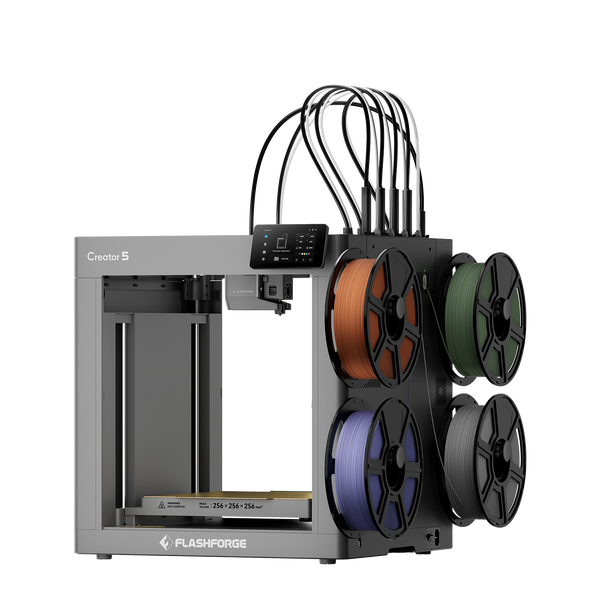
Flashforge Creator 5 4-Toolheads Multi-Color 3D Printer | 500% Faster, Zero Purge Waste
Creator 5 Pro — Best for Engineering Materials and Professional Workflows
The Creator 5 Pro retains the four-toolhead system and build volume, then adds a fully enclosed frame, filtration, and an actively heated chamber rated up to 65°C. These additions make it the more appropriate Creator model for regular work with ABS, ASA, nylon, and specified reinforced filaments.
A design team producing functional prototypes may value both capabilities: separate toolheads for material assignments and a controlled environment for temperature-sensitive prints. Use the manufacturer’s material and nozzle guidance for each job; the Pro label does not mean every filament can use the same settings.
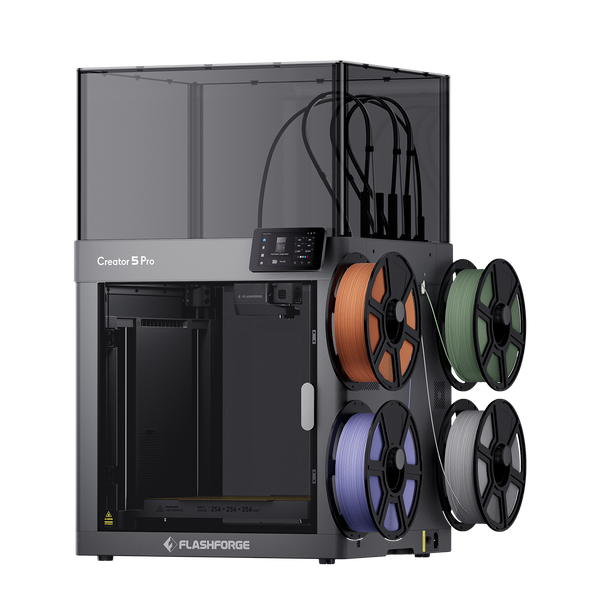
Flashforge Creator 5 Pro 4-Toolheads Enclosed Multi-Color 3D Printer | 500% Faster, Zero Purge Waste
CJ270 — Best for True Full-Color 3D Models
The CJ270 is intended for projects where appearance carries much of the value: portrait figures, miniatures, display pieces, and detailed visual models. Its MJP process jets and cures photosensitive materials, using CMYK, white, and clear materials alongside water-soluble support. FlashForge specifies a 7 μm layer thickness and a 180 × 120 × 100 mm build volume.
Choose it for detailed color and surface presentation, while allowing for support removal and other post-processing. If the distinction between several filament colors and full color is still unclear, FlashForge's multicolor vs full-color 3D printer guide explains the processes in more detail.
How Do the Most Similar FlashForge Models Compare?
The closest choices become easier once you identify the feature you would use every week.

Adventurer 5M vs Adventurer 5M Pro
Both provide a 220 mm cube build area and straightforward single-nozzle FDM printing. Choose the 5M for accessible everyday printing. Choose the 5M Pro if an enclosure, built-in camera, filtration, or its wider published material list matters to your setup.
AD5X vs Creator 5
AD5X routes up to four filaments through one nozzle, making it a simpler entry into automated multicolor printing. Creator 5 switches among four independent toolheads, making frequent color changes and distinct material assignments more efficient. The choice depends on how often you print complex multicolor or multimaterial models.
Creator 5 vs Creator 5 Pro
Both use four toolheads and share a 256 mm cube build volume. Creator 5 is the open option for everyday multicolor and multimaterial work. Creator 5 Pro adds an enclosure, active chamber heating, and filtration for workflows involving more temperature-sensitive engineering materials.
AD5X Multicolor vs CJ270 Full Color
AD5X places distinct pre-colored filaments in a model. CJ270 produces a much broader color range and finer transitions through material jetting. Pick AD5X for filament projects that need several clear colors; pick CJ270 when realistic color, gradients, and small visual details are central to the finished object.
Which Model Fits Different Printing Scenarios?
For a final shortlist, match the recurring job to the printer’s main strength.
| Printing need | Recommended model | Why |
|---|---|---|
| First printer for organizers and simple models | Adventurer 5M | Easy-to-manage everyday FDM workflow |
| Shared home, classroom, or office setup | Adventurer 5M Pro | Enclosure, filtration, and camera |
| Four-color hobby models | AD5X | Automated color changes through IFS |
| Frequent color changes or mixed materials | Creator 5 | Four independent toolheads |
| Engineering filaments and functional prototypes | Creator 5 Pro | Toolheads plus actively heated enclosure |
| Small models with realistic color and gradients | CJ270 | Full-color material jetting |
If your work spans two rows, decide which type of print you produce most often. That choice is usually more useful than buying for an occasional edge case.
What Costs Should You Consider Beyond the Printer?
The purchase price is only part of the budget. Compare the cost of making your typical model, including the time it takes to prepare and finish.
Filament, Resin, and Support Material
FDM printers need suitable filament; some complex models also need support material. CJ270 uses dedicated model and water-soluble support materials. Check availability and expected use for the projects you plan to print.
Color Changes and Material Waste
A shared-nozzle color change can consume material while the previous color is cleared. Separate Creator 5 toolheads reduce that kind of purge waste, but do not remove every source of waste. Compare slicer estimates for the same model before drawing a cost conclusion.
Replacement Nozzles and Maintenance Parts
Budget for nozzle wear, build-surface upkeep, and other consumable parts. A four-toolhead printer offers more material flexibility but also has multiple toolheads to check and maintain.
Software and Model Preparation
Multicolor FDM files need correct color or toolhead assignments. Full-color work also needs suitable color information in the model and preparation in CJ270’s ColorPrint software. Factor this preparation into jobs with short deadlines.
Post-Processing Requirements
FDM parts may need support removal and surface finishing. CJ270 uses water-soluble supports, and some projects may require additional cleaning or curing steps. Plan around the finished object you need to deliver, not only the time shown for printing.
Conclusion
For a first filament printer, start with Adventurer 5M; move to 5M Pro when its enclosure and built-in features serve your workspace. Choose AD5X for approachable four-color printing, Creator 5 for regular toolhead-based color and material changes, and Creator 5 Pro for those workflows with more demanding engineering filaments. Choose CJ270 when detailed full-color appearance is the purpose of the print.
Frequently Asked Questions
These short answers cover the distinctions most likely to affect a purchase.
Which FlashForge Printer Is Best for Beginners?
Adventurer 5M is a strong starting choice for common filament projects. Adventurer 5M Pro makes more sense if you want an enclosed setup with camera monitoring and filtration.
Which FlashForge Printer Can Print in Multiple Colors?
AD5X, Creator 5, and Creator 5 Pro can make multicolor filament prints. CJ270 produces full-color models using a different material-jetting process.
What Is the Difference Between AD5X and Creator 5?
AD5X feeds several filaments through one nozzle using IFS. Creator 5 has four independent toolheads, reducing repeated filament loading and purging during tool changes.
When Should You Choose Creator 5 Pro?
Choose it when you regularly need the Creator 5’s four-toolhead workflow together with an enclosed, actively heated environment for supported engineering materials.
Is CJ270 the Same as a Multicolor FDM Printer?
No. CJ270 uses MJP and photosensitive materials to produce a broad range of colors and gradients. Multicolor FDM models combine separate, pre-colored filaments.
Which FlashForge Printer Is Best for Schools?
Adventurer 5M Pro is a practical starting point where an enclosure, built-in monitoring, and filtration fit the classroom’s requirements. Schools should also plan supervision, ventilation, materials, and maintenance around their own space.
Which Model Is Best for Small-Batch Production?
For repeated multicolor or multimaterial filament jobs, compare Creator 5 and Creator 5 Pro according to the materials required. AD5X may suit simpler four-color batches. Use sample jobs to compare preparation time, material use, and finishing work before scaling up.